How to Repurpose Ads Across Formats Without Cropping
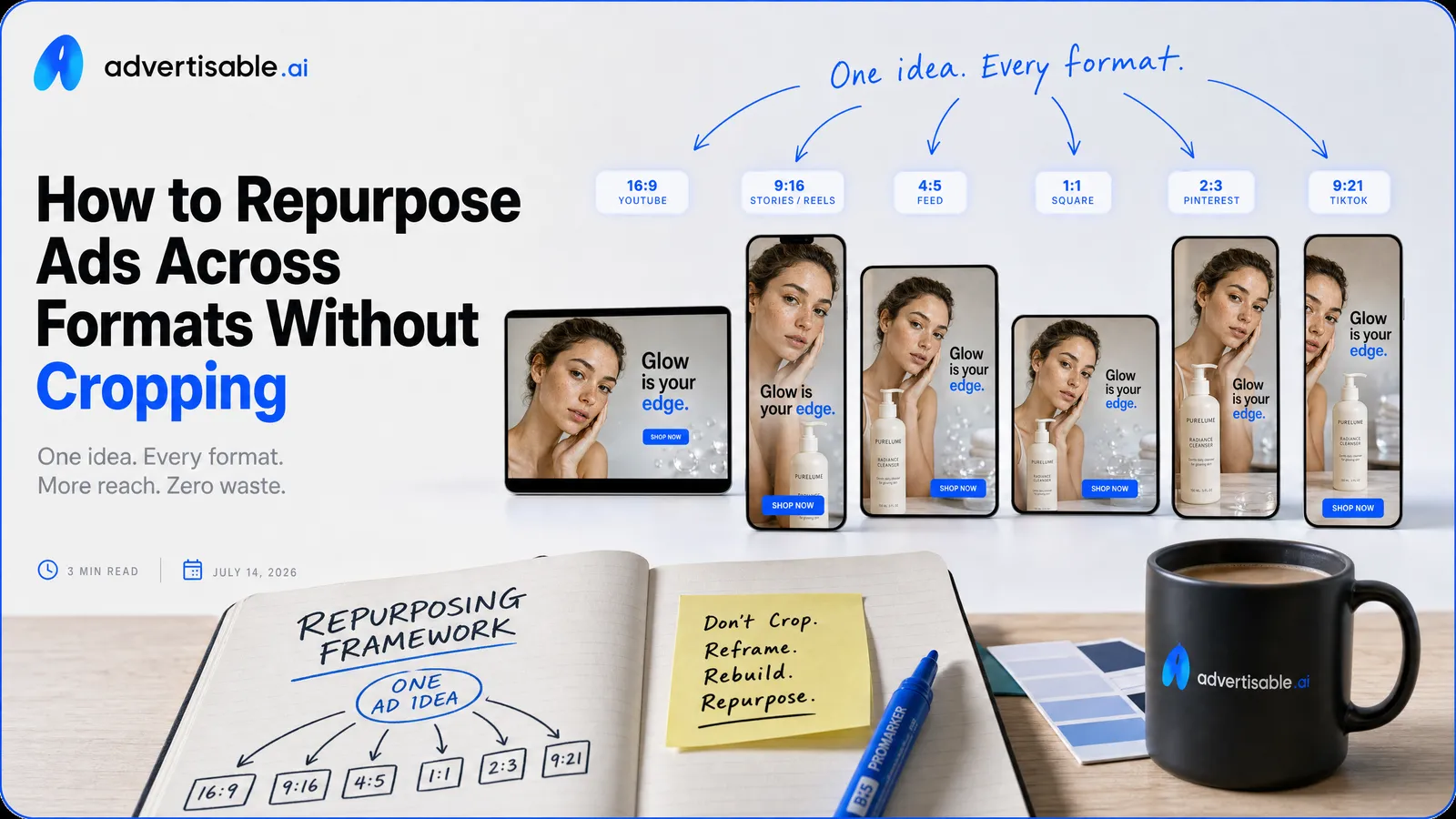
You repurpose one ad into Meta, TikTok, and YouTube formats by keeping the concept constant and rebuilding the execution natively for each placement, not by cropping a single master video.
Here’s the fast checklist that prevents “crop and pray” repurposing:
- Hold the product truth and primary angle constant across every version.
- Rebuild the hook framing per placement so the first second reads on-screen.
- Treat on-screen text as placement-specific, not a resized overlay.
- Use single-variable batches, then judge winners on a 48 to 72 hour readout.
- Add static variants for retargeting so every concept has a second job.
- Approve exports by placement requirements before launch, not after performance drops.
We built Advertisable AI for this exact production bottleneck: teams need many channel-ready exports without losing control. With Brand DNA locked from your product URL and scene-level control in the Storyboard Editor, you can regenerate the hook or proof scene per platform instead of re-rendering the entire ad.
The core shift is simple but non-negotiable: repurposing is one concept doing many native executions, each composed for its placement while staying true to the same product truth.
Repurposing means one concept, many native executions
Repurposing is not “make one file, then resize it.” It is one concept doing multiple jobs across placements, where each job has different viewer expectations and different constraints. When you rebuild natively for the placement, you remove distractions that come from adapted-looking creative and you keep the idea legible at scroll speed.
The crop versus native test
A fast way to tell if you are truly repurposing is to run a crop-versus-native test: compare a center-cropped version to a version composed for the placement. If the hook is not unmistakable in the first second, the crop is already losing before the message lands.
Crops usually fail on subject framing and eyeline. In 9:16, faces get pushed too low or too high, eye contact drifts off-center, and your “main moment” ends up competing with captions, stickers, and platform chrome.
- Hook visibility (first 1 second): Can you read the core claim or see the proof without pausing?
- Subject framing and eyeline: Is the face centered for vertical, with eyes in the upper-middle of the frame rather than near the edges?
- Safe zones for UI: Are key words, logos, and proof elements kept away from typical top and bottom overlays so nothing critical is covered?
If a crop only works when you squint or scrub backward, it is not a repurpose, it is a compromise.
What stays constant across versions
Native execution does not mean a new message every time. The constants are what keep the campaign coherent and keep testing clean: the same product truth, the same proof, and the same single primary promise.
Product truth and proof must be checkable and consistent across every cut. If one placement leads with a spec, a demo, or packaging accuracy, the others cannot drift into vague “proof-by-vibes.”
Your promise must also stay singular. Pick one: faster outcome, better fit, fewer steps, stronger durability. Then adapt how you show it for each placement without adding a second headline claim.
Finally, lock brand voice and tone. Whether you are blunt, premium, playful, or clinical, the wording, pacing, and on-screen text should read like one brand speaking in different rooms.
Why cropping and screenshot statics usually underperform
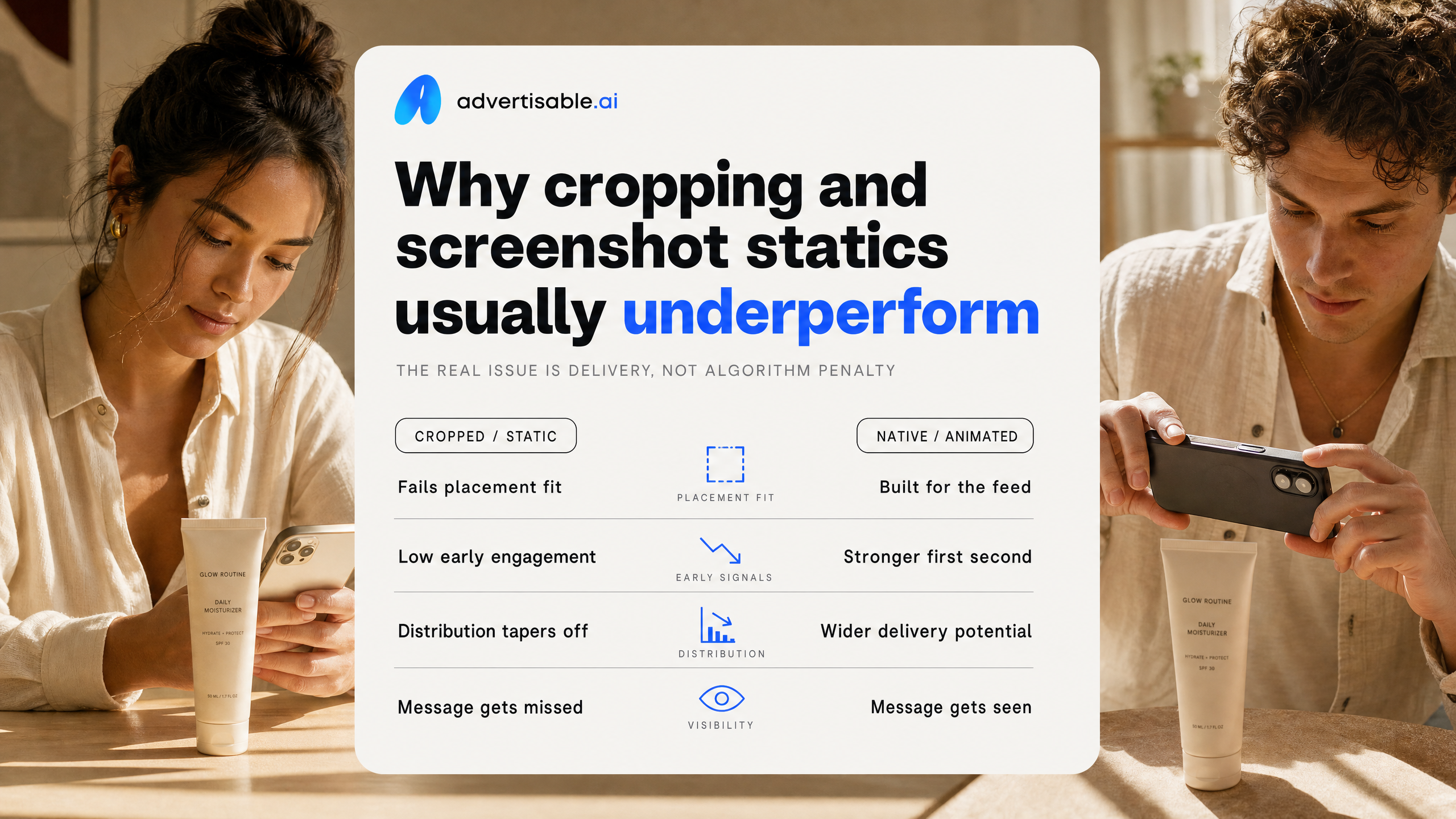
Cropping is not usually “algorithm penalty” so much as a delivery problem: the repurposed asset fails basic placement fit, so early engagement drops and distribution follows. The fastest way to diagnose it is to review what is actually visible in the first second, inside safe zones, at real viewing size.
Hooks get buried off-screen
Your hook can be correct and still lose because viewers never see it. In vertical placements, the platform UI and your own captions often cover the exact words that explain the promise.
In practice, the first frame is doing too many jobs: it is a cropped mid-shot, your burned-in subtitles sit low, and the key phrase is now behind the caption rail. As a rule, only the center two-thirds of a vertical frame is reliably safe — the top and bottom are often partially or fully covered by interface elements like captions, buttons, and profile info.
Faces are the other frequent miss. A 16:9 creator shot cropped to 9:16 turns into a forehead-and-chin cut, so you lose eye contact and emotion, which is often the real hook.
The first frame also loses clarity after cropping: what was a clear product plus headline becomes an ambiguous close-up with no immediate context, so the scroll continues.
- QA check: pause at 0.0s and 0.5s and confirm the hook still reads with captions on
- QA check: keep eyes, mouth, and product fully inside the center 60-65% safe area
- Acceptance criteria: the first frame answers “what is this and why should I care?” in 1 second without audio
Adapted-not-made visual signals
Cropped assets signal “adapted-not-made” because the composition breaks in ways viewers recognize immediately. That recognition is enough to reduce thumb-stops, even if your message is solid.
The telltales are mechanical: awkward headroom, hands cut at the wrist, product cropped off-center, and important elements pinned to edges that get masked by UI. Then you resize, and any on-screen text that was readable at 16:9 becomes tiny at 9:16 or 4:5, especially once the platform compresses it.
Pacing mismatches make it worse. A YouTube-friendly intro cadence feels slow in Reels; a TikTok-style rapid hook can feel abrupt in Feed placements where users expect a cleaner opening frame.
- Objective metric to watch: 1-second view rate and 3-second hold, not just CTR
- Controlled test: hold the same hook line constant, change only pacing (first 2 seconds) per placement, read results in 48-72 hours
- Acceptance criteria: text is readable at arm’s length on a 6-inch screen without zooming
Why video screenshots fail as statics
Video screenshots underperform as statics because they inherit video artifacts and skip static-first design. You end up with a low-clarity image competing against crisp, intentionally composed feed creatives.
Most screenshots are blurred (motion) and then further degraded by compression and scaling. Even when the frame is sharp, it was composed to be supported by motion, sequencing, and audio, not to communicate a hierarchy in a single glance.
Static needs a deliberate reading order: primary claim, product, proof cue, then CTA. A screenshot rarely has that. The CTA is the most common failure, because the “tap” cue was verbal or appeared later in the video, and any button-like element becomes illegible once resized.
- QA check: view at 100% on a phone and confirm the CTA is readable in under 1 second
- QA check: remove motion context and confirm the image still communicates a single primary claim
- Acceptance criteria: no visible blur, no compressed text edges, and the offer does not rely on a later frame to make sense
Define the format translation rules before you generate
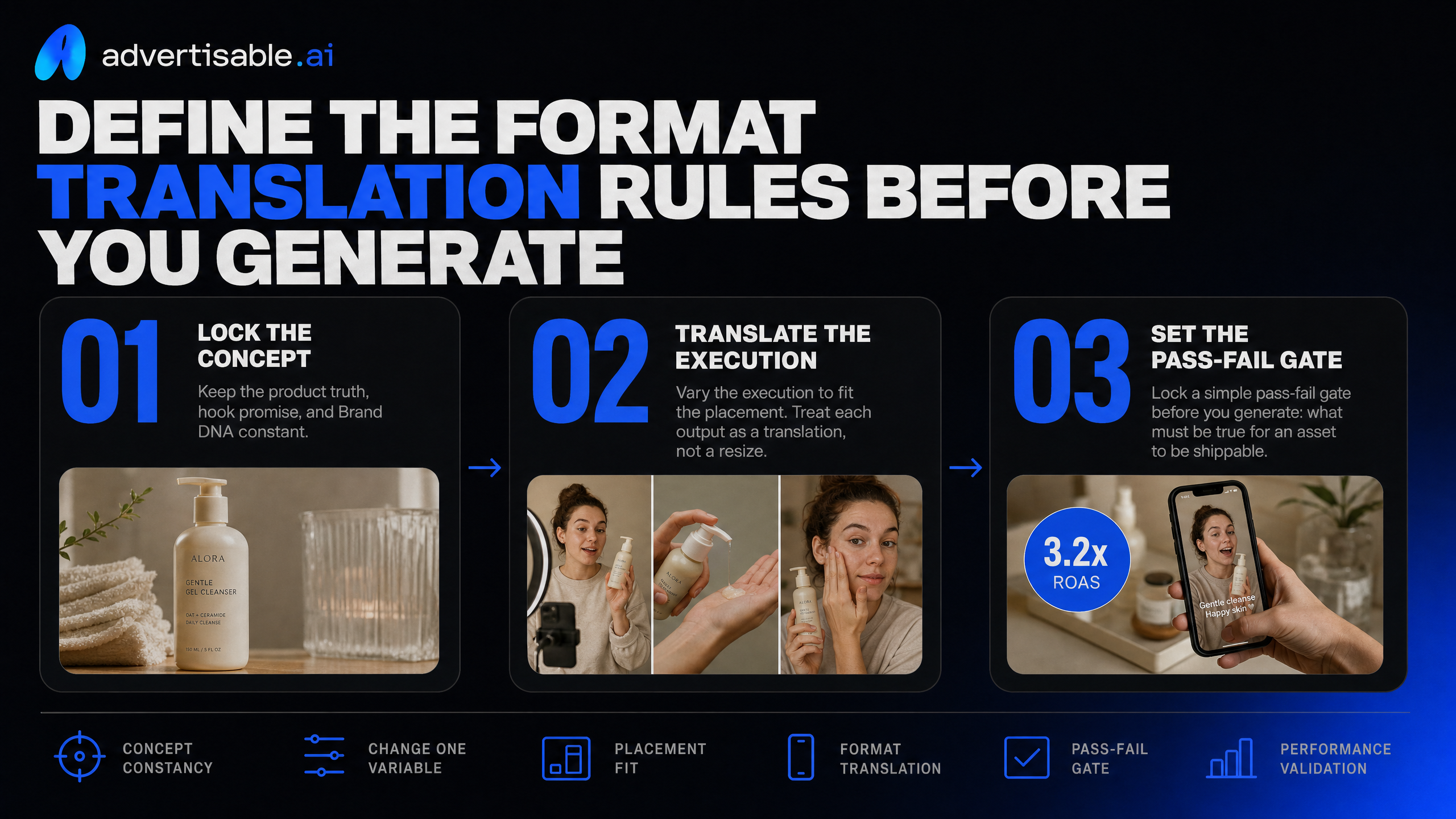
Proper repurposing means you hold the concept constant (the same product truth, hook promise, and Brand DNA), and you vary the execution to fit the placement. Treat each output as a translation, not a resize.
To keep learning clean, change only one variable per batch (for example: aspect ratio, or hook scene, or creative mode). Then lock a simple pass-fail gate before you generate: what must be true for an asset to be shippable.
Aspect ratio is a composition change
Aspect ratio work is composition work. A 16:9 to 9:16 version is not a crop job, it is a re-staged scene so the hook and product read in the first second on a vertical screen.
For 9:16, re-block each scene: move your subject, product, and proof elements into the vertical center column, and adjust camera distance so nothing important lives at the edges. You are rebuilding what the viewer notices first, not preserving the original framing.
Text needs a rebuild too. Vertical placements have UI overlays and thumb zones, so you should treat text as placement-specific, with size and position QA’d per export.
Beat order also changes in vertical. What works as a slow reveal in 16:9 often needs the proof or payoff earlier in 9:16 to hold attention.
- Re-block for 9:16: ensure the product, face, and any proof cue are fully visible without edge cropping
- Rebuild text for safe zones: no critical words near top/bottom overlays; check legibility on a phone at arm’s length
- Reorder beats for attention: hook first, then proof, then details; do not save the product reveal for later
Creative mode is a job change
Creative mode is a job change: you are not just changing visuals, you are changing the asset’s role in the funnel. Your decision rule is intent, not aesthetics.
UGC-style ads and product ads do different work. UGC earns belief through a human delivery and lived-through narrative; product ads earn belief through packaging, specs, and clean demonstration. Keep the same concept, but pick the mode that matches what you need the viewer to do next.
Static is often the clarity tool, especially in retargeting where the audience already has context. It is where you strip down to one promise, one proof point, and one CTA with zero ambiguity.
B-roll style is your modular testing layer. You generate shots you can swap behind the same storyboard beats so you can isolate what changed in a 48-72 hour readout without rebuilding the whole ad.
- UGC versus product ad intent: choose UGC when you need trust-building delivery; choose product-led when you need spec and packaging certainty
- Static for retargeting clarity: one headline, one image, one proof cue; anything else is noise
- B-roll for modular testing: produce 5-10 interchangeable shots to rotate under the same hook/proof structure
Workflow in Advertisable: build once, regenerate natively
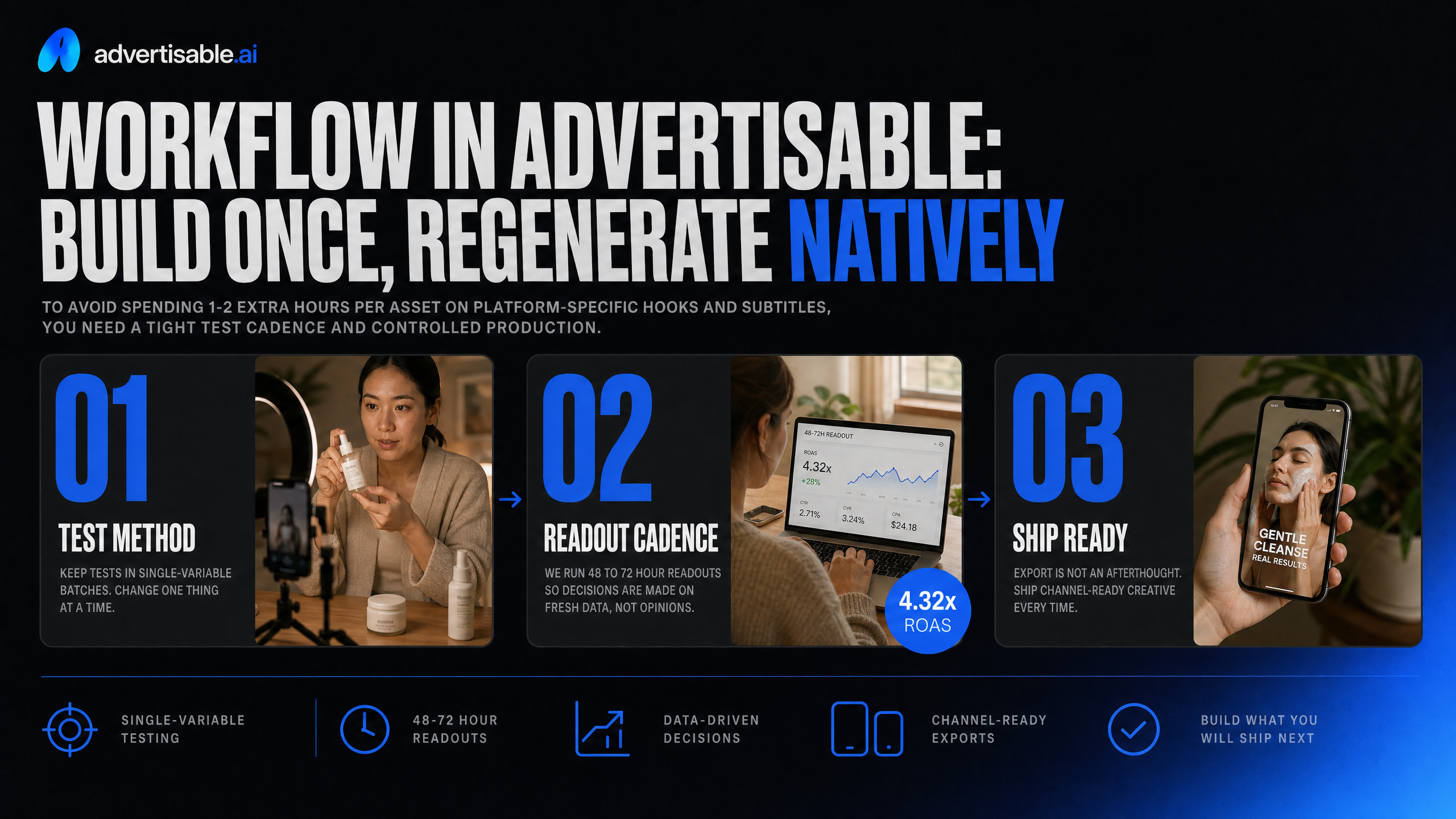
To avoid spending 1-2 extra hours per asset on platform-specific hooks and subtitles, you need a tight test cadence and controlled production. We run 48 to 72 hour readouts so decisions are made on fresh data, not opinions, and you only build what you will actually ship next.
Keep tests in single-variable batches: lock the concept and creative anatomy, then change one thing at a time (usually the hook scene or the proof scene). Export is not an afterthought either: you should ship channel-ready files per placement requirements, so nothing gets “fixed in post” right before launch.
Lock Brand DNA from your URL
The fastest way to reduce rework is to lock Brand DNA before you generate anything. In Advertisable AI, you start by ingesting your product URL so the system pulls packaging, labels, and product specs into the Brand DNA Module, then uses that as guardrails across every variation.
This is also where you prevent the two most common time sinks: claims cleanup and tone drift. Claims and tone guardrails should be explicit (what you can say, what you cannot say, and the wording you prefer) so you are not rewriting scripts or redoing subtitles after the fact.
Treat visual identity as constraints, not suggestions. Lock colors, fonts, logo placement rules, and any non-negotiables for on-screen text so your exports for different placements still read as one campaign.
- Brand DNA inputs to lock: approved product specs, approved benefit statements, disallowed claims, tone examples (2-3 do / 2-3 don’t), brand colors, fonts, logo files
- Quick QA before you proceed: product name and variant match the page, packaging color is accurate, and any claim shown on-screen is in your approved list
Create the primary storyboard first
Platform tweaks should not add hours if the storyboard is correct and approved before rendering. Build one primary storyboard and make it the “source of truth” for structure: hook, problem, proof, offer, close.
Choose hero placement first because it drives everything else: where the product sits, where subtitles can live, and what gets cropped in vertical versus feed. We recommend locking the hero safe zone in frame 1, then building the rest of the scenes around it.
Run two control passes in the Storyboard Editor: a frame-by-frame control pass for composition and readability, then a messaging pass where you approve the hook and proof beats as separate decision points. That separation is what keeps you from rewriting subtitles on every version.
- Acceptance criteria for the hook scene: product or outcome visible in the first 1 second, one readable claim max, subtitle area reserved (no overlap with UI zones)
- Acceptance criteria for the proof scene: one proof type per scene (demo, spec, testimonial, comparison), no new claims introduced after approval
- Next-test decision rule: if watch time is strong but CTR is weak, change hook framing; if CTR is strong but conversions are weak, change proof or offer, not both
Generate aspect ratios and modes
Once the primary storyboard is approved, generate native versions in 9:16, 4:5, and 16:9 rather than cropping a single master. The goal is to preserve hero placement, subtitle lanes, and proof legibility in each frame so you are not manually rebuilding “platform fixes” later.
Use modes intentionally: static for fast angle coverage, B-roll for product clarity and pacing control, and simple animation outputs when you need motion without changing the message. You are still testing one variable at a time, but you are shipping in the formats each placement actually expects.
When something underperforms, regenerate only the weak scenes. Scene-level control means you can swap just the hook or just the proof without re-rendering the entire ad, which is how you keep iteration tight inside a 48 to 72 hour readout loop.
- Native output set per concept: 9:16 short-form placement, 4:5 feed placement, 16:9 widescreen placement
- Mode set per concept: 1 static variant, 1 B-roll variant, 1 animation variant built off the same storyboard beats
- Regeneration rule: change only one scene per batch unless the storyboard fails basic readability (subtitle overlap, hero cropped, claim unreadable)
Keep every version on-brand with QA checks
Your fastest path to clean repurposing is locking one product truth, then enforcing it across every format. When the “why buy” shifts between Reels, Feed, and YouTube, you are no longer testing creative, you are testing different brands.
Hold voice constant, too: same tense, same level of specificity, same caption style, and the same way you name features and outcomes. Treat captions as part of the brand system, not an afterthought.
Finally, keep testing hygiene tight with naming. We use a convention like Campaign-Angle-HookID-Format-Aspect-v01 so you can isolate one variable without losing track of what shipped.
Claims and claim consistency
Use identical claim language everywhere, even when you rebuild the execution for a new placement. One word change can turn a substantiated benefit into a new claim you cannot defend.
Your proof has to travel with the claim. If a version includes a before-and-after, a spec callout, or a testimonial line, the supporting asset or source must be present in that same version, not only “somewhere in the campaign.”
Operationally, we keep an approved claim bank and map each claim to its proof asset in the storyboard: substantiation checks, internal approvals, and adherence to your style guide.
- Pass: claim text matches the approved claim bank verbatim
- Pass: proof asset is included in-frame or in-captions for that specific export
- Fail: any new promise introduced during “format adaptation” (faster, stronger, safest, permanent) without approved substantiation
Creative QA acceptance criteria
QA should be acceptance criteria, not opinions. We review each export at 100% and at thumb distance (arm’s length) before it enters a 48-72 hour test window.
For readability, your hook must sit inside platform safe zones, not just “technically on screen.” If the first line gets clipped by UI, you lose the scroll-stop and your test is contaminated.
Your CTA has one job: be readable without squinting. If you need to zoom to understand it, it is not shippable.
By mid-ad, you should have clear brand cues. In practice, that means your logo, brand colors or typography, and a consistent caption voice show up by the halfway point so each placement still reads as one campaign.
- Hook: fully legible within safe zones in every aspect ratio
- CTA: readable at thumb distance and on the first viewing
- Brand cues: present by mid-ad (not only at the end card)
Format and placement map for Meta, TikTok, YouTube
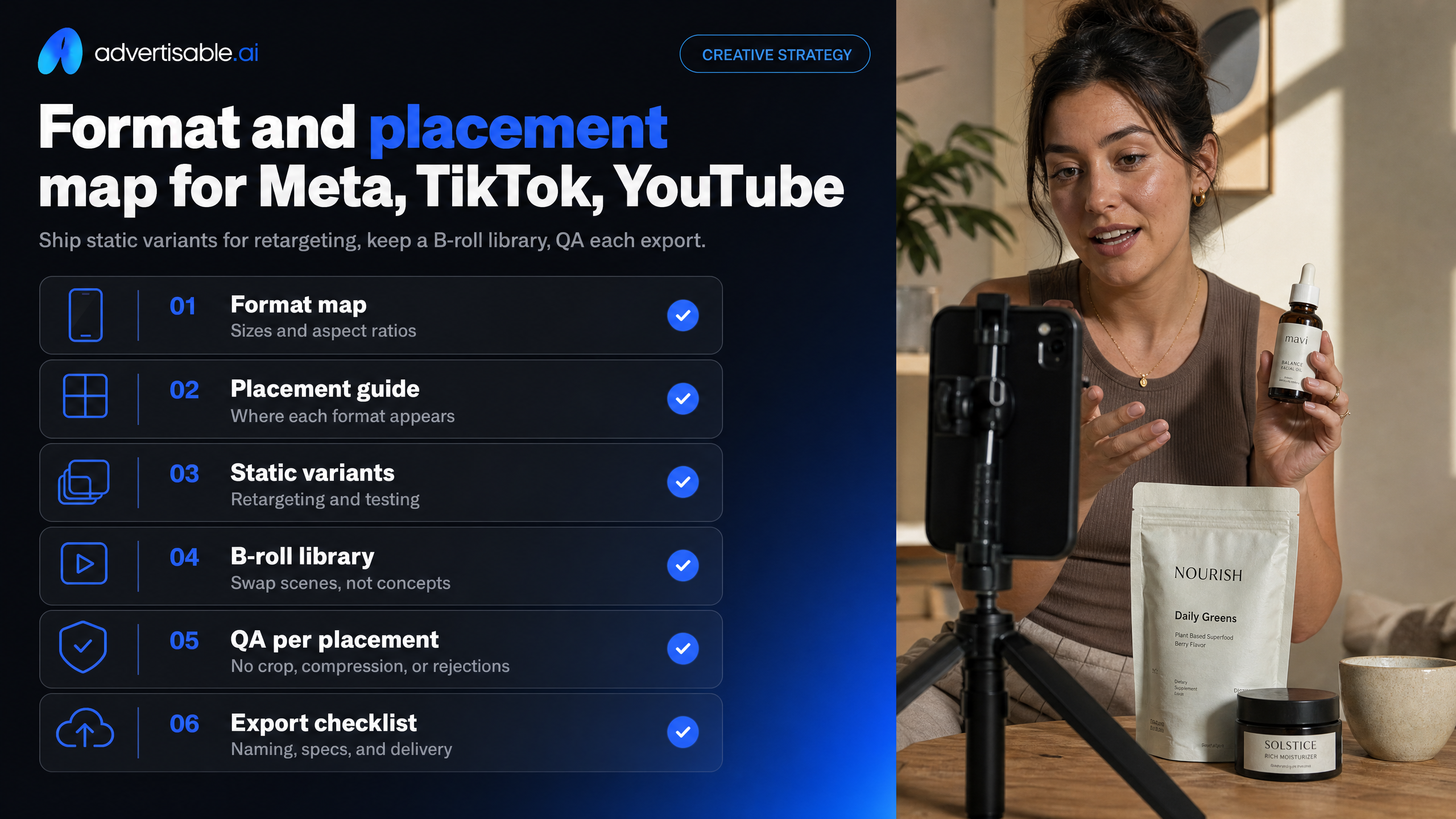
Ship static variants for retargeting, and keep a B-roll library so you can swap scenes without rebuilding the concept. QA each export against its placement so nothing gets cropped, compressed, or rejected.
9:16 for short-form placements
Use 9:16 (1080x1920) for Reels, Stories, TikTok, and Shorts. Your acceptance criteria is simple: the hook and product are readable in the center third in the first 1 second, with close framing and a fast cut rhythm.
Compose caption-first: assume sound-off and build the first 2 lines of on-screen text as the primary message, not decoration.
4:5 or 1:1 for feeds
For feed, ship 4:5 or 1:1 to win the scroll stop with a clear hierarchy. Make the product and headline larger than you think, because feed attention is a 0.5 to 1.5 second decision.
Static-friendly layouts work well here, especially for retargeting where you want clean readability.
- Product + headline lockup (single frame)
- 3-panel benefit stack
- Before/after or spec callout card
16:9 for YouTube in-stream
For YouTube in-stream, build 16:9 (1920x1080) with wider staging so you can show proof elements on-screen at once. You can afford a slightly longer setup, but the payoff still needs to land early.
Keep the end frame CTA unmissable for the last 2 to 3 seconds: logo, offer, and one action.
In Advertisable AI, we push all three aspect ratios from the same storyboard, then run 48-72 hour readouts where we change one scene at a time.
Turn one concept into channel-ready creative without the crop tax
If you want every placement to read native, you need a workflow that keeps the concept fixed and changes only the execution. That is exactly how we built Advertisable AI.
Start with your product URL and lock Brand DNA so colors, fonts, logo use, voice, and approved specs stay consistent across every variation. Build your primary storyboard once, then generate native 9:16, 1:1 or 4:5, and 16:9 versions without rebuilding from scratch. When performance data tells you the hook is weak, use scene-level control to regenerate only that scene, hold the rest constant, and run a clean 48 to 72 hour readout.
If you are ready to ship multi-format creative faster with tighter QA, start with the $5 3-day trial and produce one concept across every placement, on-brand.
Frequently Asked Questions
Q: How to repurpose content across platforms?
A: Keep the concept constant, then rebuild execution per placement by changing composition, pacing, and on-screen hierarchy for each aspect ratio. Work in single-variable batches so you can isolate what improved results, and review performance on a 48 to 72 hour cadence before iterating.
Q: Is repurposing content legal?
A: Yes, as long as you have rights to the underlying assets and you are not copying someone else’s work without permission. If you are adapting creator-like formats, keep your claims accurate, use approved brand assets, and follow each platform’s ad policies.
Q: How to run ads on different platforms?
ALaunch on one platform first, lock a baseline creative anatomy, then translate that same concept into native formats for the next platform. Add channels only after you have a repeatable production and QA process for exports, captions, and safe-zone composition.
Q: How do I prevent false product claims in AI-generated ads?
A: Lock Brand DNA with approved specs and claim guardrails before you generate anything, then keep those facts consistent across every format. Use a QA pass that checks on-screen text, spoken claims, and product details against your approved documentation before exporting channel-ready assets.
Q: Can I regenerate just the hook without redoing the entire video?
A: Yes. Scene-level control lets you regenerate only the hook scene while holding the rest of the storyboard constant, which keeps your test clean. That is the fastest way to iterate hooks in batches and make decisions off a 48 to 72 hour readout.