How to Make Facebook Ads With AI
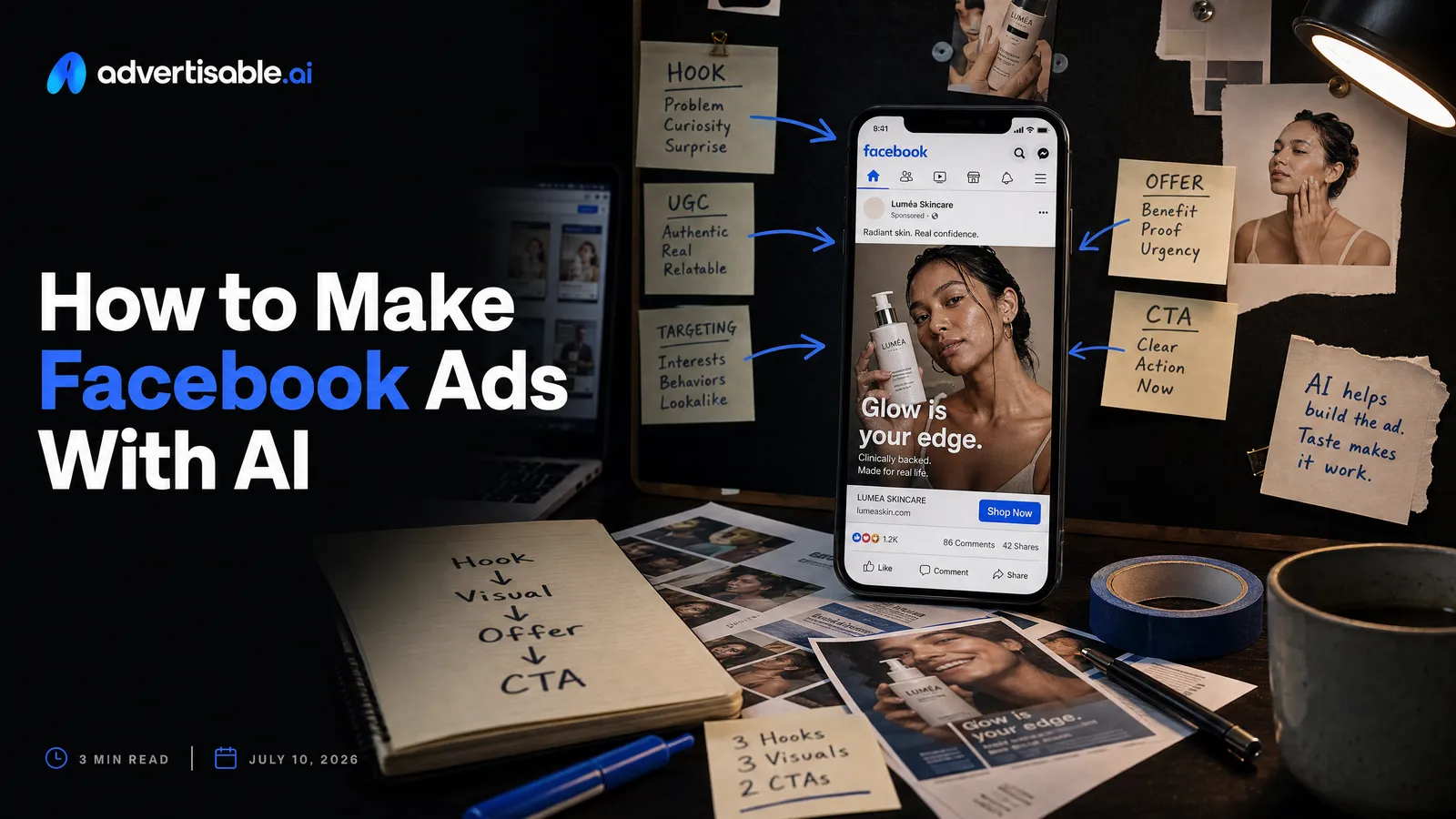
The fastest way to make Facebook ads using AI tools is to start from your product URL, lock Brand DNA so packaging and claims stay accurate, then storyboard 5 to 10 distinct angles and generate a batch of Meta-sized variations for Feed, Reels, and Stories.
Here’s what matters most if you want Meta-ready ads fast:
- Start from a product URL to lock specs, colors, packaging, and allowed claims.
- Define shippable variation checks upfront: accuracy, brand guardrails, and correct placement format.
- Storyboard first, then generate, so every version has a clear hook, angle, and CTA.
- Use scene-level control to regenerate only the hook or proof beat, not the full ad.
- Export channel-ready assets per placement so Feed, Reels, and Stories are actually usable.
- Batch distinct hooks, not cosmetic clones, so Advantage+ gets real learning signal.
- Run 48 to 72 hour readouts by placement and hook, then change one variable at a time.
We built Advertisable AI for this exact bottleneck: shipping high-volume Meta creative without brand drift. Our workflow pulls Brand DNA from your product link, generates scripts and storyboards, and lets you edit at the scene or frame level so one wrong pack-shot does not force a full rebuild.
Speed is easy to buy and easy to fake, but Meta-fit is what gets you to launchable creative and clean test results, so the next step is getting clear on what “shippable” means for Meta placements.
Speed is easy, Meta-fit is the win
You can generate ad creative fast with almost any AI. The performance gap shows up later, when the output hits real Meta placements and your account needs controlled, repeatable iteration.
Why Meta-fit beats generic AI speed
Generic AI speed gets you outputs in minutes, but Meta-fit gets you results you can test, learn from, and scale. On Meta, the platform optimizes delivery, so the main lever you control is creative that is placement-native, product-accurate, and distinct enough to earn clean signal.
In operations terms, fast is not the goal. Throughput of shippable, testable variations is the goal. That means you hold constants (product facts, brand guardrails, offer rules) and change one variable at a time (hook, angle, first frame, proof, CTA) so your 48 to 72 hour readout tells you what actually moved performance.
We see teams lose the week when they generate 30 quick videos that are basically the same, drift off-brand, or require manual cleanup. Meta-fit is the discipline of building batches that are designed for Feed, Reels, and Stories from the start, not adapted after the fact.
- Speed-only output: looks fine in a preview, fails in placement (wrong framing for 9:16 vs 4:5, weak first frame, cramped safe areas), and forces rework
- Meta-fit output: storyboarded for the placement, built around a single test variable, and export-ready so it can launch the same day
- Speed-only iteration: full redoes when one scene is wrong, which blurs learnings across the batch
- Meta-fit iteration: scene-level fixes so you keep everything else constant and preserve attribution in results
What acceptance checks make a variation “shippable”?
A shippable variation is one you can launch without additional QA work, and you should define that bar before you generate in volume. Treat acceptance checks like a gate: pass or fail, not a discussion in the review thread.
Keep the checks short, measurable, and tied to what breaks campaigns on Meta: incorrect product facts, off-brand drift, and placement-specific issues. Then you can batch-produce and only touch the variations that fail, instead of re-reviewing everything.
- Product accuracy: packaging matches the product page, key specs are correct, and claims stay within your approved claim list
- Brand guardrails: correct logo usage, fonts and colors within your Brand DNA, and voice consistent with your approved tone
- Placement readiness: exported in 9:16 plus at least one Feed-friendly format (1:1 or 4:5), with safe areas respected and no critical text in cut zones
- First-frame clarity: the hook is legible in under 1 second and does not rely on tiny subtitles to make sense
- Single-variable integrity: the variation changes exactly one planned element (for example hook only), while proof, offer, and CTA remain constant
- Export QA: audio present, no dropped frames, and file is playable end-to-end before upload
With a written shippable definition, you can scale output without scaling review time, and your test results stay interpretable.
Why Facebook and Instagram ads work differently on Meta
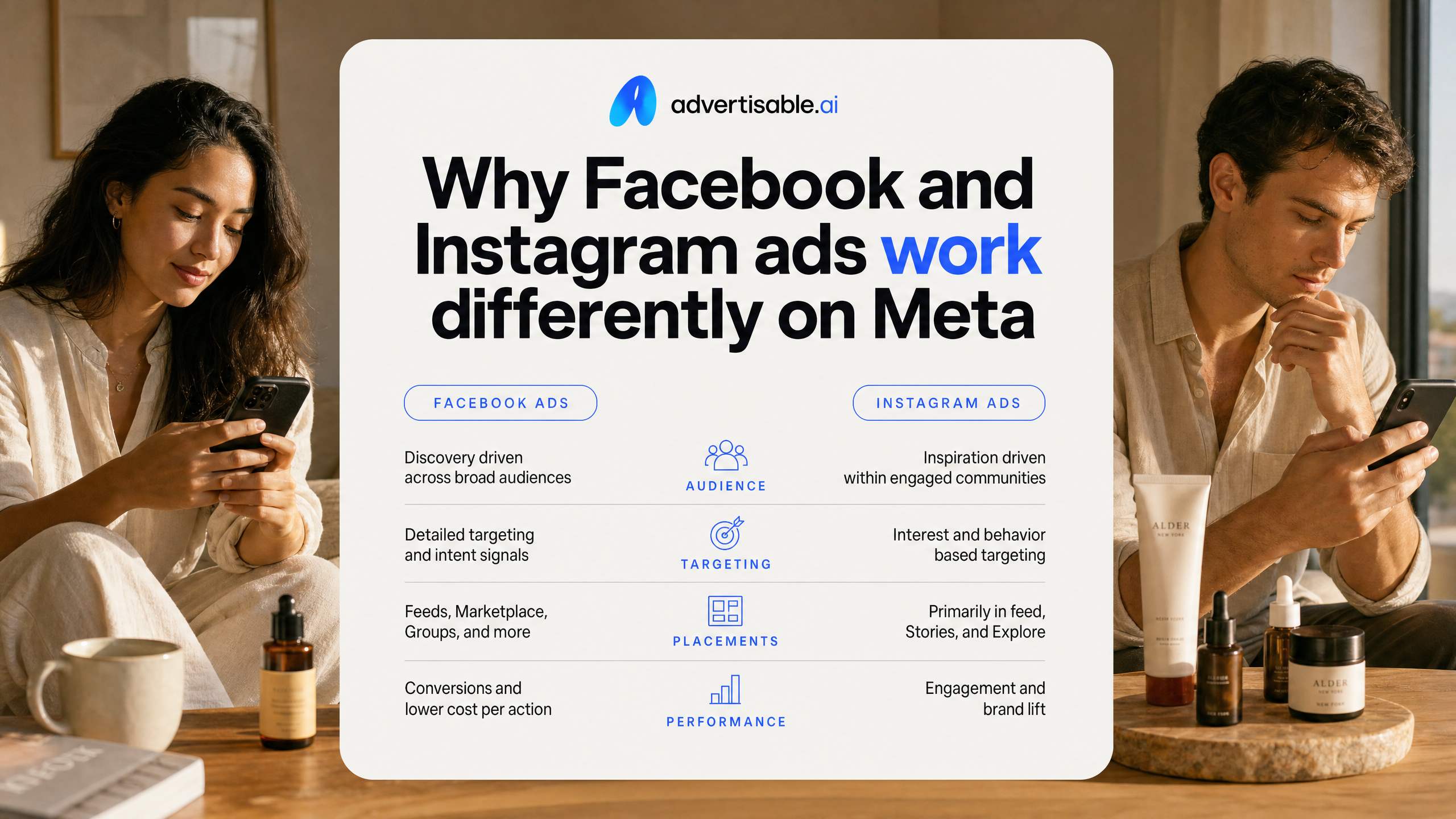
Why Feed, Reels, and Stories need different framing
Feed, Reels, and Stories are not interchangeable placements, even though they run inside the same Meta auction. You get different viewer posture, different sound expectations, and different tolerance for text, so the same asset rarely performs evenly across all three.
In Feed, you are typically competing with other posts in a scroll that is more evaluative. You can earn attention with a clearer value proposition and proof earlier, and you can afford slightly more structured pacing because the user can pause and read. In Reels and Stories, you are interrupting full-screen viewing where the first second matters and audio is more likely to be on, so your hook has to be visual and immediate, with simpler on-screen language.
Operationally, treat placement as a creative brief constraint, not an export checkbox. In our workflows, we lock the story beats and claims, then adjust only the framing and edit density per placement so you are not changing multiple variables at once.
- Feed framing: lead with the outcome or offer, then proof, then CTA; acceptance criteria is readable on-screen text at mobile speed and a hook that makes sense with sound off
- Reels framing: start with motion or a pattern break in the first 1 second; acceptance criteria is hook clarity by the first scene change and captions that are legible in a single glance
- Stories framing: treat it like a sequence of panels; acceptance criteria is a clean first frame, a single idea per card, and a CTA that lands before the last card
When you keep the claim and angle constant while changing only framing, your 48-72 hour readouts tell you whether the placement fit is the issue or the idea itself.
Advantage+ shifts control to creative
As Meta pushes more advertisers into Advantage+ style automation, you control fewer targeting and structure levers day to day, and creative becomes the main input you can systematically improve. That means your results depend less on micro-segmentation and more on shipping enough distinct, on-brief ads for the system to learn from.
The practical implication is that you should organize testing around creative inputs you can isolate: hook, angle, proof type, and first-scene pacing. We run single-variable batches and judge early performance on a fixed window, typically a 48-72 hour readout, before deciding what to change.
What you hold constant matters as much as what you change. Lock your product facts and claims, keep the CTA consistent within a batch, and avoid “near-duplicate” variations that differ only in minor styling, because they do not give the system clean signal.
If you use Advertisable AI, this is where Brand DNA and scene-level control fit: you keep packaging, specs, and claims consistent across a batch, then regenerate only the hook scene when you want a clean A and B test without rebuilding the whole ad.
- Change: hook format (question vs. statement), opening visual, or first proof element; hold constant: offer, claim set, and CTA
- QA check before launch: packaging accuracy, claim wording matches your approved list, and each variation has a meaningfully different first scene
- Next-test decision after 48-72 hours: keep the top angle and iterate hooks, or kill the angle and swap to a different proof type
A start-to-finish AI workflow for Meta placements
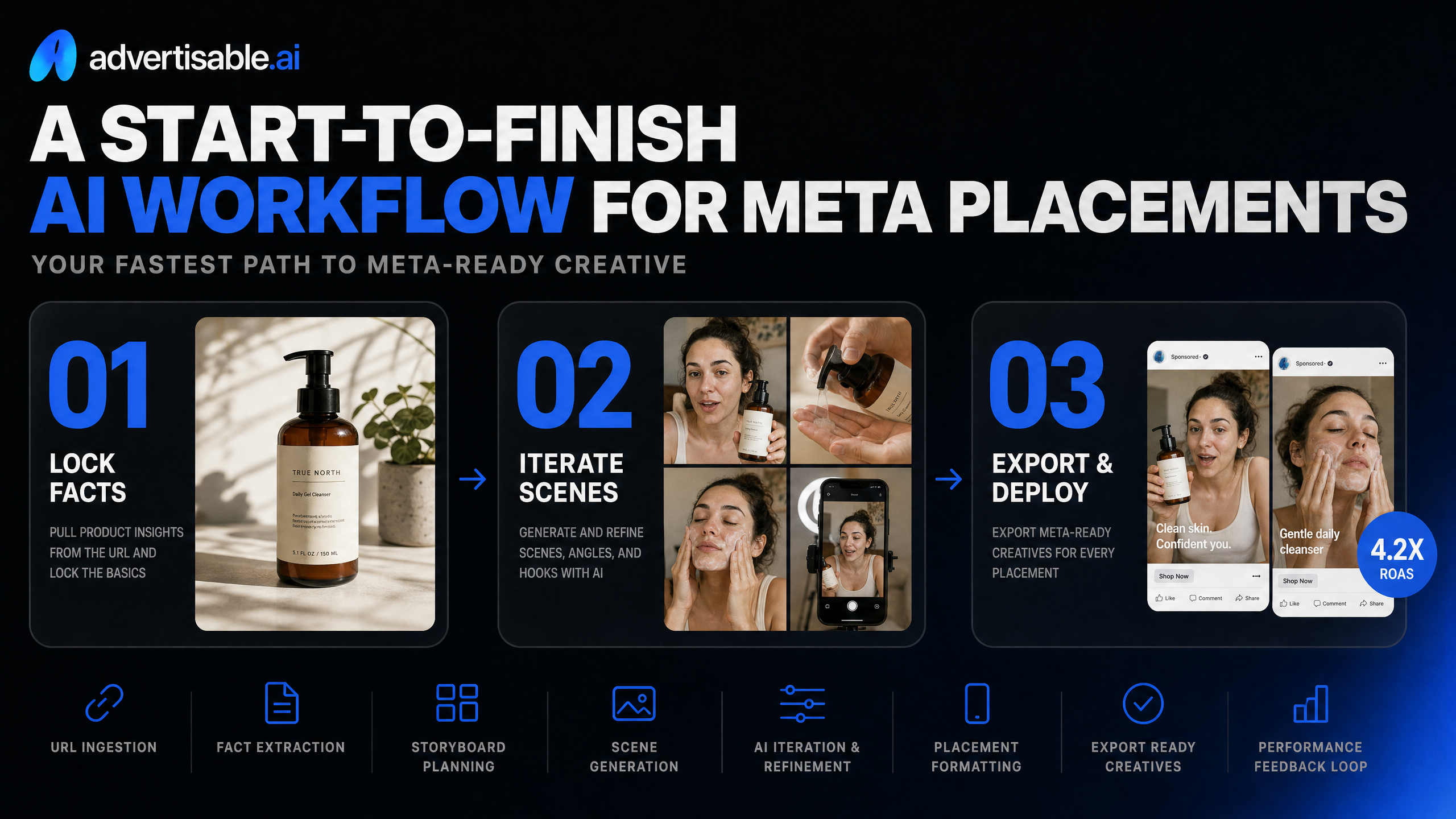
Your fastest path to Meta-ready creative is a controlled pipeline: lock facts from the product URL, plan angles in a storyboard, iterate at the scene level, then export to each placement spec without resizing surprises.
Start from the product URL to lock facts
Start from a product URL so your creative stays product-accurate at scale, even when you generate 20+ variations in a batch.
Operationally, you are trying to eliminate two failure modes: incorrect packaging and incorrect claims. A URL-based intake lets you pull the source-of-truth details once, then hold them constant across every ad you generate and edit.
- Acceptance criteria before you batch: product name, variant names, key specs, approved claims, and brand assets (logo, fonts, colors) are captured in Brand DNA
- QA check: packaging colors and label text match the page, and any “before/after” style claims are either removed or explicitly approved
- Decision rule: if any product fact fails QA, fix Brand DNA inputs first, not the creative
Which angles should you storyboard before generation?
Storyboard 5 to 10 distinct angles before you generate assets so each output is meaningfully different, not the same ad with minor copy swaps.
We treat the storyboard as the control layer: you define the hook, proof, offer, and CTA beats up front, then generate against that structure. This keeps reviews and approvals fast because stakeholders react to a clear sequence of scenes, not a pile of random outputs.
- Angle examples to storyboard: benefit-led, problem-solution, proof-led (demo or data), offer-led, objection-handling
- Hold constant in a test batch: product facts, CTA, and overall scene count
- Change one variable per batch: hook type, proof style, or offer framing
Fix one scene without regenerating the whole ad
Use scene-level control to fix the one weak beat (usually the first 2 seconds) without touching the rest of the ad.
This is how you keep clean attribution in testing and avoid credit waste. In our workflow, hook A/B tests are almost always a scene-1 swap while scenes 2 to N stay locked, so performance changes map to a single variable instead of a full creative rewrite.
- Typical scene-only fixes: replace the opening line, tighten on-screen text, swap the first visual, or change the proof clip
- Acceptance criteria for the updated scene: same product depiction, same claims, clearer first-frame message, and no brand drift
- Next-test decision: only move to a new angle after 48 to 72 hours of readout on the hook change
Export correctly for each Meta placement
Export channel-ready assets per placement so you are not relying on automated cropping that cuts off text, logos, or key visuals.
Treat exports as a QA gate: the creative is not “shippable” until it is sized and framed for where it will run. We usually ship at least two aspect ratios per concept to cover Feed and vertical inventory.
- Reels and Stories: 9:16 vertical, with safe margins so captions and UI do not cover your hook
- Feed: 4:5 vertical or 1:1 square, with the first frame still readable at thumb-stop size
- Final checks: audio levels consistent, text not clipped, logo visible, and the CTA appears before the last second
Make enough distinct variations for Advantage+ to learn
Advantage+ does not need more files. It needs more signal. You get that signal by shipping genuinely different creative angles, then testing them in a way that makes winners and losers obvious within 48-72 hours.
Are your variations actually different hooks?
You want distinct hooks, not cosmetic clones. Changing a background color or swapping b-roll while the opening claim stays the same usually reads as one idea to the auction, so performance stays noisy.
Treat the first 2 seconds as the unit of difference. If the first line, first visual, and first promise are the same, you did not create a new test, even if the rest of the ad changes.
In our experience, the fastest way to force real distinctness is to storyboard 5-10 angles first, then generate one shippable version per angle before you scale production.
- Distinct hook examples (pick 5-10): problem-callout, outcome-first, objection reversal, proof-led, offer-led, comparison, founder POV, “how it works” demo, “who it’s for” qualifier
- What must change for it to count: opening line, opening scene, and the primary angle (benefit vs proof vs offer)
- What should stay locked: product facts and claims, packaging accuracy, brand styling via Brand DNA, and the CTA structure
Single-variable batches for clean readouts
Batch your tests so each batch changes one variable only. If you change the hook, the offer, and the format in the same set, you will not know what created the lift when one ad wins.
Run a tight workflow: lock a single storyboard, generate a small batch (often 3-5 variants) that differs only in the chosen variable, then take a first read at 48-72 hours. Your goal is directional clarity, not statistical perfection.
Scene-level control matters here because it lets you regenerate just the opening scene (or another chosen beat) while holding everything else constant, which protects your readout and avoids full-ad rework.
- Batch A (hook test): keep offer, length, scenes 2-n, and CTA identical; regenerate scene 1 only
- Batch B (proof test): keep hook fixed; swap only the proof asset type (testimonial-style line vs spec callout vs demo beat)
- Acceptance criteria before you launch: product name and claims match the page, visuals reflect real packaging/colors, the first 2 seconds are clearly different across variants, exports are placement-ready
When you can explain, in one sentence, what changed inside a batch, you can make a confident next-test decision instead of guessing.
Launch and iterate with a 48 to 72 hour Meta loop
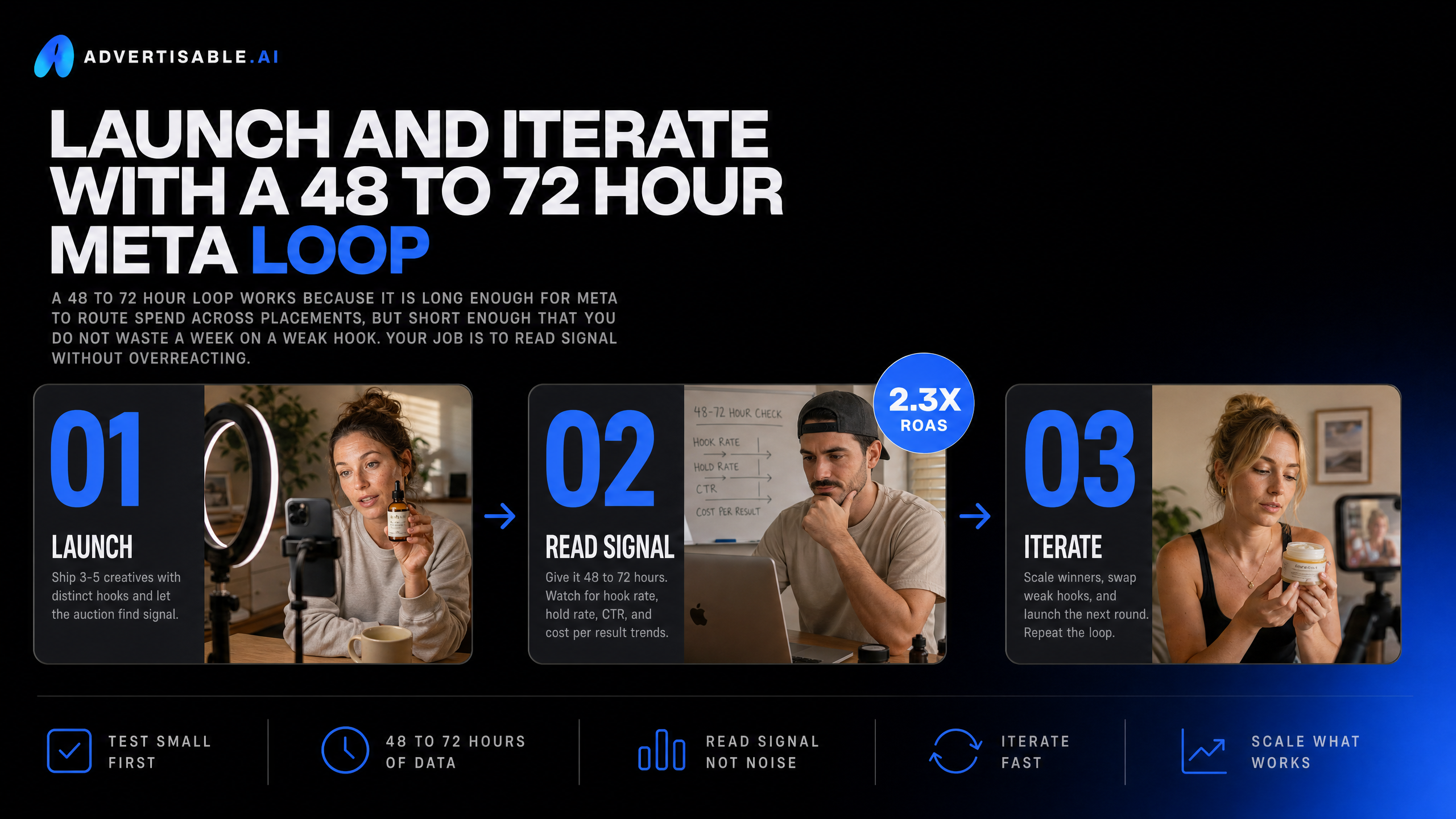
A 48 to 72 hour loop works because it is long enough for Meta to route spend across placements, but short enough that you do not waste a week on a weak hook. Your job is to read signal without overreacting.
How do you read early signal by placement and hook?
In the first 48 to 72 hours, treat performance as a placement and opening-scene audit, not a full-ad verdict. You are looking for directional signal: which placement is carrying results and whether the hook earns attention fast enough to get the rest of the storyboard watched.
Start by segmenting results by placement (Feed vs Reels vs Stories) and by hook variant. When one hook works in Reels but fails in Feed, that is usually a format or pacing mismatch, not a product problem. When a hook fails everywhere, that is a message problem.
Use an acceptance gate before you call anything a “winner” or “loser.” At minimum, you want enough delivery to see repeatable behavior, not one-off spikes. In practice, we do not make creative calls until each variant has had at least 1,000 impressions per major placement it is eligible for.
- Placement readout: identify the top placement by CTR and the placement with the lowest CPA or highest purchase rate (depending on your goal)
- Hook readout: compare thumb-stop and early retention proxies (3-second view rate for video, outbound click rate for click-focused units)
- Mismatch flags: strong Reels, weak Feed often means the opening is too slow for scroll; strong Feed, weak Stories often means text density or framing is off for full-screen
- Quality flags: high CTR with poor downstream conversion suggests the hook is over-promising or misaligned with the offer
What do you change versus hold constant in the next batch?
Iterate with single-variable discipline. Hold 80 to 90 percent of the ad constant and change one thing per batch, so your readout maps to a real cause.
Hold constant anything that protects production control and compliance: Brand DNA, product claims, offer terms, and the core storyboard beats. Change the smallest unit that could plausibly explain the delta, usually the first scene.
When you do need bigger moves, sequence them. Fix the hook first, then the proof scene, then the CTA. Otherwise you stack variables and lose attribution.
- Change: hook type (question, outcome-led, problem-led), first 2 seconds of pacing, opening visual framing, on-screen headline length
- Hold: product facts and claims, pricing or promo language, brand styling, the same CTA, and the same placement eligibility
- Use scene-level control: regenerate only the opening scene for hook A/B, keep the rest locked so you are not paying to rework a full ad
- QA gate before export: packaging accuracy, claims match your approved copy, text is readable in 9:16, and no scene contradicts the landing page
This is the point where a tool like Advertisable AI earns its keep: you can ship the next controlled batch fast without letting brand accuracy drift while you chase the hook.
Ship your next Meta test batch without losing control
If you want speed and repeatability, your next step is to operationalize production, not just generate assets. We built Advertisable AI to help you go from product link to channel-ready exports with the controls performance teams actually need.
Start by pasting your product URL and locking Brand DNA so packaging, specs, and claims stay consistent across every variation. Then use the Storyboard Generator to map 5 to 10 distinct angles before you generate anything. Run single-variable batches so your 48 to 72 hour readouts stay clean.
When one beat underperforms, use the Scene-Level Editor to regenerate only that scene, keep the rest constant, and ship the next test without rework.
If you are ready to launch Meta-fit creative now, start a $5 3-day trial and generate your first shippable batch.
Frequently Asked Questions
Q: What's the difference between this and using Midjourney or DALL-E to make ads?
A: Generic image tools can help you explore visuals, but they do not enforce Brand DNA, storyboard an ad end-to-end, or produce channel-ready exports for paid social testing. We are built for performance workflows: storyboard-first, controlled batches, and edits at the scene level so you can iterate without restarting.
Q: How do I avoid AI rendering my product colors wrong or with incorrect packaging?
A: Start from your product URL and lock Brand DNA before you scale output volume. That keeps key product facts like packaging, colors, and core specs held constant across variations, so QA becomes a focused check instead of a full rebuild.
Q: What's the difference between scene-level control and generating a whole new ad?
A: Scene-level control lets you change one defined variable like the hook or proof scene while keeping the rest of the storyboard fixed. Full regeneration resets multiple elements at once, which is slower to QA and harder to attribute when you read results.