How to Make YouTube Ads With AI
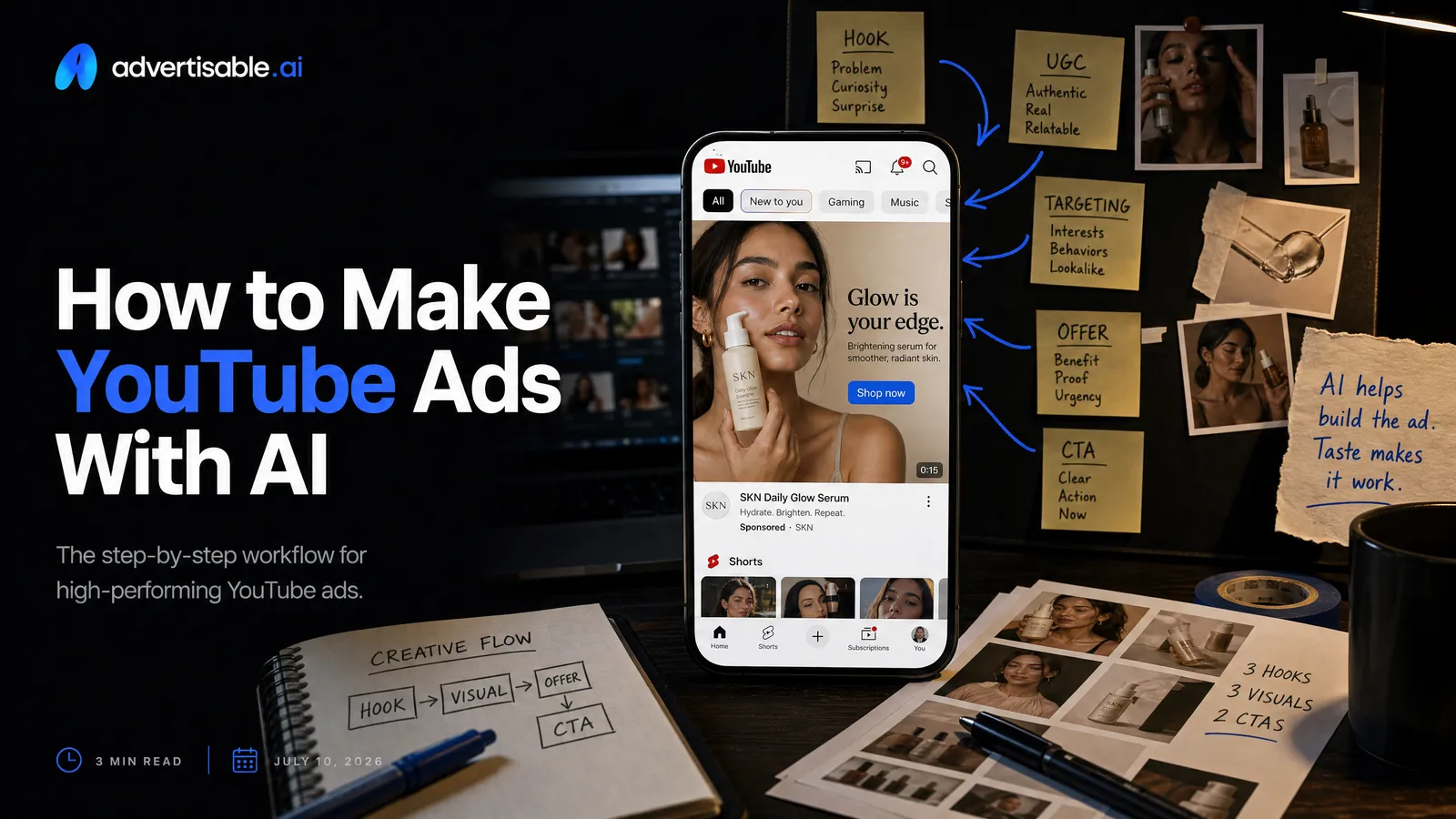
You can generate YouTube video ads with AI quickly and correctly by locking your Brand DNA first, building a storyboard, then generating 5 to 10 hook variations and regenerating only the weak scenes before you export channel-ready formats.
Here’s the operational baseline we use when speed is non-negotiable:
- Lock Brand DNA from your product URL before generating anything at volume.
- Start with a storyboard so every variation keeps the same message architecture.
- Batch 5 to 10 hooks per angle, then hold everything else constant.
- Regenerate weak scenes, not the whole ad, to save time and credits.
- QA every shippable variation for brand accuracy, claim accuracy, and YouTube-fit exports.
- Read early signal in 48 to 72 hours, then swap scenes on winners only.
We built Advertisable AI for this exact bottleneck: you need URL-to-ad speed, but you also need control. Our Brand DNA Extractor, Storyboard Generator, and Scene-Level Editor are designed to keep outputs accurate and on-brand while you iterate scene-by-scene and ship channel-ready exports for YouTube.
Fast is easy, but YouTube-fit is what wins, because you are racing the skip button. Next, we’ll break down what “YouTube-fit” actually means, and why scene control beats one-shot generation when you need performance, not just output.
Fast is easy, YouTube-fit is what wins
AI makes production faster. But speed only turns into performance when your creative is built for YouTube mechanics and you can iterate scene-by-scene without the ad drifting off-brand.
You Are Racing the Skip Button
On skippable in-stream, your first 5 seconds are the product. If you do not earn attention before the skip becomes available, the rest of the ad does not get a chance to work.
Most viewers skip within the first few seconds, and only a fraction watch past ten. Treat the opening like a race against the skip button.
- Acceptance criteria for second 0-5: one clear promise (benefit or outcome) plus immediate context (what the product is) with no warm-up
- Hook testing unit size: generate 5-10 opening-scene variations per angle, while holding everything after second 5 constant for a clean read
Why Control Beats One-Shot Generation
One-shot “generate video” workflows fail because you cannot isolate what broke. You need scene-level control so you can change one beat at a time and keep brand accuracy stable.
Operationally, we see the same failure mode: the hook is weak, but the tool forces a full regenerate, and you introduce new errors in packaging, claims, colors, or tone while trying to fix one moment.
The repeatable approach is storyboard-first: lock what must not change, then iterate only the scene that is underperforming.
- Hold constant: Brand DNA elements (fonts, colors, logo placement, product specs and claims)
- Change one variable: a single scene (most often scene 1) or a single angle (benefit vs proof vs offer vs comparison)
- Decision cadence: evaluate on a 48-72 hour readout, then regenerate only the weakest scene in the next batch
Shippable Variations Beat Raw Volume
Your goal is not to generate 50 drafts. Your goal is to ship 5-10 variations you can publish today without QA rework, because those are the only ones that can actually earn you data.
Raw volume creates hidden drag: review time, compliance risk from inaccurate claims, and performance noise from uncontrolled differences. Shippable variations keep testing clean and production predictable.
Set a gate before you scale output. If a variation is not export-ready, it does not count as throughput.
- Shippable criteria: on-brand visuals, claim accuracy, correct product representation, and channel-ready formatting
- QA checks before export: hook clarity in the first 5 seconds, no brand drift across scenes, and only one intentional test variable per batch
- Next-test decision: keep the winning hook, then move to the next scene (proof, offer, or CTA) instead of rebuilding the whole ad
Why YouTube ads are their own creative spec
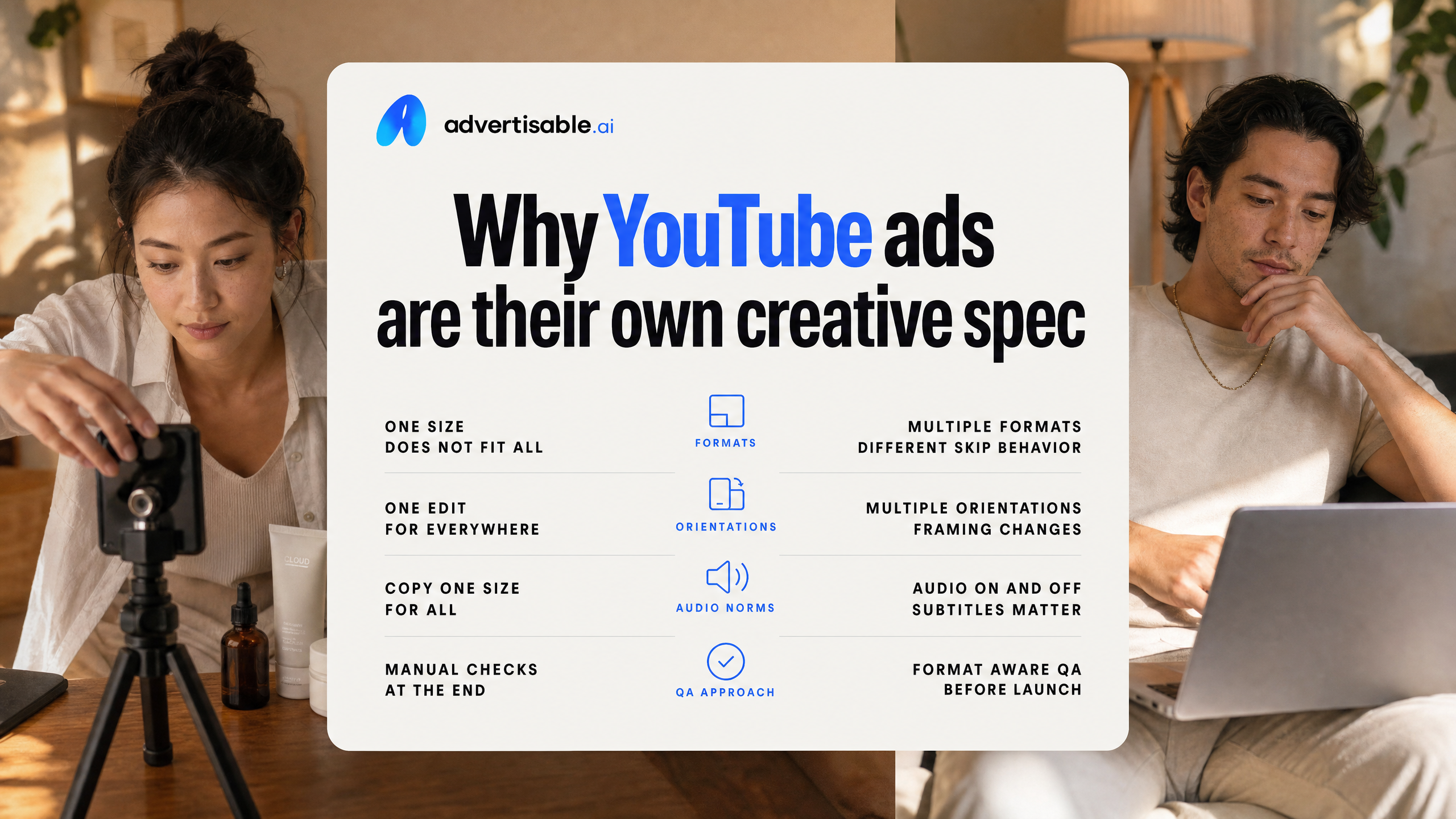
YouTube is not one placement with one edit. It is a set of formats with different skip behavior, screen orientations, and audio norms, and those differences should change how you write, cut, and QA your ads.
Skippable in-stream vs bumper: what the rules force you to do
Skippable in-stream and bumper ads require different structures because the viewer control is different. Skippable in-stream gives you 5 seconds before the skip option appears, while bumper is 6 seconds total with no skip, per YouTube's official documentation.
Operationally, treat skippable in-stream as a hook test vehicle and bumper as a single message delivery vehicle. If you try to cram a skippable narrative arc into 6 seconds, you usually ship a bumper that says nothing; if you treat in-stream like a bumper, you waste the first 5 seconds on branding that gets skipped.
- Skippable in-stream acceptance criteria: brand or product is identifiable in the first 2 seconds, core claim lands by second 4, and your first cut still makes sense if 70% of viewers never see the back half.
- Bumper acceptance criteria: one idea, one visual proof point, one CTA phrase, all readable at full speed with zero setup.
- Hold constant across both: the same angle (benefit, proof, offer, or comparison) so you can compare performance without mixing variables.
Why Shorts and in-stream need different cuts
Shorts ads are vertical, full-screen, and consumed in a swipe feed, so they need a different cut than in-stream even when the message is identical. If you simply crop a 16:9 in-stream video into 9:16, you usually lose the product, the proof, or the captions.
We plan this as two deliverables from one storyboard: a 16:9 in-stream sequence and a 9:16 Shorts sequence that preserves the same angle but rebuilds framing, pacing, and on-screen hierarchy. The easiest way to keep production control is to lock the script beats, then change only the scene composition and timing per format.
- Shorts cut: subject and product centered, faster pattern changes, text placed inside safe areas, and no wide establishing shots that read as empty space on mobile.
- In-stream cut: more room for proof overlays, side-by-side comparisons, and slower product demos because the viewer context is a long-form video session.
How do you design for sound-on and sound-off?
Assume you will be watched both ways and make the ad work in either mode. Sound-on lets you sell with voice pacing and emotion, but sound-off is where weak structure gets exposed because only visuals and text carry the claim.
Build a dual-channel plan at the storyboard level: audio delivers nuance, while on-screen text carries the minimum viable message. In QA, you should be able to mute the ad and still answer: what is it, why does it matter, and what should you do next.
Our cleanest production rule is to keep the first 3 seconds legible without audio, then let sound-on enhance, not rescue, the understanding.
- Sound-off check: captions or on-screen text includes product name or category plus the primary benefit within 2-3 seconds.
- Sound-on check: voiceover does not repeat the on-screen text word-for-word; it adds proof, context, or a constraint (who it is for, when it works, what to expect).
- Consistency check: you do not change the claim between audio and text, which prevents compliance and trust issues.
Quick-start workflow: URL to YouTube-ready exports
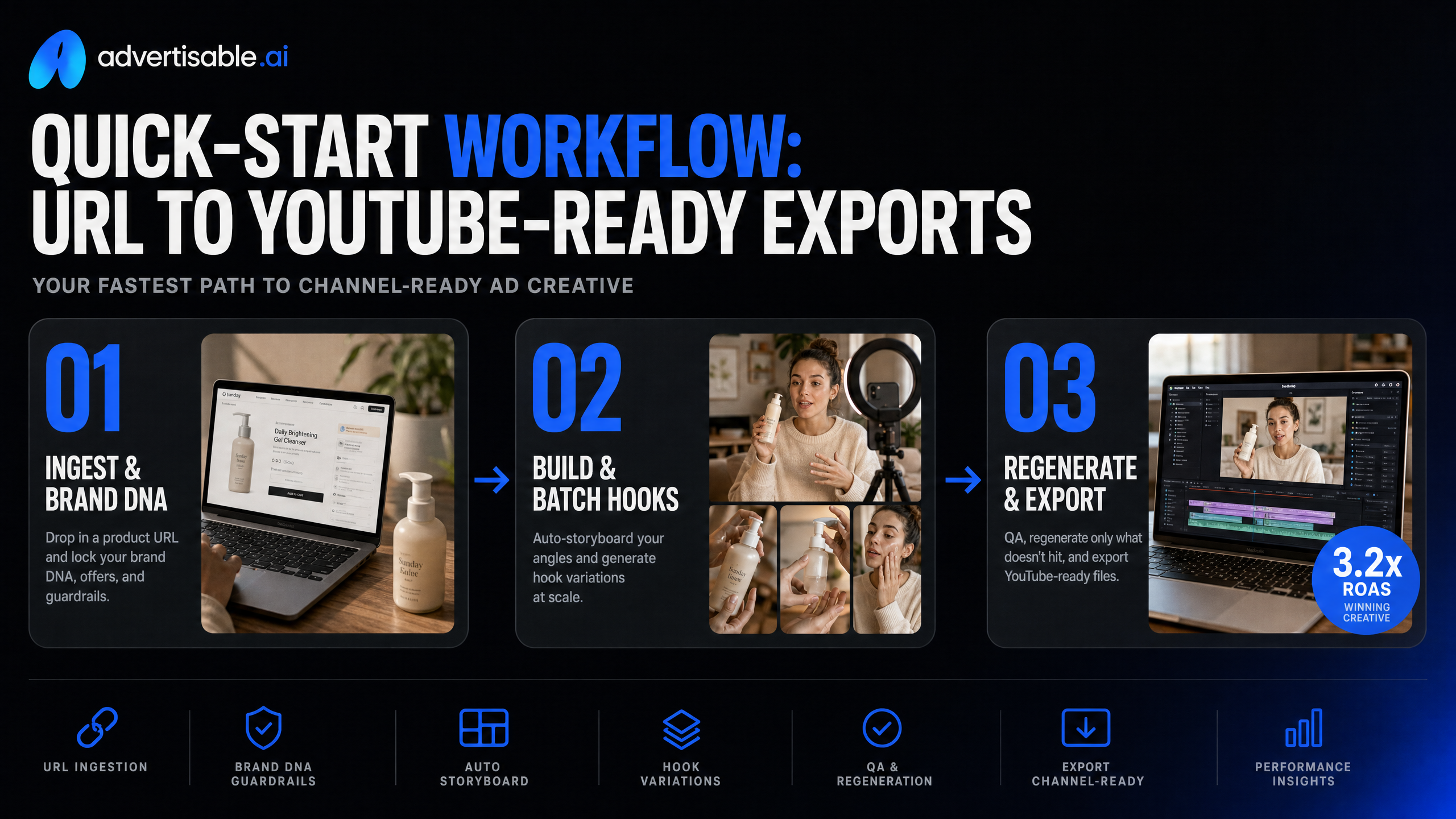
Your fastest path to a YouTube-ready ad is a controlled production loop: ingest the Product URL, lock Brand DNA, build a storyboard, batch hook variations, then regenerate only what fails QA before you export channel-ready files.
Lock Brand DNA before you generate anything
Locking Brand DNA is the compliance step, not a nice-to-have. It is how you prevent off-brand visuals and false claims from multiplying across 10 to 20 variations.
Operationally, treat Brand DNA like a pre-flight checklist: you only do it once per product, but it governs every output that follows. In our experience, teams that skip this step spend more time reviewing and correcting than generating.
- Ingest: paste the Product URL so the system can pull packaging, key specs, colors, and on-page claims
- Upload brand assets: logo first, then confirm placement and safe margins in-frame
- Lock styling guardrails: brand colors and fonts so variants do not drift as you scale batches
- Claims QA: manually verify any extracted product claims you intend to use as on-screen text or VO, and delete anything you cannot substantiate
- Acceptance criteria before scale: one shippable variation that passes (1) product accuracy, (2) brand styling, (3) claim safety, (4) readable supers and captions on mobile
When Brand DNA is locked, you can iterate creative faster because you are only judging performance, not fixing preventable accuracy issues.
Why storyboard first, then batch 5 to 10 hooks?
Storyboard first so every variation shares the same structure and only the opening changes. On YouTube, the first 5 seconds is where most of the outcome is decided, because the viewer can skip after 5 seconds in skippable in-stream.
Once your storyboard is approved, generate hook batches as single-variable tests. Hold everything constant except the first scene: same angle, same proof, same offer, same length, same end card. Then read results after 48 to 72 hours before you change another variable.
- Build one storyboard per angle: benefit, proof, offer, or comparison
- Keep scenes 2+ identical across the batch to preserve attribution
- Generate 5 to 10 hook variations for that same storyboard
- Name hooks with a consistent convention (Angle-HookType-Variant#) so performance mapping stays clean
- QA each hook for: claim safety, on-screen text legibility, and an immediate product or outcome cue inside the first 2 seconds
Regenerate weak scenes, not the whole ad
When an ad underperforms or fails QA, regenerate the weak scene instead of restarting the full video. Scene-level control keeps what is already correct (brand, product, pacing) and isolates the fix to the exact beat that is failing.
Use a simple decision rule: if one scene fails, regenerate one scene; if the core angle is wrong, rewrite the storyboard; only rebuild the full ad when multiple scenes fail for different reasons.
- Regenerate the hook scene when: the first line is generic, the visual does not show product fast, or the promise is unclear inside 5 seconds
- Regenerate the proof scene when: the claim is too strong, the spec is wrong, or the proof asset is missing
- Regenerate the offer scene when: pricing or terms are unclear, CTA is buried, or the end card is off-brand
- Export QA for YouTube: verify audio levels are consistent, text stays within safe margins, and you export the correct aspect ratio for placement (9:16 for Shorts, plus your chosen in-stream format)
This is how you protect your cost per shippable variation: you pay to improve the constraint, not to re-generate what was already production-ready.
Write hooks that survive the 5-second skip
On YouTube, your hook is competing with a visible skip button. Treat the first 5 seconds as a unit you QA like a landing page above the fold: outcome, proof cue, then the next beat.
How do you show the outcome by second two?
Show the end-state before you explain the product. By 0:02, the viewer should see the result, not hear setup.
Operationally, we storyboard the first two seconds as a single shot with one noun and one verb: the thing you improve and the change you deliver. Then we hold everything else constant and generate 5 to 10 hook variations that only swap that first shot or first line.
Acceptance criteria: you can mute the video, freeze at 0:02, and a teammate can still answer, "What am I getting?" in one sentence.
- Visual-first outcome: before/after screen, finished deliverable, or the “after” moment in use
- Time-bound promise without hype: “in 6 seconds,” “in 3 steps,” “today,” “this week”
- Problem removal: show the annoying step disappearing (tabs closed, report auto-built, cart updated) instead of describing it
Proof cues that do not sound like big claims
Use proof cues that are concrete, not superlative. You are signaling credibility in 1 to 3 beats, not arguing a case.
We prefer “show, then label” over “claim, then explain”: on-screen UI, real packaging, a recognizable face, or a quick process snapshot. Google's skippable ad study notes that floating brand logos in the first five seconds reduce watch and memory, so anchor branding on the product or in-scene context instead.
QA check: remove adjectives like “best” and “#1.” If the hook still works because the viewer can see the proof cue, it is structurally sound.
- Demonstration fragment: 1 screen of the workflow or 1 feature in action
- Specific constraint: “one prompt,” “one product URL,” “one storyboard,” “6 seconds”
- Friction honesty: name the real tradeoff (“you still need a claim check”) in one clause
Match the hook to the ad format
Your hook has to fit the format’s rules. Skippable in-stream gives you 5 seconds to earn the next 5; bumper gives you 6 seconds total, so the hook is the ad.
We write format-first, then generate: one storyboard per format, then hook-only variations via scene-level control so you are not changing the entire ad while you learn.
- Skippable in-stream: lead with the outcome by 0:02, add a proof cue by 0:05, and delay any brand line until after the skip point
- Bumper (6s): single idea only, one outcome shot, one proof cue, no secondary messages
- Non-skippable (15s): outcome first, then 2 to 3 fast beats (problem, proof, next step) with zero intro padding
Batch variations without making clones
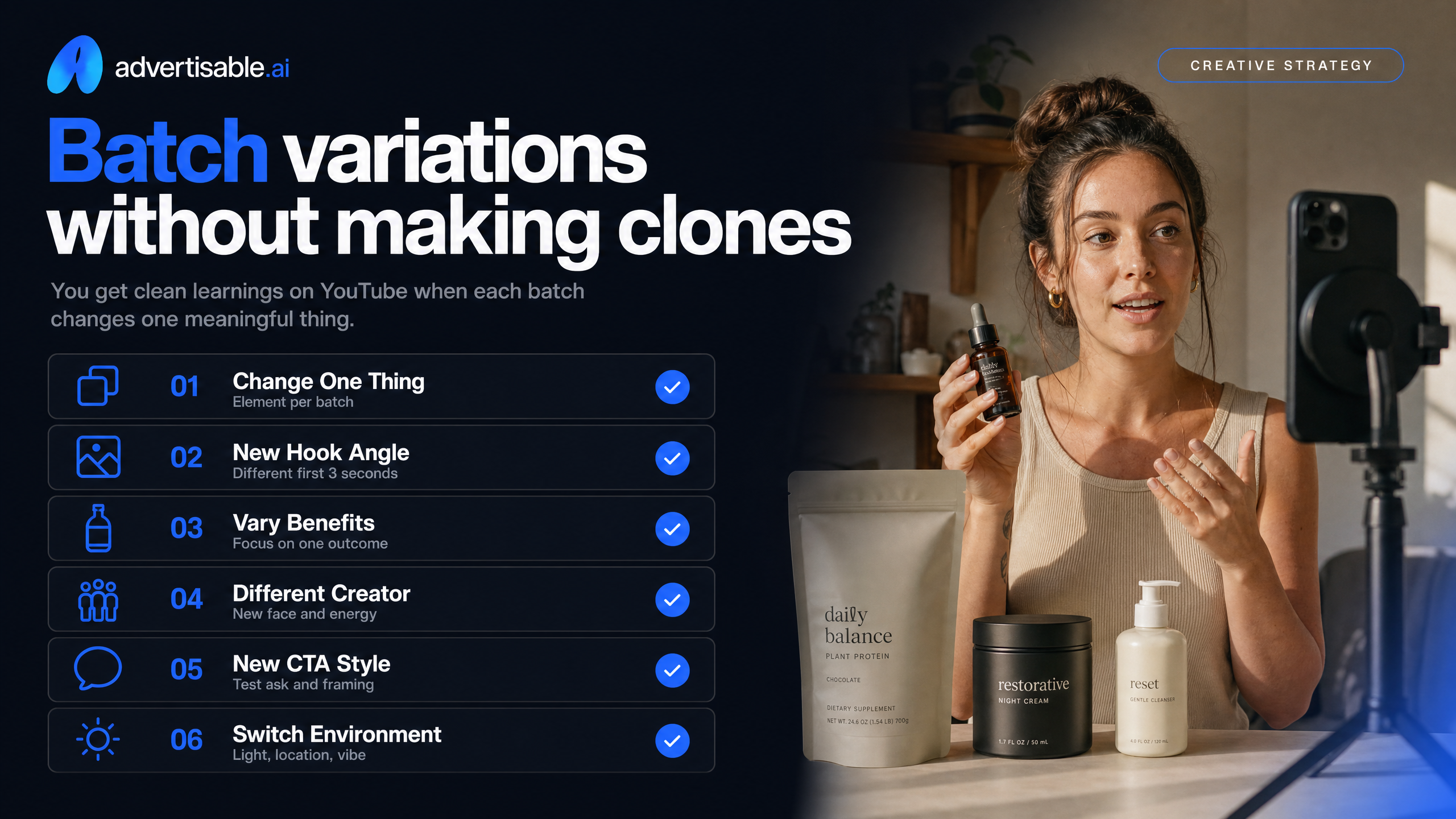
You get clean learnings on YouTube when each batch changes one meaningful thing. The goal is enough distinct ads to test without burning credits on near-duplicates.
Test Hook Angles, Not Tiny Edits
Treat the first 5 seconds as your unit of testing, and vary the angle, not micro-edits like a single adjective. You want differences big enough to move a 48-72 hour readout, especially on view rate and click-through.
In our workflow, one batch equals one promise type. You pick an angle family, then generate 5-10 hook variations that hit that same promise in different ways so the ads do not feel robotic.
- Benefit hook: one clear outcome in 7-10 words
- Proof hook: specific mechanism, demo, or claim you can verify
- Offer hook: price, bundle, or guarantee language (only if true and approved)
- Comparison hook: before vs after, or option A vs option B framing
Hold the Storyboard Constant Per Batch
Lock the storyboard so only the hook changes. When you change the hook and the middle and the CTA, you cannot attribute performance to anything.
Set acceptance criteria before you generate: same scene count, same on-screen text positions, same CTA line, same branding placements. This is where Brand DNA and scene-level control matter, because drift tends to show up in logos, colors, and claim wording at volume.
- QA gate before export: product name, key specs, and claims match the Product URL
- Storyboard invariants: scenes 2 through end are identical across the batch
- Decision rule: kill hooks that miss the angle, even if the visuals look good
Scale Winners with Scene Swaps
Once a hook angle wins, scale by swapping one downstream scene at a time, not regenerating the full ad. This keeps the winning hook intact while you search for better support beats.
Run a second batch where the hook and CTA stay fixed and you rotate a single scene type: proof clip, product demo, objection handling, or end card. In Advertisable AI, you do this with the Scene-Level Editor so you only pay for the changed scene, then re-export channel-ready files.
- Batch 2 variable: swap scene 2 only (proof vs demo)
- Batch 3 variable: swap one on-screen text treatment (headline only, same words)
- Stop condition: when swaps stop improving results after 2 consecutive batches, bank the control and move to a new hook angle
Launch, read early signal, iterate in 48 to 72 hours
Track drop-offs around the skip
Your first 48 to 72 hours are about retention shape, not victory laps. In skippable in-stream, the clearest early signal is where viewers exit around the 5-second skip and the next 3 to 5 seconds.
Use YouTube's audience retention to mark the second-by-second drop, then map it back to the storyboard beat that caused it. Since many viewers skip within the first few seconds, a spike right after the 5-second mark is common, but a cliff before 5 seconds usually means your hook is misaligned.
- Drop before 5s: hook mismatch, unclear product, or slow first frame
- Drop at 5s: value not stated fast enough, weak proof, or no visual confirmation
- Drop at 8 to 12s: pacing issue, redundant lines, or payoff delayed
QA checks before every export
Run the same QA gate before every export so you only ship shippable variations. Treat it like a checklist, not a vibe check.
Keep Brand DNA elements constant across the batch and only let one variable move (usually the hook scene) so you can read the early signal cleanly.
- Claims and specs match the product URL and on-screen text
- Logo placement, brand colors, and fonts are consistent scene to scene
- First 2 seconds show the product or a clear visual proxy
- Audio: no clipping, no abrupt cuts, and captions align to spoken lines
- YouTube format export is correct for the placement you are launching
Common failure modes and fixes
Most underperformance comes from fixable, local issues. Use scene-level control to regenerate only the failing beat and keep everything else locked.
- Robotic read: regenerate the voice line only, shorten sentences, and add natural pauses
- Brand drift across variations: re-lock Brand DNA and re-export without changing the storyboard
- Hook tests are inconclusive: you changed multiple scenes, re-run as a single-variable hook batch of 5 to 10
- Offer confusion: keep visuals, regenerate the offer line and on-screen text for one clear CTA
- Mismatch between visuals and script: swap the first scene to a product-forward shot, then retest
Turn your workflow into shippable YouTube variations
If your AI ads are fast but not YouTube-fit, the fix is not more generations. It is tighter production control. We start by locking Brand DNA from your Product URL, then we build a storyboard you can reuse across a batch.
From there, you generate 5 to 10 hook variations as a single-variable test, hold the rest of the storyboard constant, and read early signal in 48 to 72 hours.
When a video misses, we do not restart the whole ad. We use the Scene-Level Editor to regenerate only the weak scenes, then run a quick QA gate: brand assets correct, claims accurate, audio legible, and Channel-Ready Exporter outputs in the right YouTube formats. Run that loop on one hero product and measure cost per shippable variation.
Start the $5 3-day trial, paste your product URL, and generate your first YouTube-ready ad variations.
Frequently Asked Questions
Q: Can I create an ad using AI?
A: Yes. You get better outcomes when you treat AI as a production system: lock Brand DNA, storyboard first, then generate controlled variations and iterate scene-by-scene based on performance readouts.
Q: How much do 1000 YouTube ads cost?
A: Media cost is typically priced per 1,000 impressions, and the range varies widely by targeting and format. Separate that from creative cost, where you should track cost per shippable variation so you can compare tools and workflows on real output.
Q: Is it legal to use AI to generate ads?
A: It can be, but you are still responsible for rights, disclosures, and claim accuracy. Be especially careful with ads that depict real people or imply sensitive attributes, and keep a clear QA step before export and launch.
Q: What does 'shippable variation' mean and why does it matter for pricing?
A: A shippable variation is an ad you can publish without extra cleanup, rework, or risk. It matters because it captures the true cost of creative output, including time spent fixing off-brand scenes or inaccurate details.
Q: What is Brand DNA and why can't I just use a generic AI video generator?
A: Brand DNA locks the product facts, brand visuals, and voice so your variations stay consistent as you scale. Generic generators can drift off-brand or introduce incorrect claims, which increases QA load and slows testing velocity.