How to Make AI Ads That Don't Look Like AI
Make AI ads not look like AI by stopping the hunt for “undetectable” and building “not generic.” The giveaway is rarely the tool. It is sameness: default lighting, interchangeable scenes, and copy that could sell anything.
Here’s what matters most:
- “Looks like AI” usually means “looks generic,” not “made by a machine.”
- Specific product truth beats visual tricks for trust and performance.
- Brand guardrails prevent off-brand renders and false claims at scale.
- Storyboard-first workflow reduces rework by approving structure before rendering.
- Scene-level control cuts credit waste by fixing one scene, not rerendering everything.
We built Advertisable AI because scaling UGC-style output breaks on control, not effort. Our workflow is storyboard-first, with Brand DNA and product and claims constraints baked in, plus scene-level and frame-by-frame control so you can ship more shippable variations without letting your brand drift.
Before you change tools again, reframe the problem: when an ad “looks like AI,” what you are really seeing is generic creative that could belong to any brand.
The reframe: "looks like AI" means "looks generic"
When you say an ad “looks like AI,” you are usually reacting to a lack of identity. The problem is not the tool. It is that the output could belong to any brand in your category.
Sameness is the real giveaway
The biggest tell is repetition, not robots. You see the same pacing, the same lighting, the same broad promise, and your brain flags it as cheap because it feels interchangeable.
In paid social, sameness shows up fast: a hook that could sell any supplement, a product shot with no real cues, and scenes that look like they were picked from a default menu. Even strong editing cannot save an ad that has no point of view.
What we see in accounts is simple: generic creative blends into the feed, so it needs more spend to earn the same attention. That is why “AI-looking” is really “category-looking.”
- Interchangeable hooks: “Boost energy,” “Feel better,” “Works fast” with no specific mechanism, use case, or audience truth
- Default visual choices: identical color grading, smooth motion, and sterile product frames that remove brand texture
- Proof-by-vibes: vague “rated 5 stars” style claims without concrete, checkable details
Specific beats stealth every time
Trying to make AI invisible is the wrong goal. Specificity is what makes an ad feel human, because real brands talk like they have something real at stake.
You win by injecting details the defaults cannot guess: your actual product name and packaging, the one objection your buyers repeat, the exact moment the product fits into someone’s day, and the constraint you refuse to violate.
The easiest way to pressure-test your script and storyboard is this: could a competitor run the same ad with one logo swap? If the answer is yes, you are not fighting “AI,” you are fighting generic.
- Name one audience and one situation: “Post-workout, 10 minutes before your commute” beats “anytime energy”
- Use bounded claims: what it does, for whom, and under what conditions, not universal promises
- Show real brand signals: packaging, colors, phrasing, and product details that are unique to you
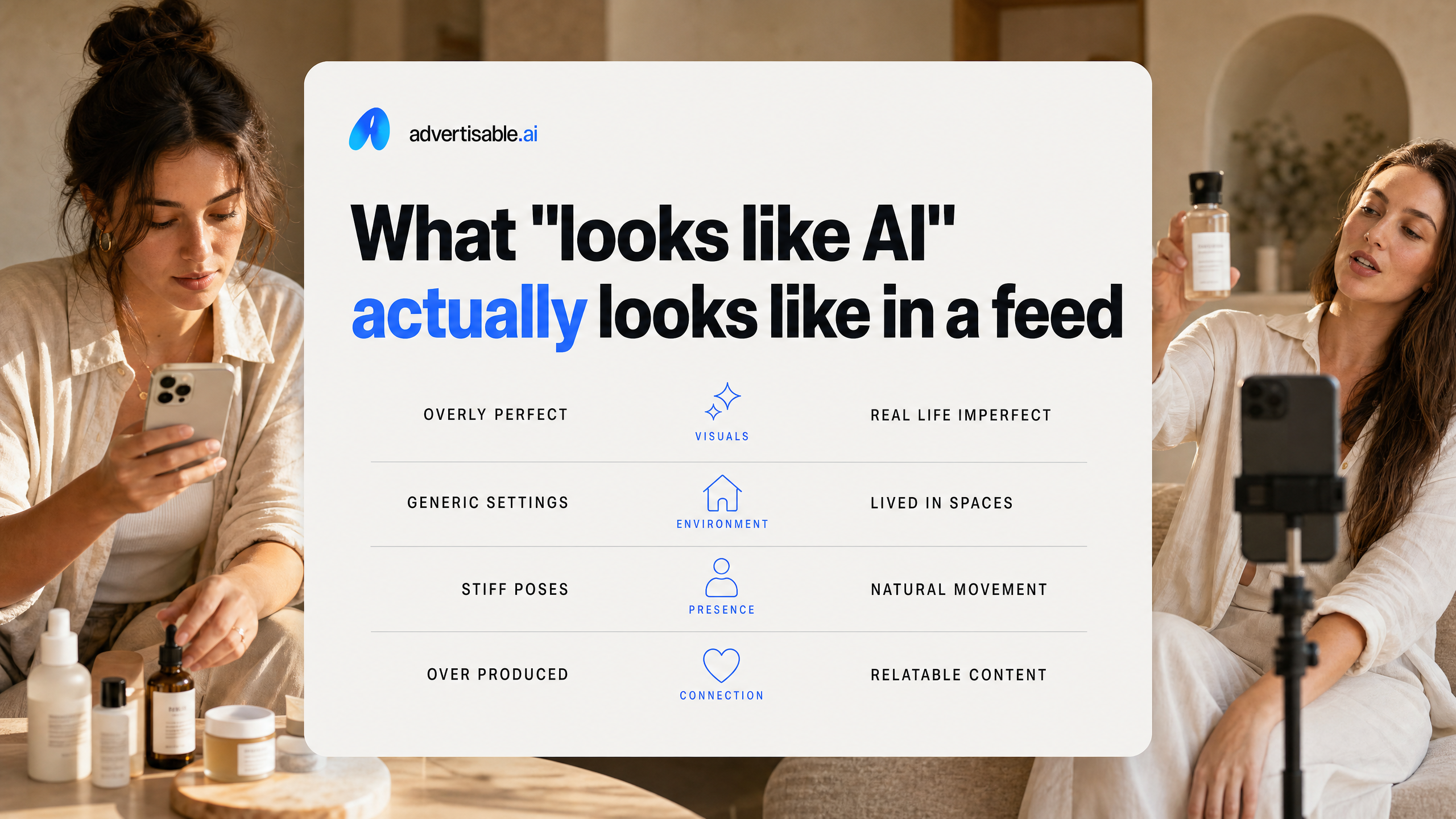
What "looks like AI" actually looks like in a feed
Stock-y visuals and default lighting
Most ads that “look like AI” are not getting caught by a detector. They are getting scrolled past because the visuals feel like tool defaults: clean, generic, and emotionally flat.
In feed terms, it shows up as perfect-but-empty lighting, glossy surfaces, and a product shot that could be swapped for almost any SKU without changing the vibe. You also see the same “premium” gradients, too-even skin tones, and background bokeh that reads more like a template than a real camera choice.
When your first frame looks like a catalog placeholder, performance teams feel it immediately: weaker thumb-stop, lower perceived credibility, and comments that focus on the ad’s vibe instead of the product.
- Uniform, shadowless lighting with no environmental cues
- Overly crisp edges and textures that feel airbrushed
- Generic environments (blank studio, vague kitchen, vague office) with no brand-specific details
- Color that looks “nice” but not like your actual product and packaging
Any-brand hooks and copy cadence
The second tell is language that could belong to any advertiser. If your hook sounds like it was written to satisfy a formula instead of your customer, people tag it as “AI” even when the visuals are fine.
You see it in interchangeable openings (“You need this”), broad claims with no anchored detail, and a cadence that hits the same beats in the same order every time. It feels optimized for generation, not persuasion.
What we see work is simple: you keep the hook and pacing specific to the product, the audience problem, and the brand voice, so the ad reads like it came from a real operator, not a prompt.
- Hooks that never name a concrete use-case or constraint
- Copy that avoids specifics (materials, fit, duration, comparison point) to stay “safe”
- One-tone pacing where every sentence has the same length and intensity
- CTA language that is generic and detached from the offer or proof
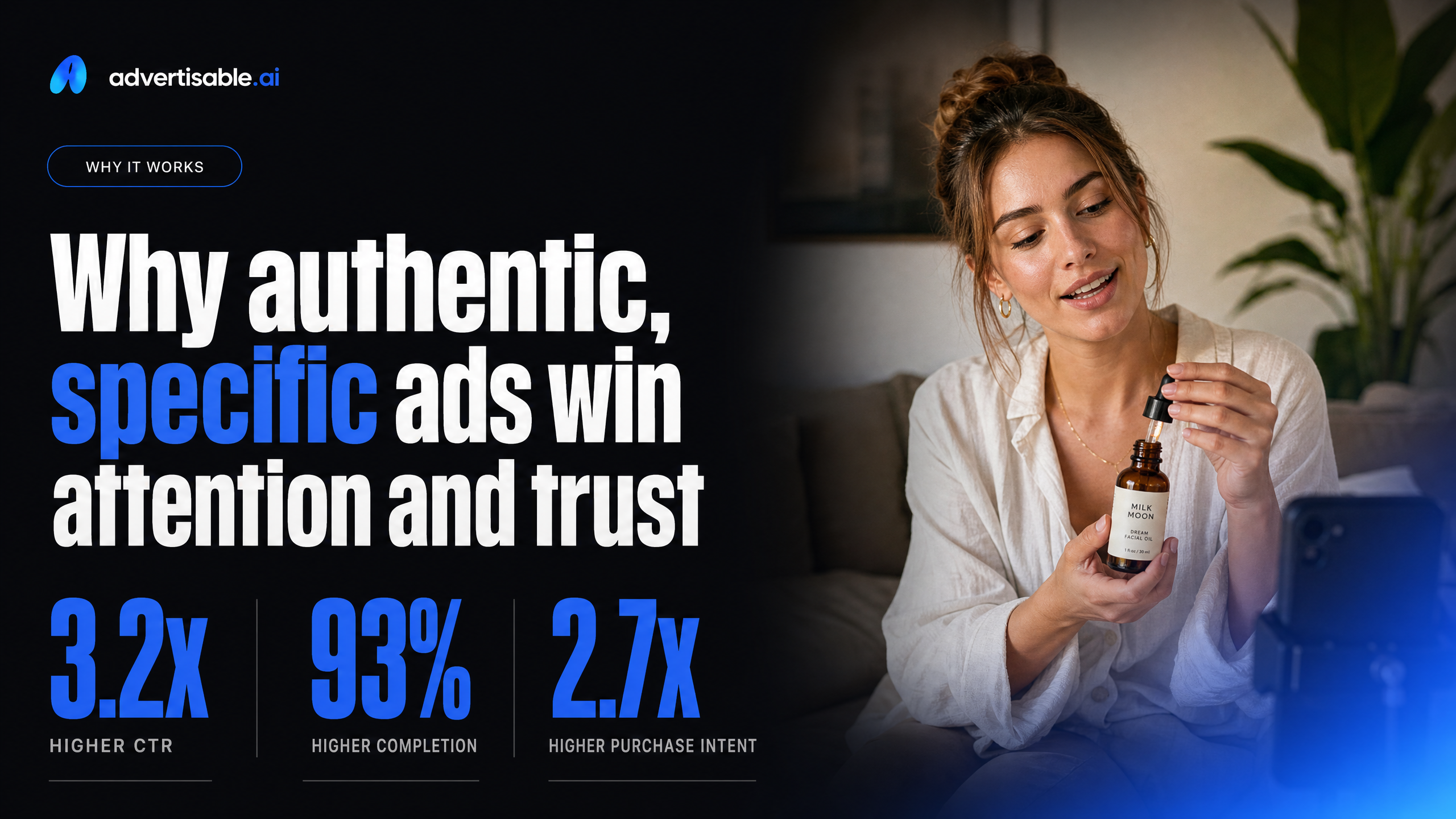
Why authentic, specific ads win attention and trust
Real product truth builds credibility
Authenticity is not a vibe. It is proof that your product exists, works as described, and is being shown honestly in the ad.
Generic AI creative skips the hard part: real constraints. When your visuals, specs, and claims do not line up, viewers feel the mismatch fast, and you pay for it in skipped seconds and skeptical clicks. Your best defense is specificity that can be checked.
In practice, “product truth” means you anchor the creative to what is real and repeatable, then you iterate around that foundation, not away from it.
- Show the actual product and packaging you ship, not a lookalike render that drifts on labels, colors, or form factor
- Use concrete, verifiable details (dimensions, key ingredients, compatibility, what is included in the box) instead of universal claims
- Keep claims inside approved boundaries so every variation stays shippable and you do not create compliance risk at scale
A brand voice has edges
A real brand voice is not “friendly” or “premium.” It has edges: words you always use, words you never use, and a point of view that excludes as much as it includes.
The fastest way to make an ad feel AI-made is to sand those edges down into safe, interchangeable copy. That creates sameness across hooks, proof, and offers, even when your product is strong.
You want constraints that force consistency across volume. In our work, Brand DNA is effective because it locks what cannot drift (voice rules, visual identity, allowed claims) while you still test angles and scenes at speed.
Your goal is not to sound like everyone. Your goal is to sound like you, repeatedly, across 50 variations without losing the plot.
The honest boundary: authenticity, not deception
Undetectable is the wrong game
Chasing “undetectable” is the wrong objective. It pushes you toward tricks that might pass a glance but fail where performance lives: trust, clarity, and brand consistency.
In our experience, the moment you optimize for hiding the tool, you start stripping out the specifics that make an ad believable. You avoid direct product shots, soften claims into mush, and over-polish scenes until they feel like everyone else’s creative.
You do not need to pretend a human made every frame. You need the ad to feel reliable, which is why research on advertising credibility keeps landing on the same lever: truthful, transparent, verified information earns connection and purchase intent.
Truth beats clever visuals
Truthful product beats clever visuals because it gives the viewer something to verify. When the product is real and the message is precise, “AI-looking” stops being the problem.
Prioritize assets and constraints that keep you honest, then let the creative vary inside those guardrails. This is where a storyboard-first workflow and locked specs matter more than another stylistic filter.
Use this quick checklist before you ship:
- Real product shown, not a stand-in: packaging, UI, or physical details that match what you sell
- Claims you can stand behind: approved language and disallowed claims defined up front
- Proof that fits the offer: screenshots, certifications, or concrete demonstrations, not generic hype
- Brand consistency across variations: the same voice, same visual system, no “new brand every render” problem
When those inputs are true, you can iterate fast without needing to “hide” anything, because the ad reads as specific to you.
How to make AI ads feel real: an input-first workflow
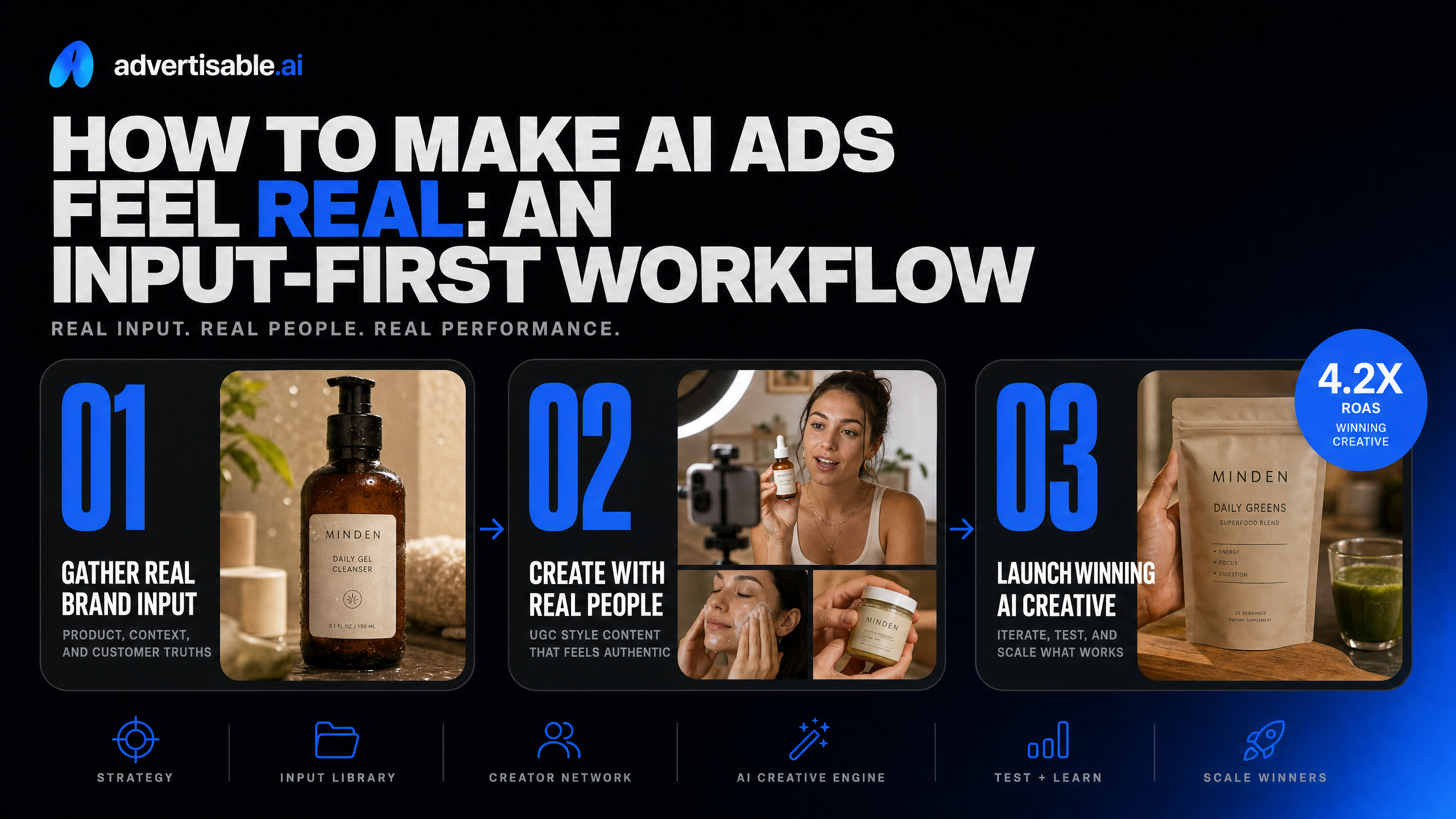
Start with real product constraints
AI ads feel real when they are forced to be specific. Your fastest path there is starting with constraints that are true about your product, not a tool’s default aesthetics.
In our experience, the “AI look” shows up when the system has room to invent: vague benefits, generic packaging, or scenes that could sell anything. Lock the non-negotiables first so every iteration stays grounded in reality and you do not waste cycles QA’ing obvious issues.
- Hard product facts you can verify: size, materials, included accessories, usage steps
- Allowed and disallowed claims (especially anything compliance-sensitive)
- Visual anchors: real packaging details, logo placement, brand colors and fonts
- Offer rules: price points, bundles, shipping terms, guarantee language
Storyboard before you render variants
Rendering lots of variants before the structure is approved is how you end up with volume you cannot ship. Approve the beats first, then generate in batches.
A storyboard-first workflow makes the ad feel human because the intent is clear: hook, problem, proof, offer, close. You are choosing what the ad is, before you ask the model to decide how it looks.
Keep variants clean by changing one variable at a time. In Advertisable AI, this maps naturally to using the Storyboard Generator first, then regenerating only the weak scene in the Scene-Level Editor instead of redoing the whole ad.
- Write 1 storyboard per angle, with scene-by-scene outcomes (not just visuals)
- Get internal approval on claims, tone, and sequence before any heavy rendering
- Batch-test hooks, then proof, then CTA so performance reads are interpretable
How Advertisable keeps AI output specific and on-brand
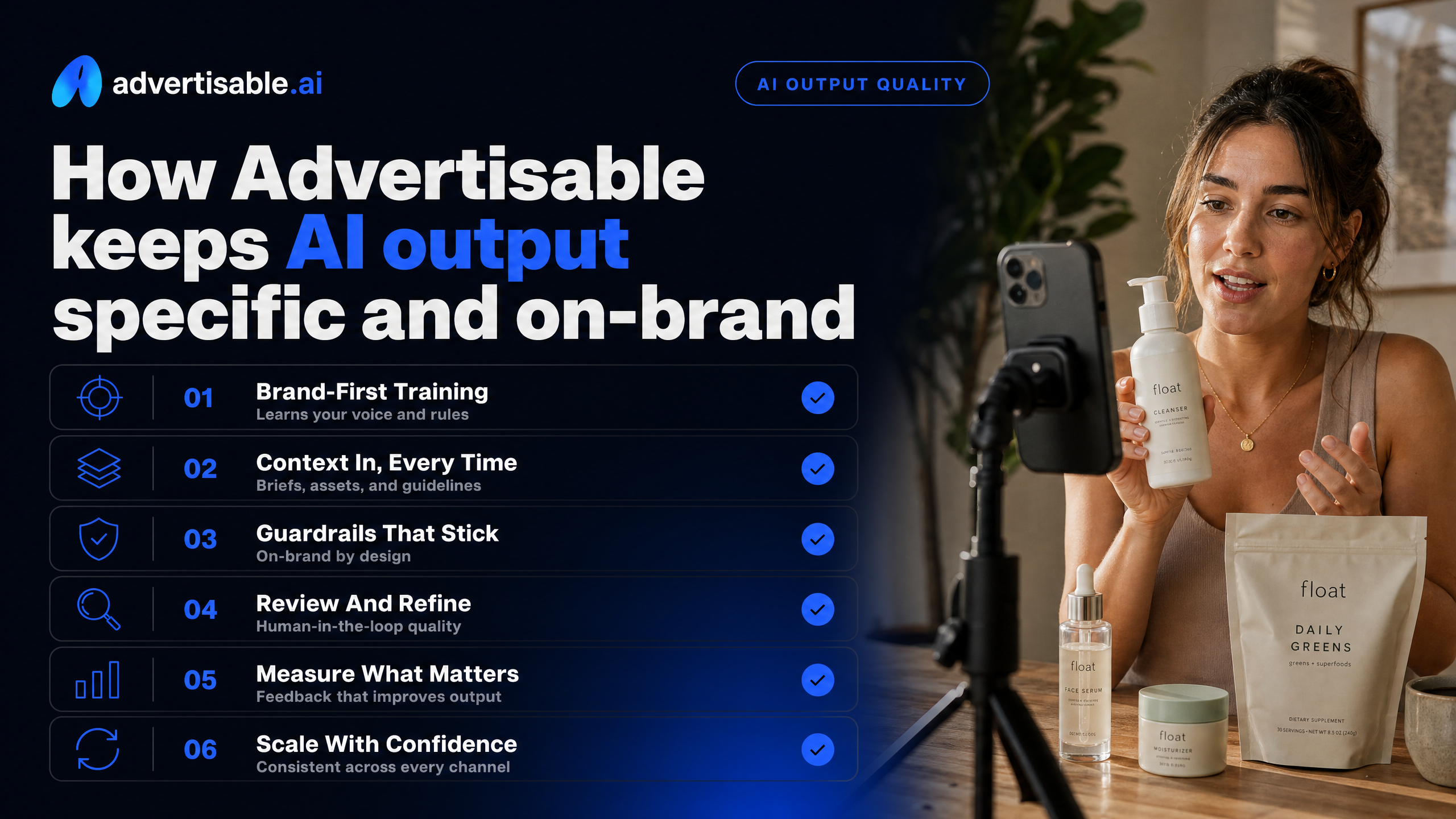
Brand DNA stops drift when you scale
Generic AI output happens when every new variation starts from the tool’s defaults instead of your brand rules. Brand DNA is how we keep your creative from slowly shifting as you move from 5 ads to 50.
You lock the parts that cannot change before generation, so you are not QA-ing the same basics on every render. That matters in paid social because small inconsistencies compound into wasted reviews, rejected claims, and ads that feel like they came from a different brand.
Practically, Brand DNA means your inputs are enforced at the system level, not “remembered” in a prompt.
- Voice and messaging rules: what you can say, and what you cannot
- Visual identity: fonts, colors, logos, and consistent styling
- Product truth: specs and allowed or disallowed claims
Frame-by-frame control cuts rework
Most teams waste time because one weak beat forces a full rerender. Frame-by-frame control changes the unit of work from “remake the ad” to “fix the scene that is failing.”
We run a storyboard-first workflow, then you use the Scene-Level Editor to regenerate only what needs to change. That keeps winning structure intact while you test variables cleanly, without burning credits and approvals on parts that were already good.
For fast iteration, you focus edits where performance actually moves.
- Swap the hook without touching the proof or offer scenes
- Tighten a proof scene while keeping the opening and CTA unchanged
- Batch one variable at a time (hook A/B, then proof A/B, then CTA A/B)
Stop Trying to Hide AI.
Start Shipping Ads That Feel Like You.
If your ads keep getting labeled as “AI,” the problem usually is not the model. It is the default output: generic scenes, interchangeable hooks, and visuals that could sell anything. That is the fastest way to blend into the feed.
We built Advertisable AI for performance teams that need AI speed without brand drift. You start from your real product and your Brand DNA, then use a storyboard-first workflow to lock the beats before you render. When one scene is weak, you fix that one scene with scene-level control, not a full rerun.
If you want more shippable variations per week without sacrificing specificity, run one product through Brand DNA and generate a controlled UGC Style storyboard. You will see quickly whether AI can scale your account without the generic look.
Frequently Asked Questions
Q: Is AI advertising illegal?
A: AI advertising is not inherently illegal, but you are still responsible for truth-in-advertising, IP rights, and platform policies. The risk is rarely “using AI” and more often inaccurate product details or unsupported claims, so lock specs and allowed claims before you scale.
Q: How is this different from just using ChatGPT or Midjourney to generate ads?
A: General-purpose tools can generate assets, but they do not enforce brand guardrails, lock product specs and allowed claims, or give you scene-level control for efficient iteration. With Advertisable AI, you work from Brand DNA and a storyboard-first workflow so you ship consistent, channel-ready variations instead of fixing errors after the fact.
Q: Do I need to hire creators still, or does this replace UGC creators?
A: It is best used to supplement creators, not replace them. Use UGC Style to test angles and scale variations fast, then keep real creators for moments that require a real face, real testimony, or a brand ambassador relationship.
Q: What does 'Brand DNA' actually do, and why does it matter?
A: Brand DNA locks your fonts, colors, logo, brand voice, product specs, and allowed claims so your variations stay consistent as volume increases. That matters because the true cost is not renders, it is the number of shippable variations you can launch without rework or compliance headaches.