How to Make AI Ads for Every Product in Your Catalog
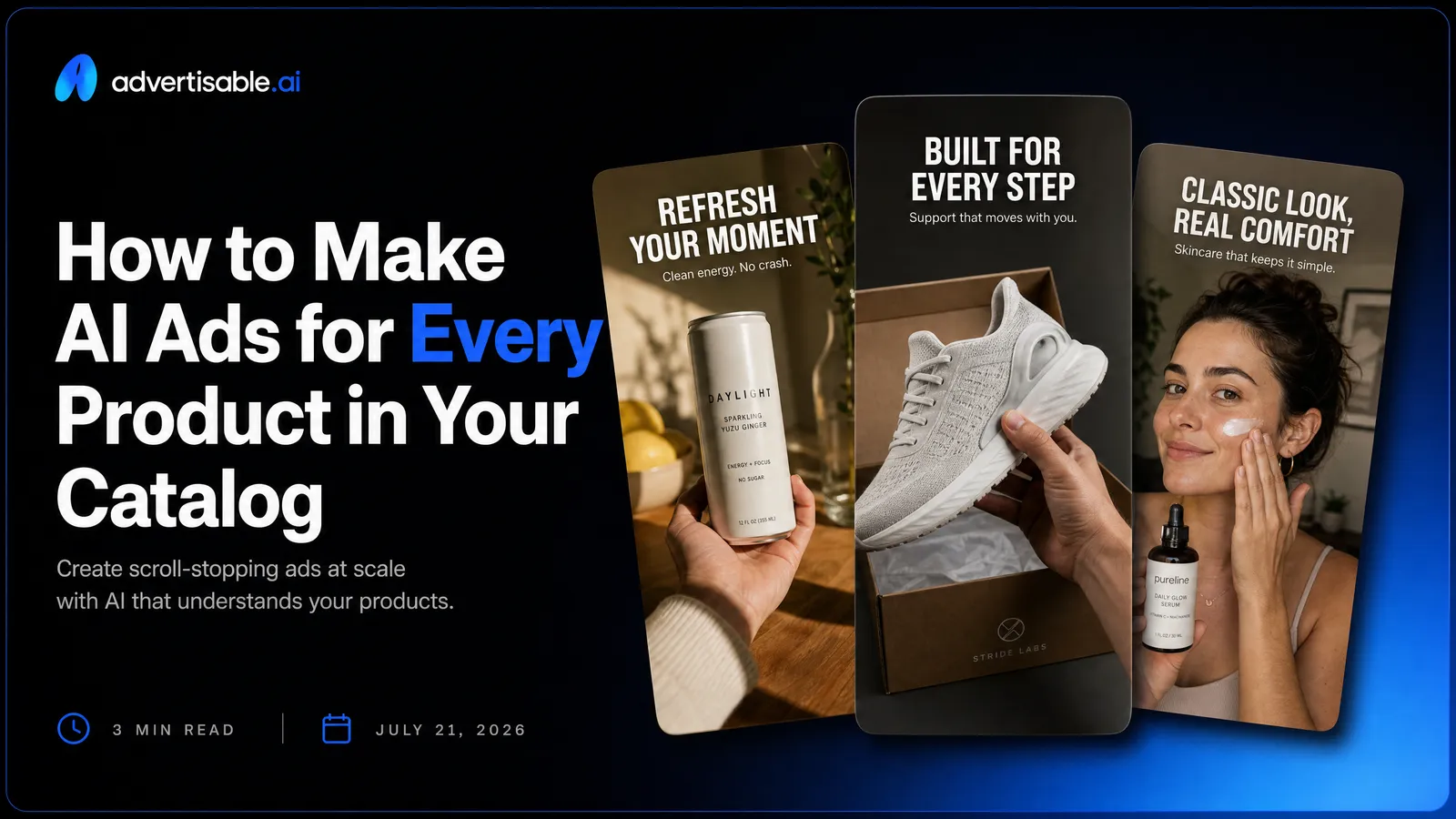
Turn your product catalog into finished AI-generated ads by pasting each product URL into Advertisable AI, locking Brand DNA from the page, generating a script and storyboard, making scene-by-scene edits, then exporting platform-ready assets for Meta, TikTok, or YouTube.
Here’s the workflow you can run this week to ship catalog ads without a creative team:
- Start with one product URL so specs, visuals, and claims import accurately.
- Lock Brand DNA first to prevent voice, color, and claim drift at scale.
- Approve the storyboard before rendering so you do not waste credits on structure.
- Fix generic output by regenerating only the scene that fails your specificity bar.
- Batch variations by single variable changes, then read results in 48 to 72 hours.
- Export in the right aspect ratios so each ad is placement-ready on day one.
We built Advertisable AI because performance teams hit a manual production ceiling fast, especially when you are trying to advertise more than a few hero products. Our Brand DNA layer plus storyboard-first, scene-by-scene control is designed for one thing: turning a product link into an on-brand, export-ready UGC ad, B-Roll Style Ad, or Static Ad you can actually publish.
Before you scale anything, you need to see why most catalogs only ever get ads made for a small handful of products, and what that ceiling looks like in real production hours and approval cycles.
Why Most Catalogs Only Advertise a Few Hero Products
What Is the Manual Production Ceiling?
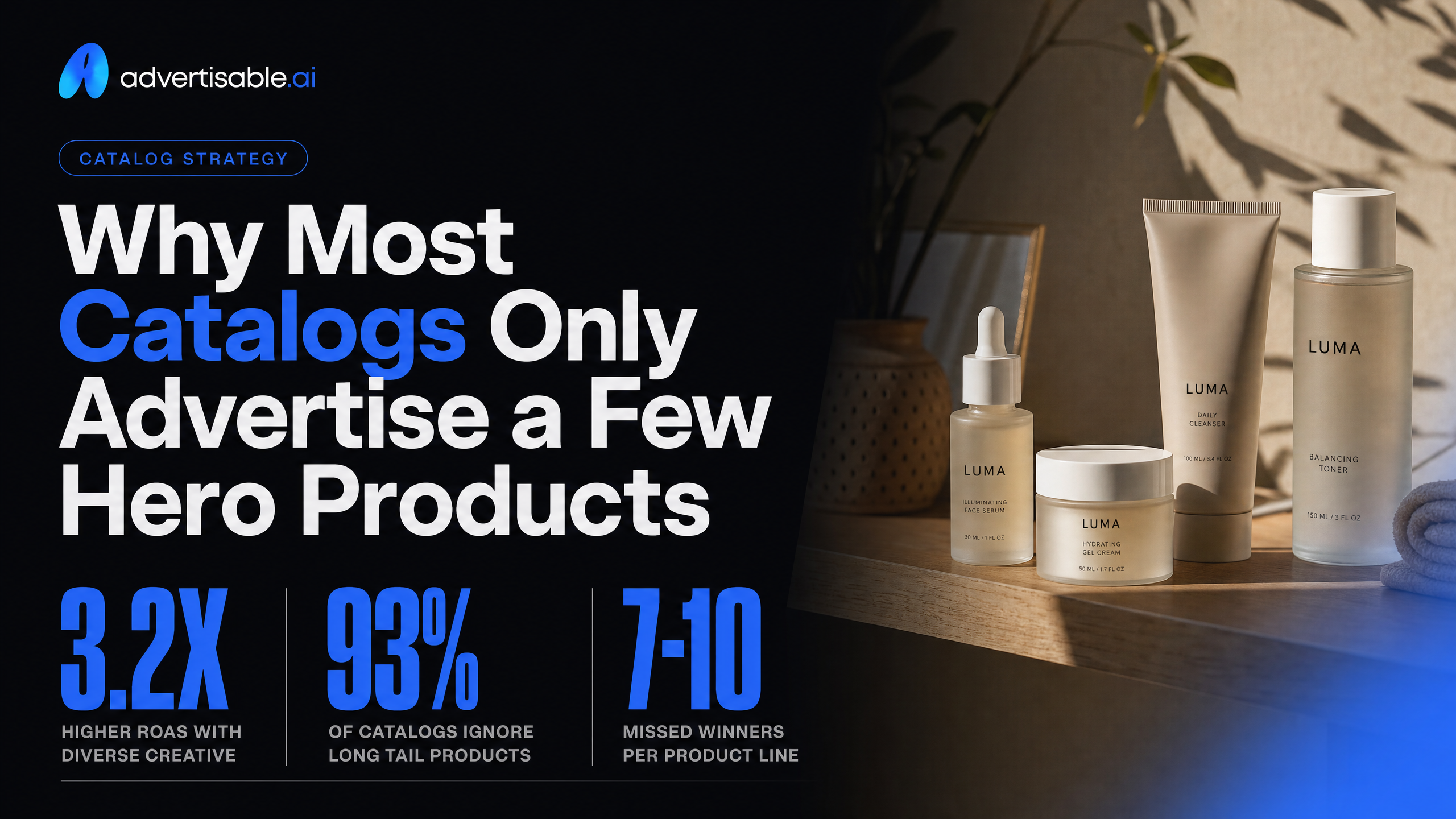
Most brands promote only a handful of hero products because manual creative production hits a hard capacity limit long before your catalog does. You can only brief, script, edit, review, and traffic so many assets per week without quality dropping.
In practice, teams prioritize the SKUs that already have demand, margin, or proven CPA, because every additional product adds more work across the same fixed steps: claim checking, visual selection, versioning for placements, approvals, and troubleshooting. That forces a short list, even when your catalog has dozens or hundreds of items that could sell.
We treat this as an operations constraint, not a creativity problem. If your cycle time for one “shippable” ad is even 2 to 4 hours end-to-end, you will default to the same few products because they justify the effort.
- Objective metric to watch: cost per shippable variation (time or dollars per approved asset)
- Common bottleneck: review and QA, not idea generation (brand claims, product accuracy, placement sizing)
- Acceptance criteria: accurate product facts, on-brand voice, correct aspect ratio exports, and no re-render needed to fix a single scene
Why Dynamic Product Ads Don’t Replace Real Creative
Dynamic ad formats are efficient for personalization, but they do not solve creative fatigue or messaging control across a full catalog. They typically assemble product image, price, and name into a template; you still need real creative angles to create demand and differentiate products.
You also end up with a mismatch: your catalog can populate thousands of variations, but your creative team can only produce a small set of hooks, proofs, and offers. The result is a few “real” creatives plus a lot of templated units that look the same and stop performing.
This is why we separate two systems: creative generation (hook, script, storyboard, scenes) and distribution formats (dynamic placement and retargeting). You want dynamic where it is strongest, and controlled, on-brand creative where it actually moves CTR and CPA.
- Hold constant: product truth (specs, claims, disclaimers) and Brand DNA guardrails
- Change one variable per batch: hook angle, proof type, or offer framing
- Readout window: 48-72 hours per batch before you decide what to regenerate
- Next-test decision: regenerate only the weakest scene (often the hook) instead of rebuilding the full ad
This is the gap URL-to-storyboard systems like ours are built for: you keep dynamic delivery benefits while shipping controlled, scene-editable creatives for more than just the same 3 hero SKUs.
Which Products in Your Catalog Should Get Ads First
Four SKU Tiers Worth Prioritising
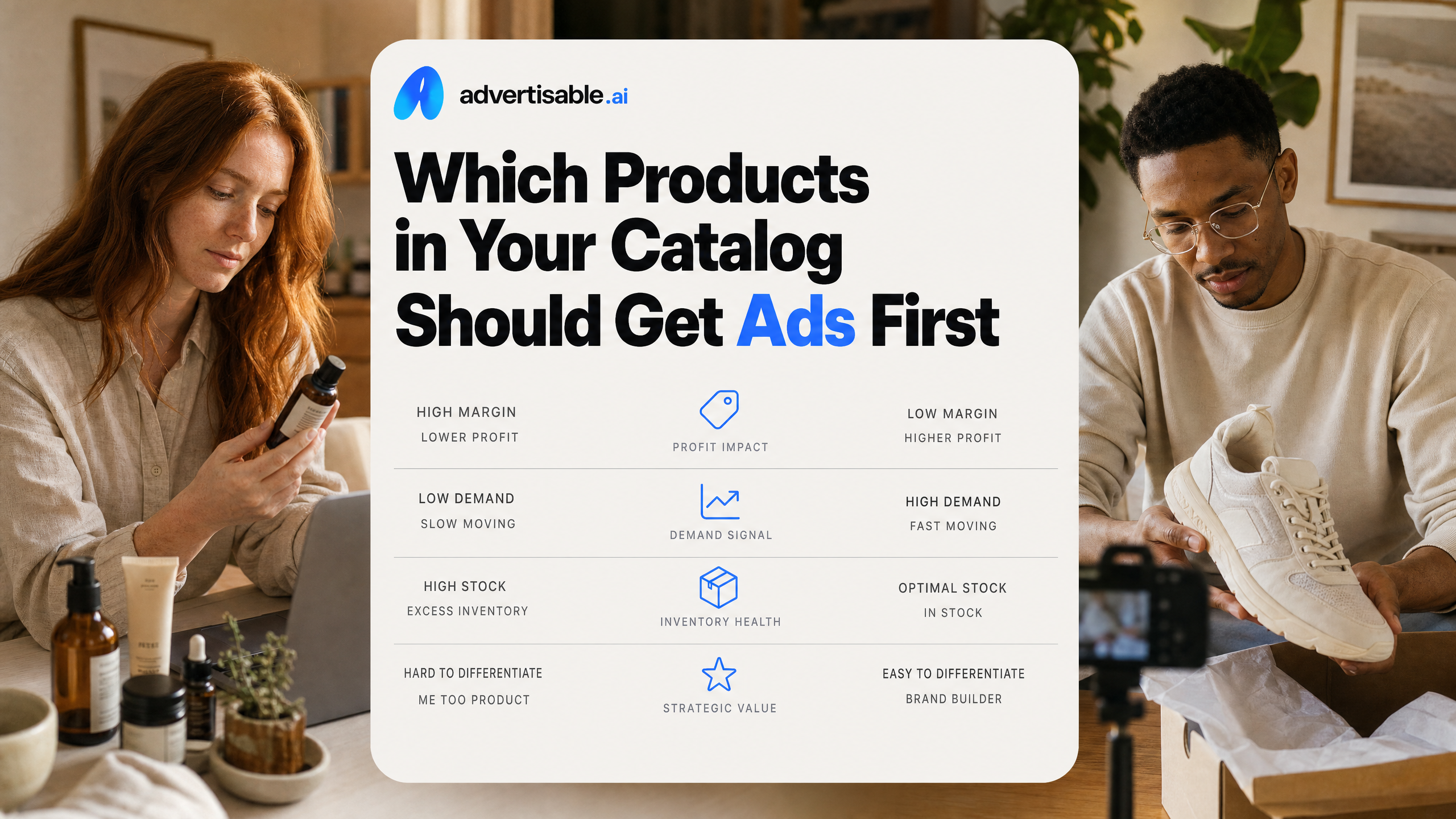
Start with products where a new ad can change outcomes quickly, not with the biggest part of your catalog. In our experience, the first winners are SKUs with clear on-page facts, a clean offer, and enough demand to generate signal within 48-72 hours.
Use this tiering to decide what gets produced first, while keeping your creative system consistent across SKUs.
- Tier 1: Proven sellers (your top revenue or unit movers). Objective: stabilize CPA while refreshing hooks to reduce creative fatigue.
- Tier 2: High-margin SKUs. Objective: buy more volume at the same CPA ceiling because contribution margin can absorb higher CPM volatility.
- Tier 3: High intent / high clarity products (the product page answers “what is it, who is it for, why now” in a few scrolls).
Objective: turn strong product truth into direct-response UGC ads and statics without copy drift.
Tier 4: Strategic new launches or hero bets. Objective: fast angle discovery using hook A/B testing before you invest in full campaign build-out.
Each tier gives you a different success metric, so you avoid judging every SKU by the same yardstick on day one.
Starting Small Before Scaling
Scale after you have one repeatable build process, not after you generate your first batch. A practical starting point is 1 SKU, 1 angle, and 5-10 variations shipped in a single-variable batch, with a 48-72 hour readout.
Hold constants: the product page URL (so your extracted facts stay stable), your Brand DNA layer(colors, fonts, voice, approved claims), and one core offer. Change one variable per batch, usually the hook or the first two scenes.
Acceptance criteria before you expand to more SKUs: the storyboard reads on-brand, the first scene states a specific product truth (not a generic promise), and you can regenerate one weak scene without rebuilding the whole ad. In Advertisable AI, that means you approve the storyboard in the editor, then use the regenerate function only where the output misses the specificity or claim-accuracy bar.
- Batch 1 (Day 1): Generate 20 ads from one prompt, then pick 5-10 that differ only by hook.
- Batch 2 (Day 3): Keep the winning hook, test 2-3 proof scenes (spec, demo, objection handling).
- Batch 3 (Week 2): Replicate the winning structure on the next Tier 1 or Tier 2 SKU by swapping only the product URL and product-specific proof.
The URL-to-Ad Workflow for Every SKU in Your Catalog
How Product URL Import Pulls Real Product Details
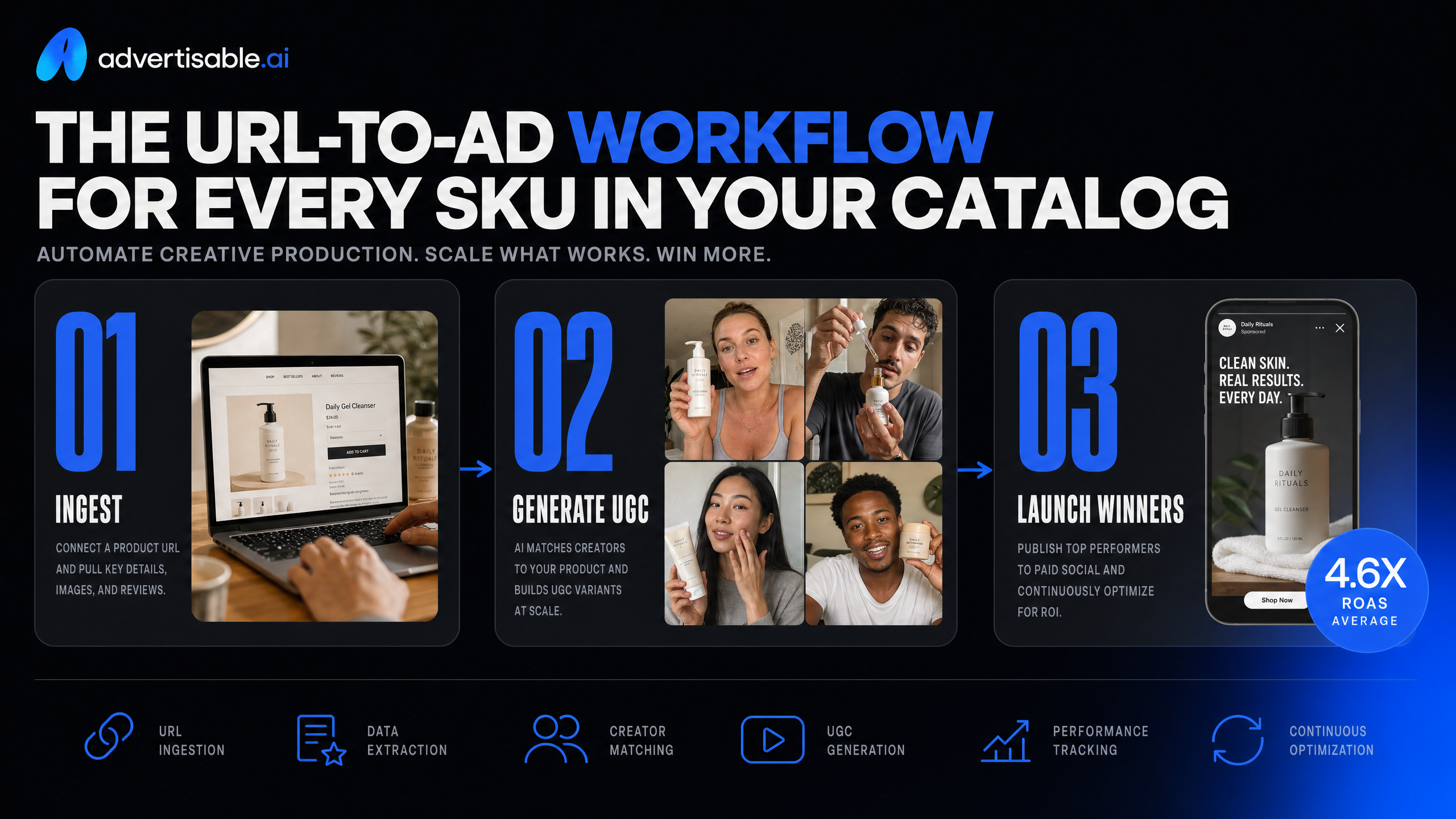
A URL-based workflow works because you stop retyping product facts and start generating ads from the page that already defines the SKU. In Advertisable AI, importing a product link is designed to pull your product specs, claims, and available visual assets into the creative inputs.
Operationally, your objective metric is accuracy on first pass: the storyboard should reflect the same product name, key specs, and claim language your product page uses, without manual cleanup. When you run this across a catalog, you standardize the starting point for every SKU and reduce “generic ad” drift that comes from vague prompts.
- Acceptance criteria before you render: product name matches the page, 2-3 core specs are present, and any claim shown is verifiable on-page
- QA check: confirm the output did not import category-level language that is not true for that specific SKU
- Next-test decision: keep the product facts constant and only vary the hook or offer so you can read performance cleanly in a 48-72 hour window
Brand DNA Guardrails Keep Outputs On-Brand
Brand consistency at scale is a guardrail problem, not a “better prompt” problem. The Brand DNA layer is where you lock the non-negotiables so every SKU starts from the same brand voice, visual rules, and approved product truth set.
Consistent branding across your catalog builds recognition and trust - when every ad reads as the same brand, the whole catalog reinforces itself instead of looking like hundreds of disconnected one-offs.
Treat Brand DNA like a reusable source of truth: set it once, then run single-variable batches (for example, 5 hooks) while holding brand voice, fonts, and claim boundaries constant.
- Lock: colors, fonts, logo usage, and 2-3 sample sentences that define your voice
- Lock: product specs and claim language you can defend from the product page
- Reject on review: generic superlatives that are not tied to a specific product truth
Frame-by-Frame Control Fixes Weak Scenes
Frame-by-frame control matters because most ads fail for one reason: a weak hook, a vague proof scene, or a mismatched CTA. You should not have to rebuild a full video when only one scene is wrong.
Use the storyboard editor to isolate the failing scene, then regenerate only that segment while holding everything else constant. This is how you keep iteration tight: the variable is the scene, not the entire creative.
Your acceptance criteria is shippable clarity: the hook is specific, the proof references an on-page detail, and the offer is unambiguous in the final frame.
- If the hook is soft: regenerate scene 1 with a single, concrete product truth (one spec, one outcome, one audience)
- If proof feels like “proof-by-vibes”: replace the scene with a visual or line that mirrors the product page’s exact claim language
- If the CTA is muddy: regenerate only the closing frame and keep the rest of the storyboard intact
Keeping the Whole Catalog On-Brand Across Hundreds of Ads
Why Brand Consistency Breaks at Volume
Brand drift is not a taste problem. It is an operations problem that shows up the moment you go from 5 ads to 500, across multiple formats and placements.
At volume, small inconsistencies compound: slightly different claims, mismatched product naming, off-tone hooks, and visuals that do not match your actual product pages. The result is lower trust, slower approvals, and fragmented learning because you cannot tell whether performance changed due to the hook or because the brand presentation changed.
Consistent branding across your catalog builds recognition and trust - when every ad reads as the same brand, the whole catalog reinforces itself instead of looking like hundreds of disconnected one-offs.
- Hold constant: Brand DNA (colors, fonts, logo usage), approved product claims, and your “do not say” list
- Change one variable per batch: hook angle, offer framing, creator/setting, or CTA, not all at once
- Run single-variable batches of 5 to 10 variations, then read results at 48 to 72 hours before iterating
- QA gate before export: claim matches the product page, tone matches your brand voice, and the first 2 seconds are on-message
How Do You Keep One Brand Voice Across Every Product Page?
You keep one voice by enforcing a single source of truth and reusing it across products, not by rewriting each ad from scratch. The fastest path is to lock voice and claims once, then let each product URL supply the specifics that change.
In Advertisable AI, we do this with the Brand DNA Layer pulled directly from the product page: brand cues, product facts, and allowed claims become guardrails. Your job becomes editorial: review the generated script and storyboard, then fix only what is generic at the scene level instead of redoing the whole ad.
Acceptance criteria for voice should be binary. If a line could fit any brand in your category, it fails, and you regenerate that one scene until it passes.
- Define 3 voice rules you can QA in 30 seconds (for example: sentence length range, banned adjectives, and how you reference the customer)
- Keep product naming consistent (same SKU name, variant formatting, and benefit ordering as the product page)
- Require one checkable product truth per ad (a spec, included items, compatibility, or warranty terms from the page)
- Regenerate only the scenes that violate voice, usually the hook and the proof scene
Rolling Out and Testing Creative Across the Full Catalog
Batch by Tier, Test by SKU
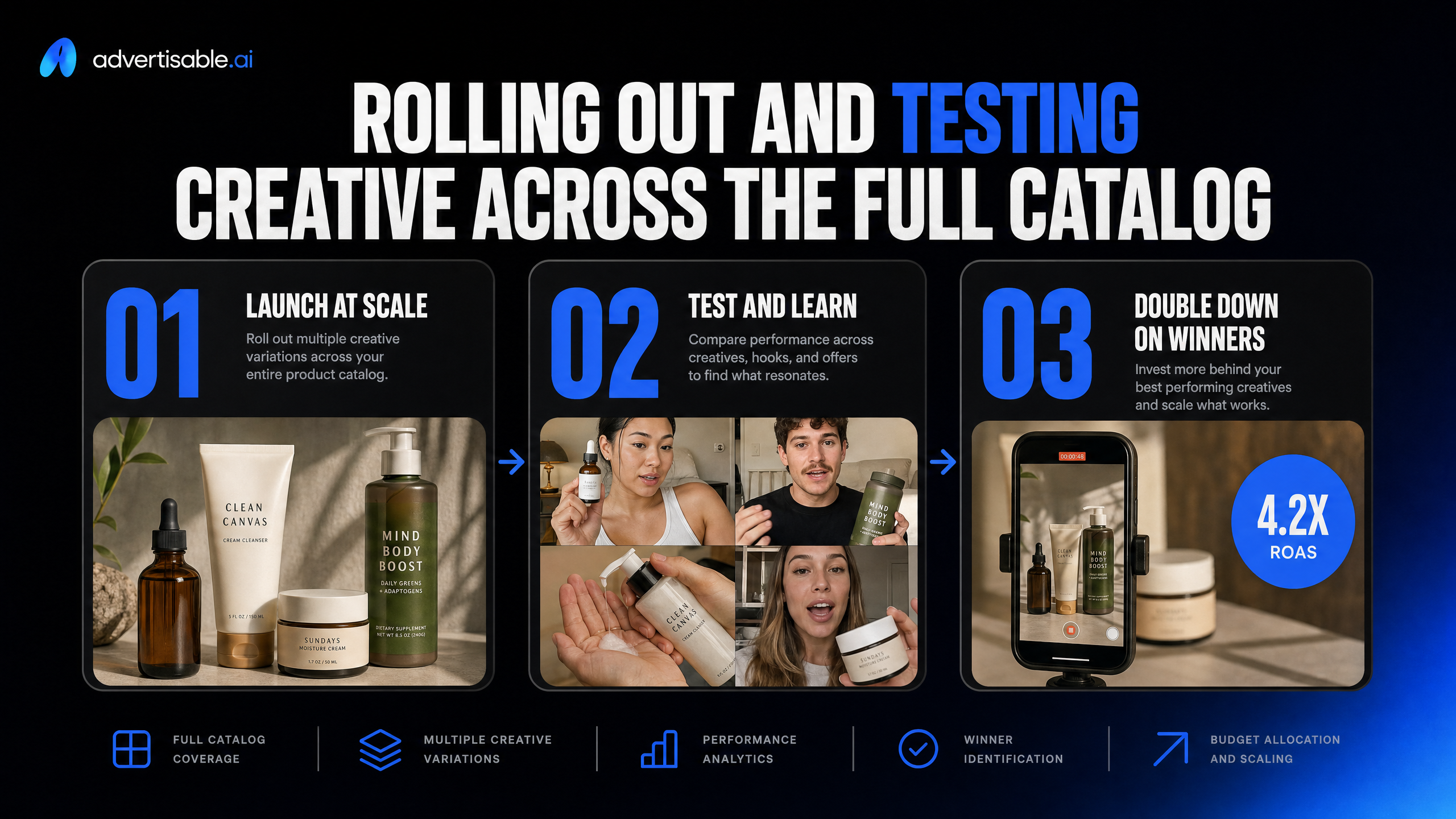
Scale across a catalog by batching production at the tier level, then making keep-or-kill decisions at the SKU level within each batch. You do this to control inputs while still letting performance data tell you which individual products deserve more spend and more creative cycles.
Operationally, your “tier” is a stable grouping you can produce consistently: hero SKUs, mid-volume, long-tail, or margin-based groupings. Within a tier, you ship a standard creative pack, then read results after 48-72 hours and promote only the SKUs that clear your acceptance criteria.
- Tier definition: pick 3-4 tiers you can maintain weekly (for example: Top 20 revenue, High margin, New launches, Long-tail).
- Per-tier creative pack: 5 hooks, 2 proofs, 2 offers, 1 CTA, exported in 9:16 and 1:1.
- Test unit: one SKU per ad set or per dynamic product set, so you can attribute lift to the product, not the catalog.
- Readout window: 48-72 hours with a minimum impression threshold you trust (set it once and keep it consistent across tiers).
- Next-test decision: scale winners to a second pack; demote losers to catalog-only retargeting or pause.
This is the fastest way to cover the full catalog without letting long-tail volume steal production time from the products that can actually carry spend.
What Do You Change vs Hold Constant in SKU Testing?
To learn anything from SKU tests, you change one variable at a time and hold the rest constant for at least 48-72 hours. That means your creative system needs guardrails: consistent structure, consistent brand rules, and scene-level edits instead of full rebuilds.
Hold constant across a batch: Brand DNA (colors, fonts, voice, approved claims), storyboard structure (hook, problem, proof, offer), video length band (for example 15-30 seconds), and export specs per platform.
Change only what you are testing. In early SKU validation, that is typically the hook or the primary proof scene, not the entire ad. With Advertisable AI, we recommend generating from the product URL, approving the storyboard first, then using the regenerate function to swap a single scene so you do not burn credits re-rendering everything.
- Change: Hook angle (1 per variant).
- Change: Proof type (feature demo vs testimonial-style line vs spec callout) in one dedicated scene.
- Change: Offer framing (discount vs bundle vs free shipping) while keeping pricing language consistent.
- Hold: Same AI avatar and first frame for the batch to reduce noise from casting differences.
- Hold: Same CTA placement and end card layout so CTR shifts reflect the tested variable.
Ship your first catalog ad this week, with production control
If you want to prove this workflow works, do it the operator way: pick one SKU and define the objective metric before you touch creative. We recommend CTR or CPA, with a 48 to 72 hour readout.
Start in Advertisable AI. Paste one product URL and let our Brand DNA Layer pull the on-page product facts and brand cues so your outputs stay brand-locked. Approve the script and storyboard first.
Then run single-variable batches: hold the offer, avatar, and Brand DNA constant, and change only the hook in 5 to 10 variations. Use the Regenerate Function to fix only the scene that fails your QA checks, like vague claims, generic wording, or incorrect specs.
When each variation meets your acceptance criteria, export one version in the correct format for Meta or TikTok using the Export Module. Use the $5 trial to get the first variation live before the end of the week.
Frequently Asked Questions
### What's the difference between UGC ads, B-roll, and static ads?
UGC ads use AI avatars delivering a creator-style script for direct-response testing. B-roll style ads are product-first, focused on visual demonstration and transitions. Static ads are single-frame outputs you can iterate quickly across placements and aspect ratios.
### Why do my AI ads look generic even with the same tool everyone else uses?
Generic output usually comes from default hooks and vague, uncheckable claims. In Advertisable AI, lock your Brand DNA first, then enforce a specificity QA rule: every claim must map to something on the product page or your approved claim list, and regenerate only the scenes that miss that bar., lock your Brand DNA first, then enforce a specificity QA rule: every claim must map to something on the product page or your approved claim list, and regenerate only the scenes that miss that bar.
### Can I change just one scene of a video without re-rendering the whole thing?
Yes. Use scene-by-scene control with the Regenerate Function to swap a hook, proof line, or offer scene while holding everything else constant. This is the cleanest way to run single-variable tests without wasting time rebuilding the full ad.