Best B2B Video Ads AI Tools in 2026
The AI tool that generates B2B video ads quickly and stays on-brand is the one that locks your Brand DNA from your product URL, uses a storyboard-first approval gate, and lets you regenerate a single scene without rebuilding the whole video.
Here’s what matters most when you are choosing a B2B video ad tool:
- Pull brand rules from your product URL so outputs stay consistent at scale.
- Approve a storyboard before rendering to reduce QA rework and wasted credits.
- Edit and regenerate one scene to iterate hooks and CTAs without full re-renders.
- Batch 5 to 10 hook variations while holding the message architecture constant.
- Export in correct specs for Meta, TikTok, and YouTube without manual resizing.
We built Advertisable AI for teams running paid social who need shippable variation, not pretty demos. Our workflow is simple: paste a product link to lock Brand DNA, generate a storyboard and variation pack, then regenerate only the weak scene after a 48 to 72 hour readout.
If your goal is more on-brand B2B performance ads this week, start by evaluating which tools give you Brand DNA guardrails and true scene-level control, because that is what keeps iteration speed high without restarting production. First up is Advertisable AI and how URL-based Brand DNA locking changes the entire workflow.
1. Advertisable AI
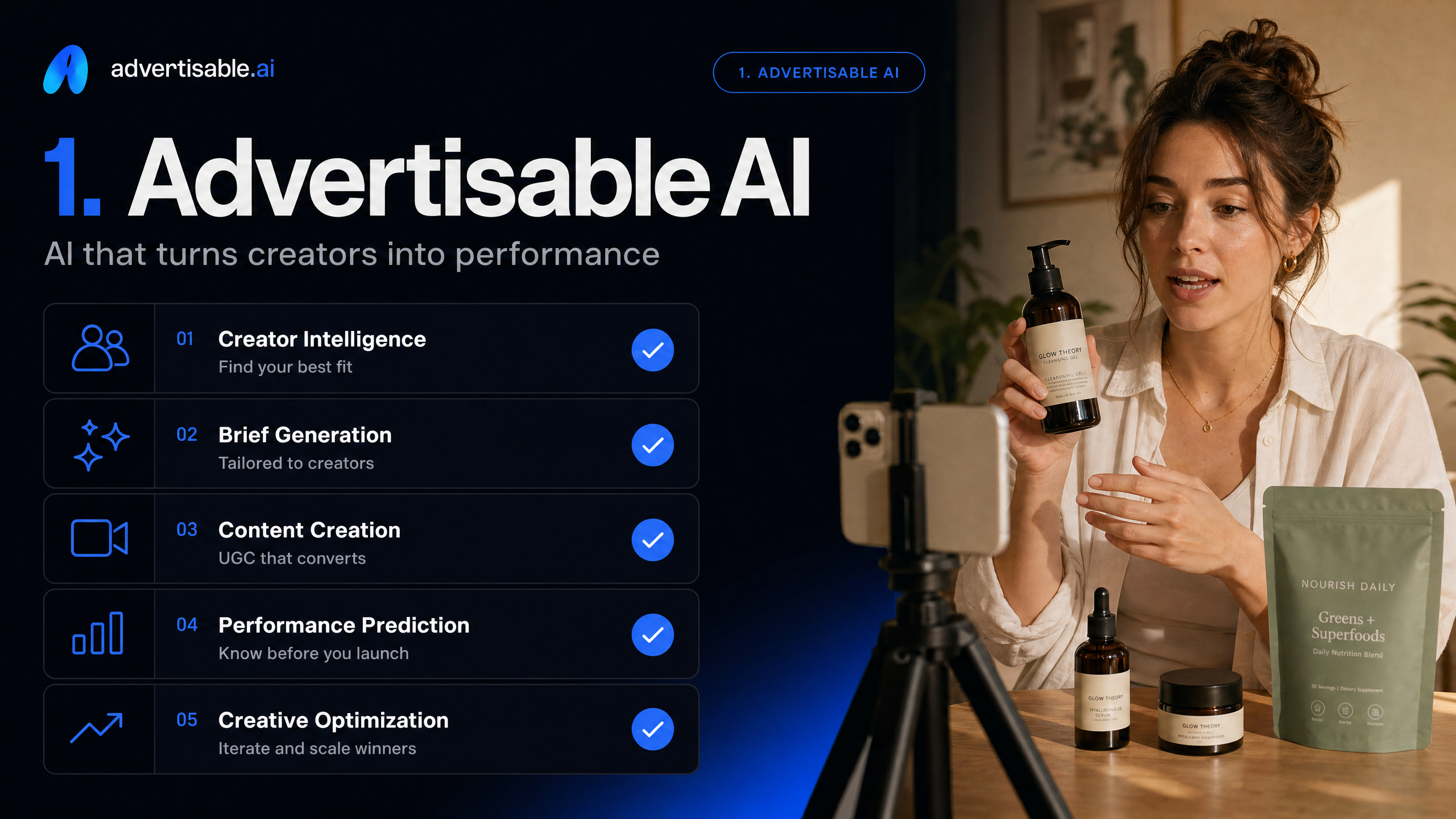
Brand DNA Locked From Your Product URL
You reduce off-brief drift by locking Brand DNA directly from your product URL before you generate anything at volume. In our ops work, this is the only scalable way to keep colors, fonts, voice, and approved claims consistent across 20+ variations from one prompt.
- Acceptance criteria: product facts match the page, claims stay within your approved list, and visual identity stays consistent across the pack
- QA check: scan hooks and on-screen text first, since that is where drift and claim errors show up fastest
Storyboard-First Before Rendering
A storyboard approval gate saves render waste because you catch structure and messaging errors before you spend credits on full video. You want the same message architecture across a batch, then you vary one element like the hook.
- Hold constant: scene order, proof beats, offer, and brand cues
- Change: 5-10 hook variations per angle
Regenerate One Scene Only
Scene-level regeneration is how you iterate fast without restarting production. When scene 1 underperforms, you swap just that beat and keep the rest fixed, then read results in a 48-72 hour test window.
- Next-test decision: replace hook, CTA, or one proof scene, not all three
- QA check: confirm the edited scene still matches Brand DNA and does not introduce new claim risk
Export for Meta, TikTok, and YouTube
Platform-ready export matters because resizing after the fact creates failures you do not see in preview. You want outputs that ship as-is to Meta, TikTok, and YouTube with the right aspect ratio, duration, and captions.
- Acceptance criteria: no cropped product, safe margins respected, captions readable on mobile
- Ops check: export all three formats in one pass so your test is apples-to-apples
2. Runway
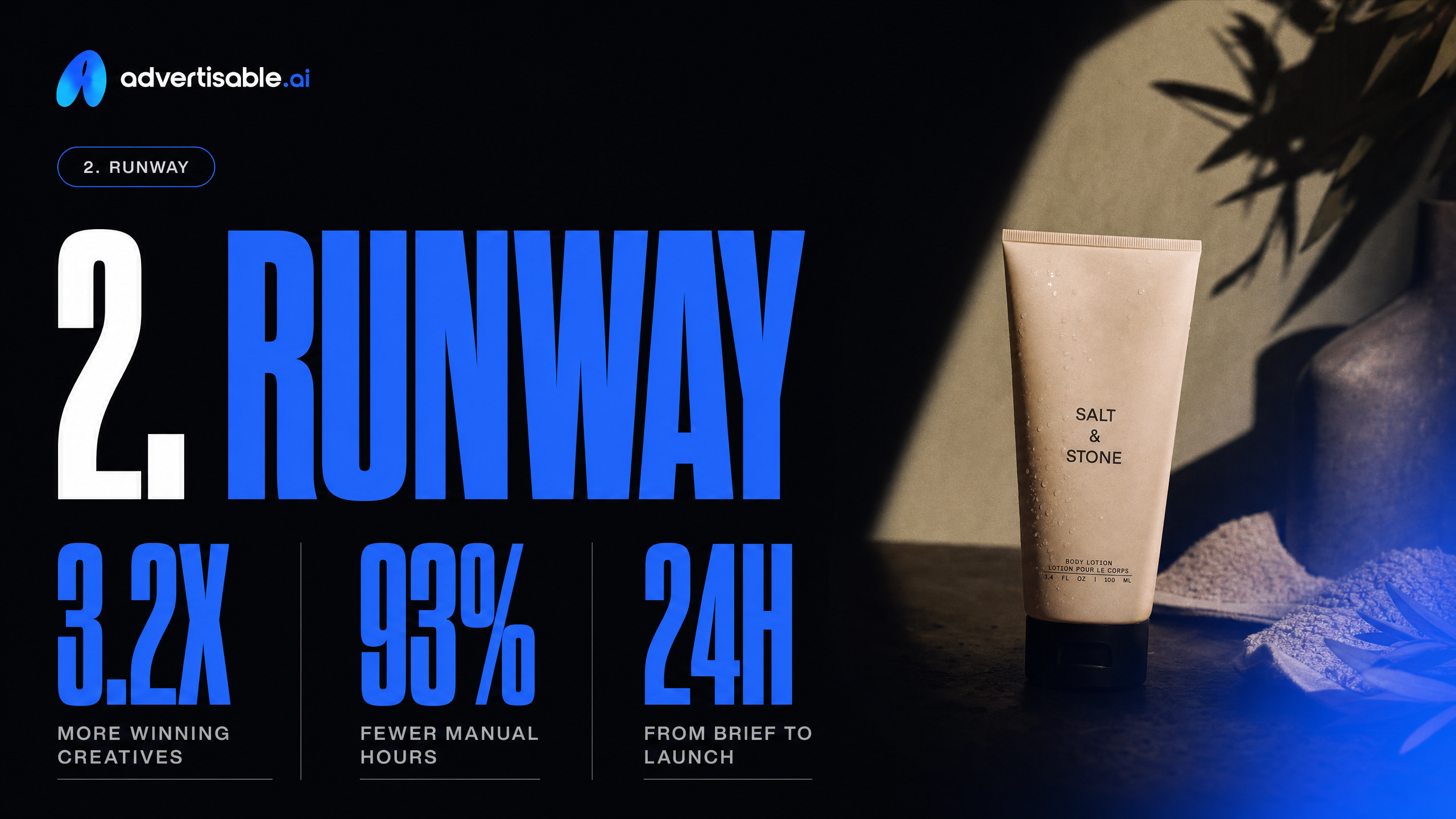
Fast Ideation and Stylized Generation
Runway is built for speed: you can go from prompt to a stylized clip in minutes, then iterate quickly by swapping prompts, references, or edits.
For volume, the pricing starts at $12/month (annual) with 625 credits/month, which makes it easy to run lots of quick drafts before you commit to a direction.
- Use it to generate multiple visual styles from the same script in a single session
- Treat outputs as draft-level direction, not final performance ads
Why It Works for Concept Exploration
It is strong for exploring concepts because the tool is optimized for creative exploration and cinematic looks, not strict ad-system controls.
Operationally, we use it to answer one question at a time in a 48-72 hour loop: Which visual metaphor, pacing, or art direction is worth investing in before you build a testable ad pack?
- Hold the value prop constant; change only the visual world (office, factory, dashboard UI, abstract b-roll)
- Define acceptance criteria up front: clear product category in 3 seconds, legible on-screen text, no claim drift
Brand Consistency Takes Manual Discipline
Runway will not keep you on-brand by default at scale, so consistency becomes a process problem you have to manage.
You need manual guardrails and QA checks every batch, otherwise you get off-brief drift across colors, typography, voice, and even basic product details.
- Lock a reference pack: logos, hex colors, font rules, and 3 approved taglines
- Batch single-variable tests only (hook or scene 1), then review and reject anything that breaks the guardrails
- Track drift reasons so your next prompt set is corrective, not random
3. Synthesia
Avatar presenters for explainers
Synthesia is built for avatar-led explainer content where a consistent on-screen presenter delivers a scripted message. For B2B teams, that works best when you need clarity and control over delivery, not “in-feed” performance creative.
Operationally, treat it like a templated production line: lock the script, then test one variable per batch (intro line, proof point, CTA) with a 48-72 hour readout on engagement.
- Use case: product walkthroughs, policy updates, onboarding explainers
- Constraint: pacing is presenter-first, so visual variety comes from layouts, b-roll slots, and on-screen text
Why it works for multi-stakeholder messaging
Synthesia is strong when you need one message to land with multiple reviewers, legal, brand, product, and sales. B2B buying committee research puts the average at 6.8 decision-makers, so consistency often matters more than creative novelty.
The clean workflow is storyboard and script sign-off first, then generate variants that keep the core narrative identical so approvals do not reset each round.
- Acceptance criteria: same claims, same terminology, same structure across versions
- QA checks: pronunciation of product names, on-screen text accuracy, and disclaimers present
Brand look depends on templates
Your final “brand look” in Synthesia is mostly a function of the template system, not granular scene-level edits. That is fine for standard corporate output, but it can feel samey if your Brand DNA relies on distinctive motion, lighting, or fast cut patterns.
Decision rule: if your brand needs repeatable, template-consistent presentation, it fits. If you need tight creative iteration control beyond layouts, the template ceiling shows up quickly.
4. HeyGen
Talking-Head Video Generation
HeyGen is optimized for talking-head avatar videos: a presenter on-camera delivering your script with strong voice, language, and translation coverage. It is a solid fit when the “face + message” format is the creative, not product-led performance cuts.
- Free plan: up to 3 videos per month
- Creator: $29/month with 600 credits/month
- Pro starts at $49/month with 1,000 credits
Where It Works for Sales Enablement Ads
It is most useful for sales enablement ads where clarity beats cinematic production: outbound prospecting, retargeting, or LinkedIn-style messages that need a consistent spokesperson. In B2B, that can help you keep narrative consistent across the 6.8-person buying committee average in B2B buying committee research.
- Hold constant: offer, target persona, landing page
- Change one variable per batch: opening line or CTA
- Run 48-72 hour readouts before swapping the next line
Why You Need a Brand QA Process
Talking-head output still drifts: wording, compliance claims, and visual details can miss your standards. You need a clear QA gate before anything ships, because fixing “one line” often requires a full re-export.
- Script approval: claims checklist and forbidden phrases
- Visual check: logo, colors, on-screen text accuracy
- Audio check: pronunciation of product and company names
- Export readiness: correct aspect ratios and captions
5. Pictory
Text and content repurposing
Pictory is strongest when your input is already written. At $19/month starting price, it is built to turn blog posts, scripts, and long-form text into a video draft fast, then layer in auto-captions for distribution.
Use it when the goal is throughput from existing copy, not precision performance creative.
- Hold constant: your source text and the core message architecture
- Change one variable per batch: headline, intro paragraph, or CTA line
- Acceptance criteria: captions are accurate, the narrative is coherent without VO, and the output is export-ready without manual restructuring
Thought-leadership cutdowns
For B2B, Pictory works well for turning webinars, posts, and founder POV into short cutdowns. The built-in stock library (3 million+ clips and 15,000+ music tracks) helps you ship clean social versions without hunting assets.
Keep a 48-72 hour readout loop: test 2-3 hooks while holding the body constant so you can attribute lift to the opening, not a full rewrite.
Why paid-ad specificity still needs rewrites
Paid social needs tight ICP specificity, proof, and claim hygiene, and repurposed text rarely lands there on the first pass. Expect to rewrite hooks and CTAs so the ad speaks to one buyer problem and one measurable outcome.
QA it like an operator before you spend: check product facts, remove vague superlatives, and ensure the first 5 seconds makes a single clear promise.
- Rewrite triggers: generic benefits, missing proof points, or a CTA that sounds like a blog outro
- Pass criteria: one audience, one pain, one offer, one CTA, and no claim you cannot substantiate
6. Descript
Script-Like Timeline Editing
Descript’s core workflow is editing video and audio by editing the transcript, so it feels more like revising a script than dragging clips on a traditional timeline. You cut filler words by deleting text, then the timeline updates automatically.
For ops teams, that means faster cleanup passes when you have a 30 to 60 second ad read that must stay tight. If your input is a talk track or a screen recording, this transcript-first model reduces edit labor before you export a final cut.
- Acceptance criteria: the transcript matches the final spoken words, with no missing product terms
- QA check: watch with captions on to catch mismatched cuts introduced by text deletes
Why It Works for Tight Message Control
Descript is strong when your priority is exact wording, not visual experimentation. You can keep claims, disclaimers, and CTA language consistent because you are literally locking the script.
This is useful when multiple stakeholders review copy, since approvals map directly to the transcript. The Business plan is priced from $50/month on annual billing, which can be easier to justify as an editing seat than as a generation engine.
AI Helps Editing More Than Generation
In practice, Descript’s AI is most valuable after you already have content. It speeds up polish, not ideation.
You use AI features to improve intelligibility, remove distractions, and fix minor delivery issues without re-recording. That keeps production predictable when you need shippable revisions inside a 48 to 72 hour readout cycle.
- Use Studio Sound to normalize noisy recordings before final export
- Use filler word removal as a first-pass compression step, then rewatch at 1.0x for pacing
- Use Eye Contact or Green Screen only when they do not change the intended message
7. Canva
Templates for Quick Variants
Canva is strong when your goal is fast, template-driven variants, not a new production pipeline. You can duplicate a base layout and push out 5-10 hook or headline versions in minutes, then export for different placements.
To keep tests clean, treat Canva like a single-variable batch tool: hold the layout constant and only change one element per set so your 48-72 hour readout is interpretable.
- Acceptance criteria: same layout grid, same CTA position, only one variable changed (headline or hero image)
- QA checks: safe margins, legibility at mobile size, consistent capitalization and punctuation
Brand Kit Management That Reduces QA
Canva’s Brand Kit is practical for keeping fonts, colors, and logos consistent across many small variants. That reduces off-brand drift in day-to-day production, especially when multiple operators are shipping assets.
- Lock approved fonts and color palettes before you duplicate templates
- Standardize logo placement and minimum clear space as a simple rule
- Use shared templates as the source of truth, not one-off files
Why Complex Scene Swaps Get Manual
Where Canva starts to slow you down is complex scene swaps inside video ads. When you need to replace one beat without disturbing timing, motion, captions, and framing, you end up doing manual timeline work and extra QC.
That is the gap between “template variants” and scene-level control: you can ship, but you will spend more time ensuring nothing else broke.
- Watch-outs: audio sync, caption timing, transitions resetting, inconsistent crop across aspect ratios
- Next-test decision: if swaps are frequent, prioritize a workflow built around regenerating single scenes rather than rebuilding the full asset
8. VEED
Quick edits and captions
VEED is strongest when your ad is already cut and you need fast cleanup plus captions. It supports auto-subtitle generation in 100+ languages, which is usually the difference between “draft” and “shippable” for paid social.
Our operator rule: keep the creative constant and only change readability variables like captions, timing, and on-screen emphasis, then review results after a 48 to 72 hour readout.
- Acceptance criteria: captions match the spoken offer and numbers exactly, with no clipped first line
- QA check: watch the first 5 seconds muted and confirm the promise is still legible
Finishing and resizing for platforms
VEED is a solid finishing layer for resizing and exporting to common social formats when you do not want a full NLE workflow. The free plan exports at 720p with watermarks, while Lite is $18/month (annual) for 1080p and no watermarks.
Use it after you have a locked storyboard and message architecture, not while you are still deciding the hook.
- Create format variants: 9:16, 1:1, 16:9
- Check safe zones so captions and CTA do not get cropped
Limited controlled regeneration
For controlled regeneration, VEED is not built like a scene-level ad iteration system. You can apply AI-assisted edits, but you are not operating in a “regenerate scene 3 only” loop with a storyboard approval gate.
If your workflow depends on isolating one variable per batch and fixing only the broken beat, you will feel that limitation quickly.
9. InVideo
Template-Based Script-to-Video
InVideo is a template-first script-to-video tool: you feed a script, pick a structure, and it assembles scenes using stock-style visuals, text, and pacing defaults.
Operationally, treat it like a layout engine. Lock your message architecture first, then swap only one variable per batch (usually the hook), so you can tell whether performance moved because of words, visuals, or timing.
- Acceptance criteria: correct offer and claims, clean typography, no awkward scene transitions
- Hold constant: scene order and CTA
- Change: hook line or opening visual only
Fast Drafts for Internal Review
Where InVideo works is speed to a first pass. You can get a draft out for internal review in minutes, then use it to align stakeholders on what the ad is trying to say.
Use it as a storyboard proxy: approve structure before you spend time polishing production details.
- 24-hour workflow: draft, collect comments, revise copy, re-export
- QA check: captions readability and brand-safe stock selections
Risk: Generic Ad Feel
The tradeoff with templates is sameness. InVideo outputs can land with a generic ad feel because multiple brands start from the same scene patterns, fonts, and stock cues.
Your mitigation is strict QA: remove interchangeable openers, add product-specific proof, and reject anything that could be swapped onto a different company without edits.
- Fail signals: vague benefits, stock b-roll that does not match your category, templated CTA phrasing
- Next-test decision: rewrite the first 5 seconds before touching the rest of the timeline
10. Kapwing
Collaboration and Review Workflow
Kapwing is strongest when your bottleneck is team review, not generation. You can keep edits, comments, and approvals in one shared browser workspace, which reduces the back-and-forth that slows paid social teams.
Operationally, treat it like a review gate: lock the storyboard and messaging first, then only approve edits that preserve the single variable you are testing in your next 48-72 hour readout.
- Acceptance criteria: comments resolved, brand elements consistent, claims unchanged from the approved brief
- QA check: verify captions and on-screen text are readable on mobile before approval
Is Kapwing Good for Versioning and Exports?
Yes. Kapwing is a practical tool for managing versions and pushing clean exports, especially when you need multiple output files per concept.
Use it to keep naming consistent and to export platform-ready variants without losing track of which cut maps to which test cell.
- Use case: V1, V2, V3 cuts where only the hook changes and the rest stays constant
- Export guardrail: confirm duration and aspect ratio match your placement before you ship
Generation Relies on Other Tools
Kapwing is not a purpose-built generator for performance ad pipelines, so your core generation typically happens elsewhere. You bring assets in, then use Kapwing to assemble, polish, and ship.
If you need URL-based Brand DNA locking plus scene-level regeneration for controlled iteration, you will likely pair Kapwing with a generator like our Advertisable AI, then do final review and exports in Kapwing.
Use a B2B creative rubric that avoids DTC traps
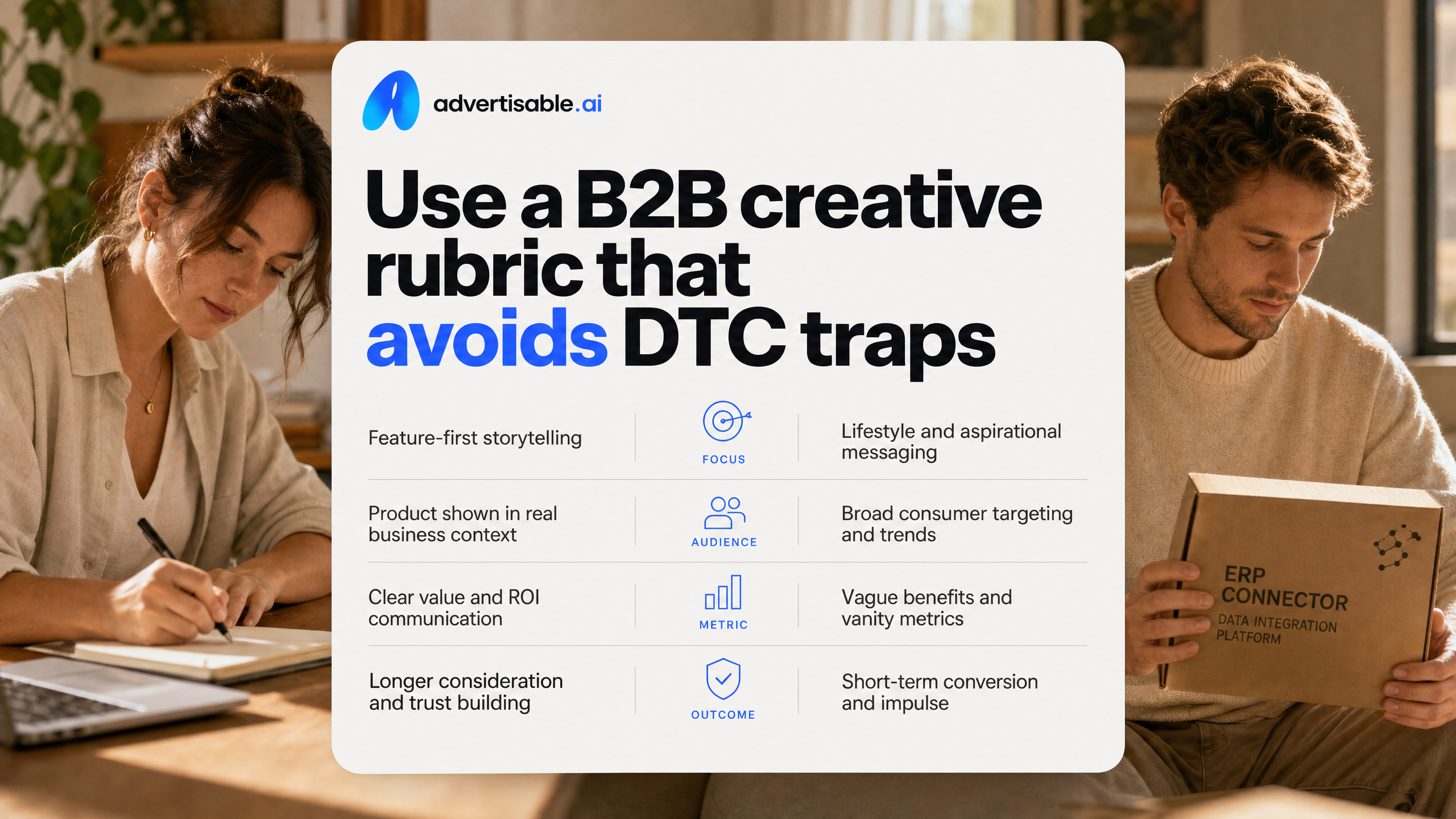
Why DTC frameworks fail in B2B
DTC frameworks optimize for fast emotional conversion, but B2B success depends on consensus, risk reduction, and follow-through. B2B buying committee research cites an average of 6.8 decision-makers and 6-12 month sales cycles, so clicky hooks without substance create low-quality leads.
- DTC trap: “one pain, one offer, buy now”
- B2B reality: multiple objections across finance, security, and end users
- Operator metric shift: pipeline quality and sales acceptance, not just CTR
What B2B video must prioritize
Your B2B video must prioritize clarity over novelty in the first 5 seconds, then proof and constraints. We treat the ad like a mini sales asset that pre-qualifies the viewer.
Hold message architecture steady: hook, problem context, capability, proof, CTA. Then only vary the hook or one scene so you can attribute lift cleanly in a 48-72 hour readout.
Checklist for controlled iteration
Iteration only works when you lock what cannot move, and test one variable at a time. Use a rubric you can QA in minutes before you spend credits rendering.
- Objective: one primary KPI (qualified lead rate or demo-start rate), one secondary (hold CTR)
- Guardrails: Brand DNA locked, approved claims list, forbidden phrases noted
- Batch design: 5-10 hook variations, identical scenes 2+
- Edit rule: regenerate one scene only via scene-level control
- Ship check: correct aspect ratios for Meta, TikTok, YouTube; captions on; no off-brief drift
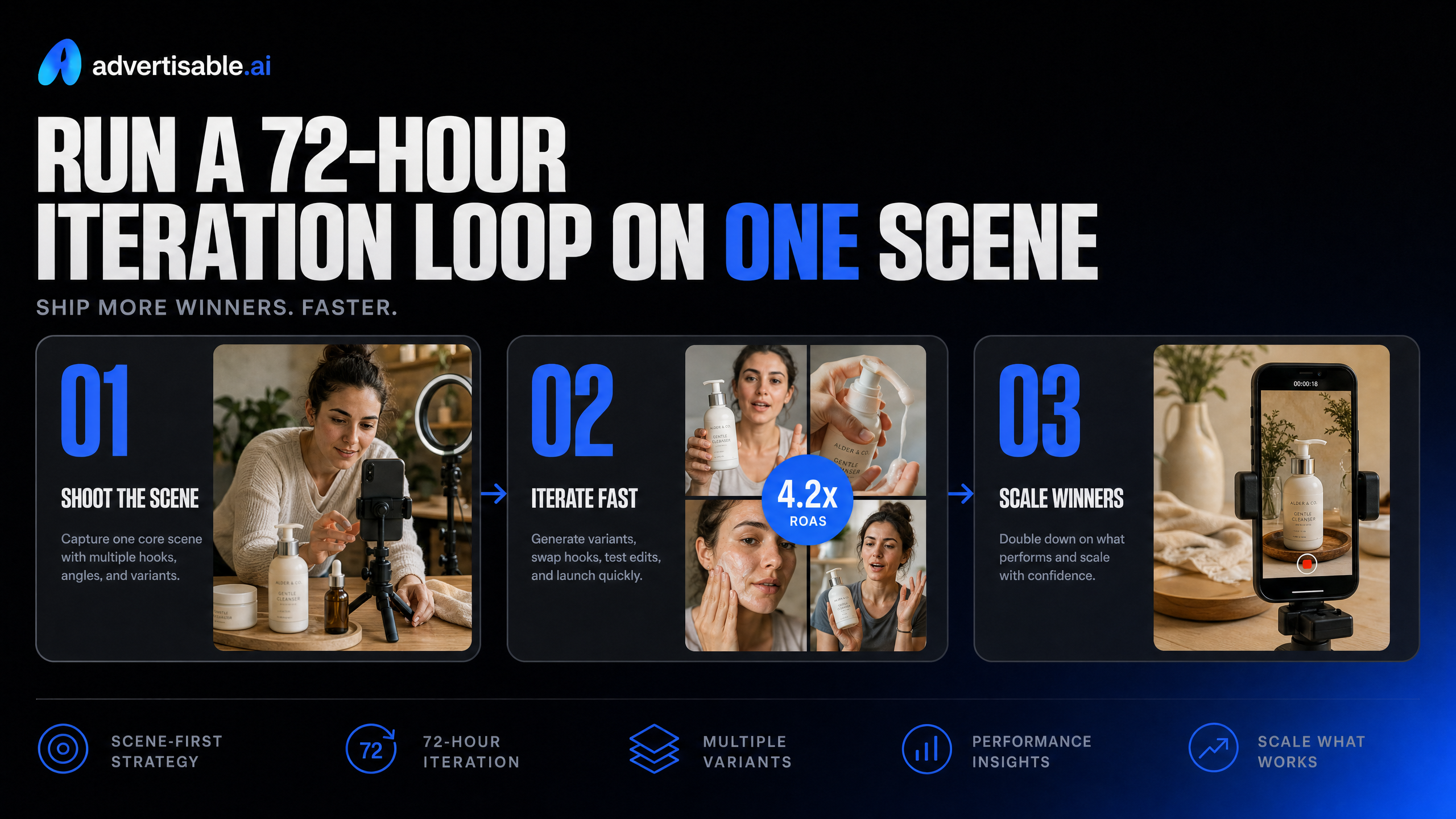
Run a 72-hour iteration loop on one scene
Where AI Speeds Up B2B Safely
AI is safest in B2B when it compresses production time without changing your message architecture. You use it to generate controlled hook variations, then edit one scene at a time instead of re-rendering the full ad.
Keep Brand DNA, offer, proof, and CTA constant. Only change one variable per 72-hour batch so you can trust the readout.
- Storyboard-first approval before rendering to prevent off-brief drift
- Scene-level regeneration to fix a weak beat without introducing new errors elsewhere
- Platform-ready exports for Meta, TikTok, and YouTube so format issues do not contaminate results
Example: One LinkedIn Scene, One Variable
You are marketing a B2B SaaS demo on LinkedIn and scene 1 is your bottleneck. In 30 seconds, you generate 5 hook variations while holding scenes 2-5 unchanged.
Day 1: publish all 5 with identical targeting and spend. Day 2-3: regenerate only scene 1 for the bottom 2 performers, keeping the rest locked so QA is fast.
72-Hour Metrics and the Next Test
In B2B, optimize for pipeline proxy metrics, not clicks. The concept that wins CTR can still lose on qualified intent, which is why B2B ad testing frameworks push cost per SQL and downstream velocity.
- Greenlight: stable spend delivery + lowest cost per SQL (or best SQL rate) at 72 hours
- Iterate: good SQL rate but weak hold-time or high early-drop, rewrite scene 1 promise only
- Kill: high CTR, low SQL rate, keep structure but swap angle (pain point or use case)
Ship on-brand variants this week, not another QA backlog
If your AI outputs keep drifting off-brand and every tweak forces a full re-render, you do not have a generation problem. You have a production control problem. We built Advertisable AI for controlled iteration, so you can increase throughput without increasing QA rework.
Start the $5 trial and run a simple loop: paste your product URL to lock Brand DNA, approve the storyboard before you spend credits, then generate a small variation pack where you change one variable at a time. Export platform-ready formats for Meta, TikTok, and YouTube, launch a 72-hour test, and read results against one objective metric. When a hook underperforms, regenerate that single scene in the Scene-Level Editor.
Hold everything else constant, ship the next batch, repeat.
Frequently Asked Questions
### What's the difference between AI UGC and regular AI video generators?
AI UGC is built for performance ads, which means you work storyboard-first, keep Brand DNA guardrails in place, and iterate in controlled batches. General video generators tend to optimize for a single output, so brand drift and QA rework show up as soon as you try to scale variations.
### Should I use AI video ads or hire real creators?
Use AI when your constraint is iteration speed and you need many shippable variations for testing. Use real creators when human delivery is the core asset, because you are buying authenticity, not just volume.
### How do I measure if an ad is actually shippable?
An ad is shippable when it passes QA with no rework: product details match the page, claims are checkable, visuals follow your Brand DNA, and exports are in the right specs for Meta, TikTok, and YouTube. If any of those fail, fix the specific scene and re-export, not the entire video.