How AI automates ad creative from a product URL
You do not lose time generating ads from a product URL. You lose it after generation, when one line is slightly off, brand QA flags an invented claim, and the only fix your tool gives you is a full-video re-render.
We built Advertisable AI Studio for this exact operator constraint: you need speed, but you need control more. Our workflow starts URL-first with Brand DNA extraction, routes you through the Storyboard Editor for pre-render approval, then lets you fix performance issues with Scene Regenerator and frame-by-frame edits before you export.
The practical question is not whether AI can generate ads from a URL, it is what has to be true for those ads to ship without brand drift, compliance risk, and endless rework loops. Start by getting clear on the operational mechanics that separate “more output” from “more publishable ads.”
What makes AI ad automation work in practice?
Publishable output rate wins
Automation works when you optimize for publishable output rate, not raw generations. Your true throughput is generate plus QA plus export, because anything that fails QA creates a rework queue.
In practice, you track “shipped ads per week,” not “variants produced.” A batch of 20 drafts that yields 6 export-ready files is slower than 10 drafts that yields 9 ready-to-launch assets, because the second path preserves operator time and approval bandwidth.
- QA gates that decide publishable vs blocked: claim accuracy, on-brand voice, visual fit, and platform-ready specs
- A publishable ad is one you can export and launch without human rework for specs, claims, or brand drift
- Measure output as exported deliverables, not timeline renders or script drafts
Two failure modes to avoid
Most “high-output” systems fail in two places: they invent claims or specs, and they drift off-brand in visuals and voice. Either one forces stakeholder escalation and resets approvals.
The hidden cost is the full-video re-render loop. When your only fix is “regenerate the whole thing,” you reintroduce new errors, you re-QA everything, and cycle time expands instead of shrinking.
- Invented claims/specs: unsupported performance promises, wrong ingredients, incorrect compatibility, or misquoted pricing
- Off-brand drift: wrong tone, mismatched color and typography, inconsistent product depiction, or non-approved phrasing
- Full-video re-renders: a single weak hook triggers a complete restart of review and export checks
capsule definition: AI ad automation
AI ad automation is a controlled URL-to-ads pipeline that turns one product page into ads you can actually ship. The sequence matters: guardrails first, storyboard second, render last.
With Advertisable AI Studio, you start from a product URL to extract Brand DNA, route variants through a Storyboard Editor for pre-render approval, then render only after signoff. When something misses, you edit at the scene or frame level instead of regenerating the entire video.
- Input: product URL plus prompt
- Control: Brand DNA guardrails lock facts, claims, and brand rules before generation
- Approval: storyboard-first review against hook, product moment, proof element, CTA
- Iteration: scene regeneration and frame-by-frame control so fixes do not restart the whole workflow
How do you go from product URL to locked Brand DNA?
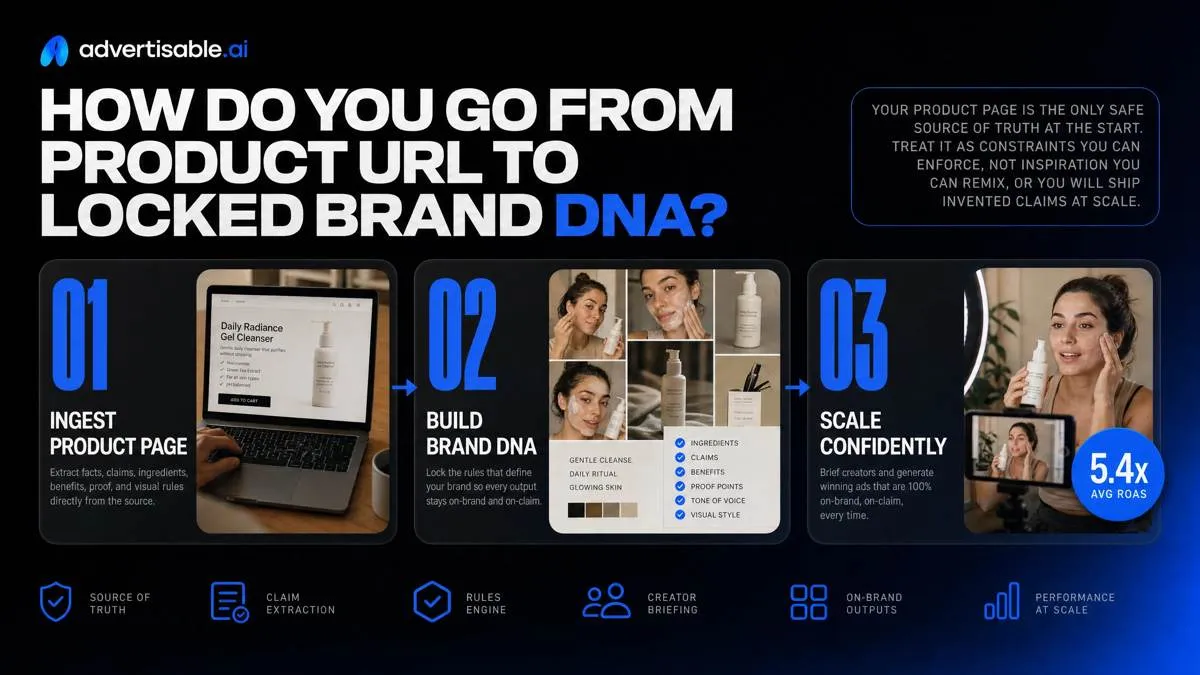
Your product page is the only safe source of truth at the start. Treat it as constraints you can enforce, not inspiration you can remix, or you will ship invented claims at scale.
Brand DNA fields to lock
Lock Brand DNA by extracting only what you can point to on the product URL, then freezing those fields so every variant inherits the same boundaries. In Advertisable AI Studio, this is the point where you turn “the page says X” into “the system may only say X.”
- Approved claims and substantiation: exact claim wording plus the on-page proof type that supports it (clinical study mention, ingredient callout, certification badge, FAQ line)
- Forbidden claims and comparisons: anything not on the page, plus disallowed “better than” language, medical/disease language, and unsupported superlatives your team will not approve
- Visual rules and tone: logo usage, color limits, do-not-use imagery, and 3 to 5 tone rules (for example: direct, no sarcasm, no slang)
Compliance and safety checks
Run compliance as a pass-fail gate before any rendering. The acceptance criterion is simple: every claim in the script must be traceable to the product page, line for line, with zero additions.
- Claim accuracy against product page: highlight each benefit statement and map it to a specific on-page sentence or section
- Before and after restrictions: block “before/after” language or visuals unless your policy explicitly allows it for that category
- Clearance for testimonials and results: require documented rights to use quotes and forbid specific outcome numbers unless the page provides the same numbers with context
When URL data is incomplete
When the URL is missing proof, do not let the model fill the gaps. Hold output quality constant by narrowing what can be said, even if that means plainer ads for the first batch.
Treat missing inputs as an escalation, not a creative prompt.
- Missing proof assets list: note absent items like lab reports, study links, certification documentation, usage instructions, or warranty terms
- Add manual guardrail notes: write explicit constraints like “no performance claims beyond ‘supports’,” or “no competitor comparisons”
- Escalate to brand owner approval: get written sign-off on any claim list changes before you generate the next 10-variant batch
Storyboard first, render second: the four beat approval gate
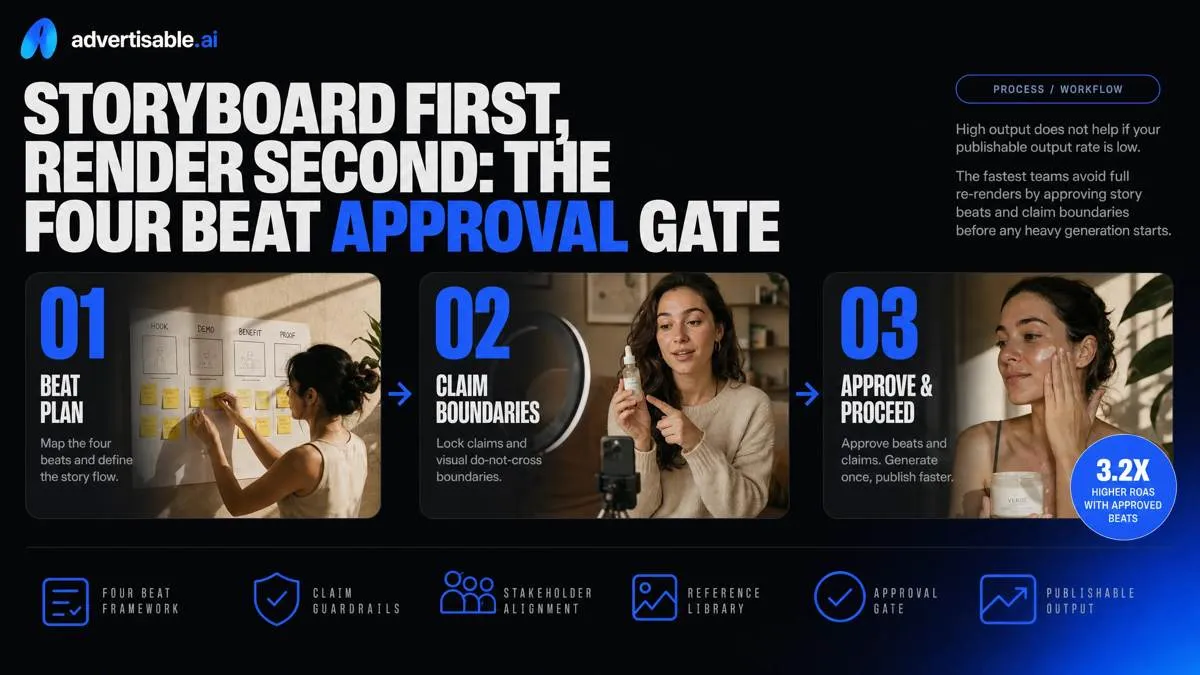
High output does not help if your publishable output rate is low. The fastest teams avoid full re-renders by approving story beats and claim boundaries before any heavy generation starts.
The four beat creative anatomy
Most rework happens because feedback lands on a finished video, not on the structure. We gate every concept through four beats on a storyboard before we render anything.
Use a fixed anatomy so every reviewer knows what they are approving, and you can regenerate only the weak beat later without touching the rest.
- Hook (first 2 seconds): one clear pattern interrupt or promise, no setup
- Product moment clarity: show the product and the benefit mechanism in a single scene, not implied across cuts
- Proof element placement: place proof immediately after the product moment so the claim is supported before you ask for action
- CTA and next step: one action plus one fallback (shop now vs learn more), no competing asks
Approval criteria before rendering
Rendering starts only after three checks pass. This is how you stop invented claims and avoid redoing entire videos because one line was wrong.
- Claims match Brand DNA: every benefit, price, and qualifier must be allowed by your locked inputs
- One objective and metric: pick one, such as CTR or CVR, so the storyboard is built to win a single outcome
- Single variable identified: declare what will change across the batch (often the hook) and lock the other three beats
Who approves what, fast
Speed comes from named owners, not more reviewers. We keep approvals to two people, with a reject path that does not restart the whole process.
In Advertisable AI Studio, this happens inside the Storyboard Editor so rejects are beat-specific and regeneration stays scoped.
- Brand QA owner: approves Brand DNA alignment and rejects any unsupported claim wording
- Performance owner: approves the objective, metric, and the single variable being tested
- Reject path: reject only the failing beat and regenerate that scene while the approved beats stay locked
How do you fix AI ads without full video re-renders?
Use the smallest edit that restores publishable output rate: re-rendering an entire video is the highest-drift option, while scene regeneration and frame edits preserve your approved structure.
Scene regeneration rules
Regenerate only the weak beat, not the whole timeline. When your hook misses, your product moment is fine, and your CTA is approved, a full re-render just resets approvals and invites drift.
Hold audio and your four-beat structure constant, then swap the proof shot inside the proof element. That keeps the first 2 seconds stable while you test credibility and clarity changes in a controlled, single-variable way.
In Advertisable AI Studio, this is exactly what Scene Regenerator is for: fix one scene, keep the rest locked.
- Acceptance criteria: the regenerated scene preserves the original claim set from Brand DNA and does not introduce new benefits
- Next-test decision: if the proof swap lifts CTR or CVR in a 48-72 hour readout, keep the hook and iterate proof again; if not, regenerate the hook only
Frame-level polish checklist
Frame edits are for export-readiness issues where the story is correct but the pixels fail QA. You should be able to fix these in minutes without changing meaning.
- Logo safe area: keep it off platform UI edges and away from captions
- On-screen text legibility: readable at thumb-stop speed (first 2 seconds), with sufficient contrast and no cramped line breaks
- Product visibility and continuity: the product is on-screen when named, and it does not jump between sizes, colors, or angles across adjacent shots
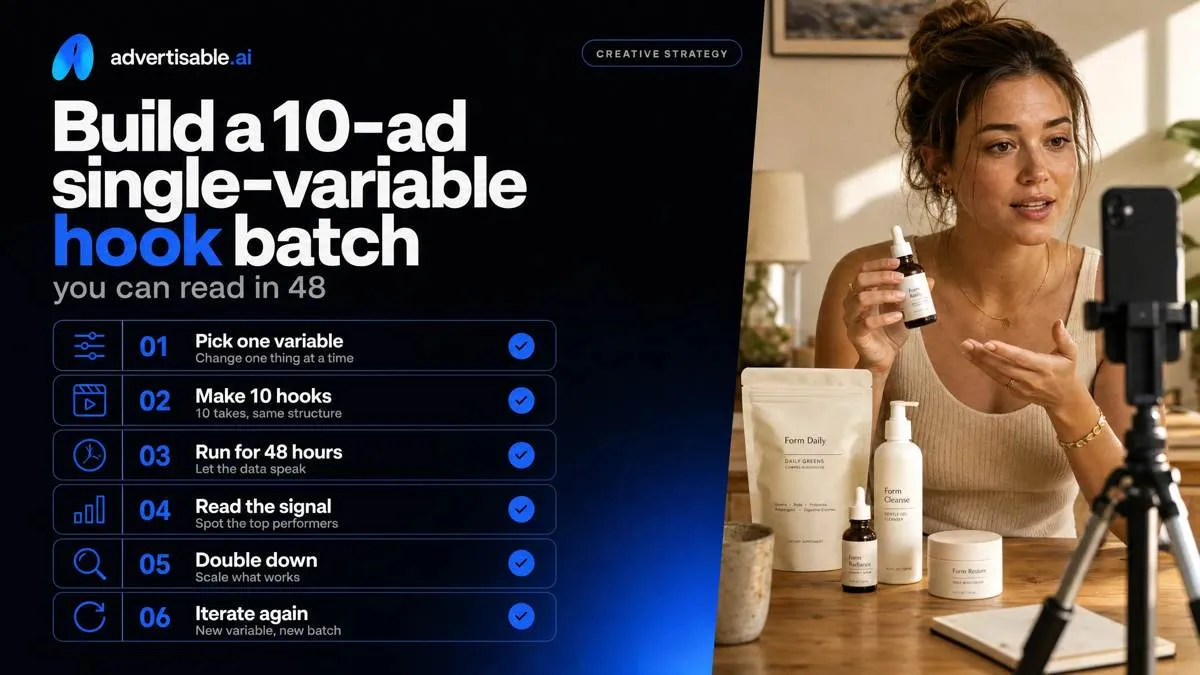
Build a 10-ad single-variable hook batch you can read in 48 to 72 hours
What stays constant in the batch
Single-variable only works when everything after the hook is identical across all 10 ads. Your goal is clean attribution: any lift comes from the hook, not from a different demo, proof style, or offer.
- Same product moment footage: the same 3 to 6 second clip, same crop, same order
- Same proof element format: same structure (for example, 3 bullets on screen or one before/after), not a new type of evidence
- Same CTA and offer: same words, same incentive, same landing destination
What changes in a hook test
In a hook batch, you only change the first 2 seconds. That means the first line and the opening visual pattern shift, while the product moment, proof, and CTA stay locked.
- First line and visual pattern: scroll-stopper opener, camera move, text-on-screen rhythm
- Pain vs desire framing: “stop X” versus “get Y” with the same underlying claim
- Curiosity gap vs direct promise: “most people miss this” versus “do this for result”
Readout and next test decision
Hold the readout window to 48 to 72 hours so you do not mix learning with fatigue or targeting drift. Decide fast, then move the winners forward.
- Kill: clear bottom performers on your primary metric, stop spending, do not “fix” the whole ad
- Keep: stable mid-pack variants, leave them running as controls
- Iterate: take the top 1 to 2 hooks and rewrite only that hook angle, then re-ship another 10-ad batch
In Advertisable AI Studio, this is where Scene Regenerator matters: you promote the winning hook by swapping only scene one, not restarting approvals on the entire video.
Run this workflow in Advertisable AI Studio in 30 minutes
Use the $5 3-day trial to validate the workflow, not debate it. Start with one SKU, generate 10 single-variable hook variants, publish, then run a fixed 48-72 hour readout cycle so decisions are attributable.
URL to Brand DNA setup
Paste your product link into Advertisable AI Studio and let Brand DNA extraction pull the on-page facts and assets you want every variant to inherit.
Before you generate anything, lock your claims and rules. This is the guardrail that keeps speed from turning into rework, because the system cannot “helpfully” invent benefits you never approved.
- Approved claims only: what can be said verbatim
- Forbidden claims: what can never be implied
- Voice and visual rules: what must stay consistent across variants
Storyboard editor to exports
Get sign-off on the four beats in the Storyboard Editor before you render: hook, product moment, proof element, CTA. That is your acceptance gate.
Render after sign-off only, then export platform-ready sizes for Meta, TikTok, and YouTube so your QA is about claims and framing, not resizing.
- Approve beats first; reject and regenerate only the weak scene
- Render only once the storyboard passes review
- Export in Meta, TikTok, and YouTube formats from the same approved storyboard
Run one controlled batch this week
If you want AI ad automation to actually save time, measure publishable output rate, not raw generations. The fastest teams do not re-render full videos. They lock Brand DNA, approve a storyboard before any rendering, then iterate with scene regeneration so approvals do not restart.
Start with the $5 3-day trial of Advertisable AI Studio. Drop in one product URL to extract and lock Brand DNA, then use the Storyboard Editor to sign off the four beats before you render. Generate a 10-ad single-variable hook batch, export platform-ready formats for Meta, TikTok, and YouTube, and launch a fixed 48 to 72 hour readout cycle.
Keep the winners, regenerate only the weak scene, and ship the next batch on schedule.
Frequently Asked Questions
How is this different from just using generic AI content tools or video editors?
Those tools optimize for output, not control. Advertisable AI Studio starts by locking Brand DNA from your product URL, gates work at the storyboard level, and lets you fix a single scene or frame without rebuilding the whole ad. You also export in Meta, TikTok, and YouTube-ready formats without manual resizing.
What does publishable output rate mean?
It is the share of variants you can export and launch without brand, compliance, or spec rework. That is the metric that reflects true throughput, because it includes QA and revision loops. If your publishable rate is low, more generation just creates a bigger backlog.
Why do you extract Brand DNA from a product URL instead of asking for a brief?
URL-first pulls product facts and on-page claims from a source your team already maintains, then turns them into guardrails. That reduces invented benefits and spec drift that typically show up after generation and trigger approval resets. You can still add constraints, but you start from verified inputs.