AI ad generator vs manual production: when to use
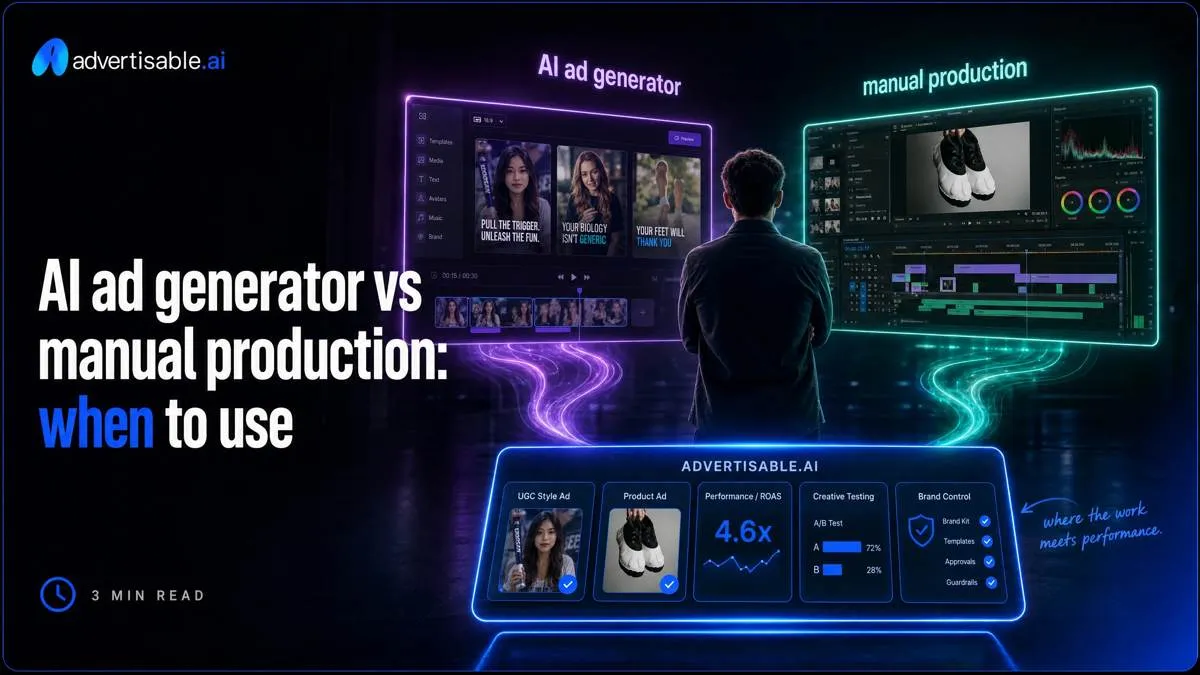
You do not lose time choosing AI versus manual. You lose it in the middle, when the first AI draft looks slightly off-brand, approvals expand to five stakeholders, and the “fast” path turns into a QA and rework loop.
We built Advertisable AI Platform for this exact operator constraint: you need more variants per week, but you need control more. Our workflow starts from a product URL to extract and lock Brand DNA, routes you through a storyboard editor for pre-render approval, lets you regenerate only the weak scene, then exports platform-ready formats for Meta, TikTok, and YouTube.
The real separation between AI and manual is not “quality versus speed.” It is where control points live in your workflow, how approval risk compounds, and what it costs you to iterate when one scene fails.
What is the real difference between AI ad generators and manual production?
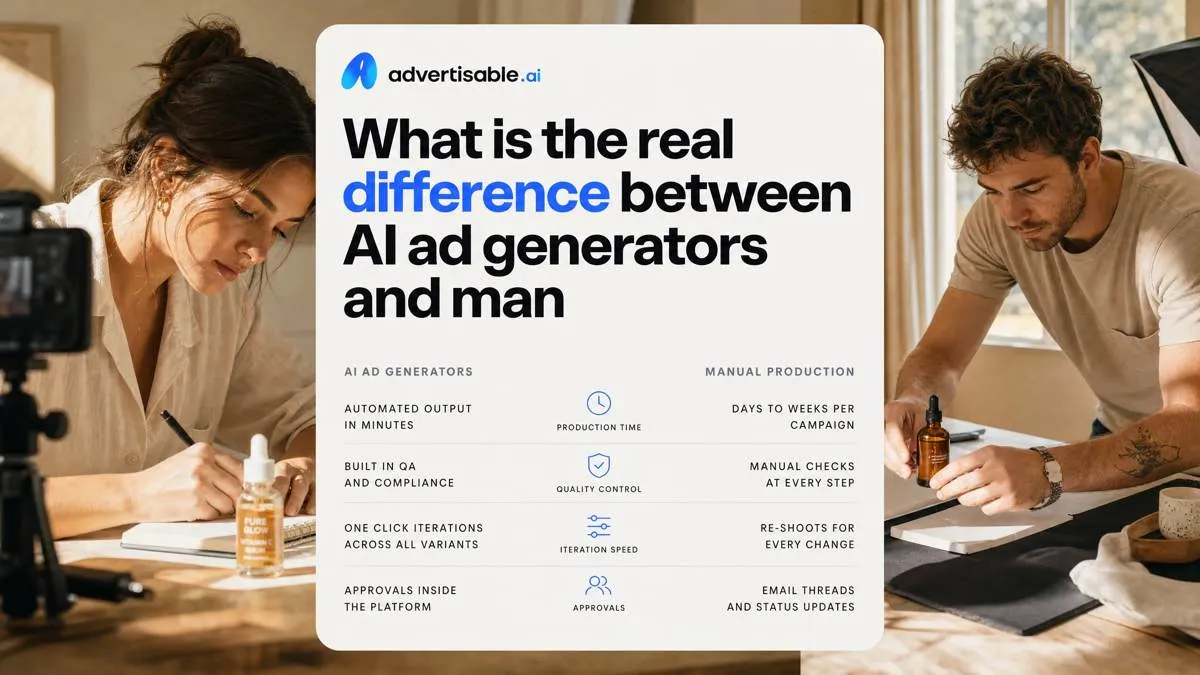
The difference is not “AI is fast, manual is slow.” It is where you have control and where work piles up: approvals, QA, and rework. Use the table above to compare workflows on the levers that actually change throughput.
Where time really goes
Time is consumed in the same four bands in both workflows: brief, storyboard, render, approvals. AI can compress render time, but it does not automatically compress approvals.
The drag is QA and export compliance: verifying product facts and claims, catching brand drift, checking captions and on-screen text, and exporting correct aspect ratios for each platform.
Rework loops are the killer. Each “small” note that arrives after render often restarts QA and approvals, so speed claims based on generation minutes rarely match calendar reality.
- Brief: what is constant across variants (offer, proof element, CTA) vs what changes (single variable like the hook)
- Storyboard: signoff on beats before you commit to renders
- Render: generation plus any manual patching
- Approvals: number of reviewers and whether feedback is batched or drip-fed
Control surfaces you can edit
Manual production gives you timeline-level edits: you can nudge a cut, swap a shot, or rewrite a lower third without changing everything else. Many AI workflows act like regeneration: you prompt again and hope the next output is closer.
The practical question is whether you can fix one scene or you must rebuild the full ad. Scene-level fixes reduce the number of times you re-open approvals.
At scale, you also need to lock constants across variants so your test is interpretable: same structure, same product moment, same CTA, with only the intended variable changing.
What publishable means in practice
“Publishable” means three checks pass at the same time: brand fit, claims accuracy, and platform specs (format, ratios, safe areas). A draft can look good and still fail one of these gates.
The operator metric is cost per shippable variation: what you spend (tools, labor, review time) divided by the number of approval-ready exports you can actually launch.
That is why approval-ready assets matter more than fast drafts. A workflow that produces 20 concepts but ships 5 variants is more expensive than one that ships 10 clean variants on the first pass.
How do you map your brief-to-publish timeline including approvals and QA?
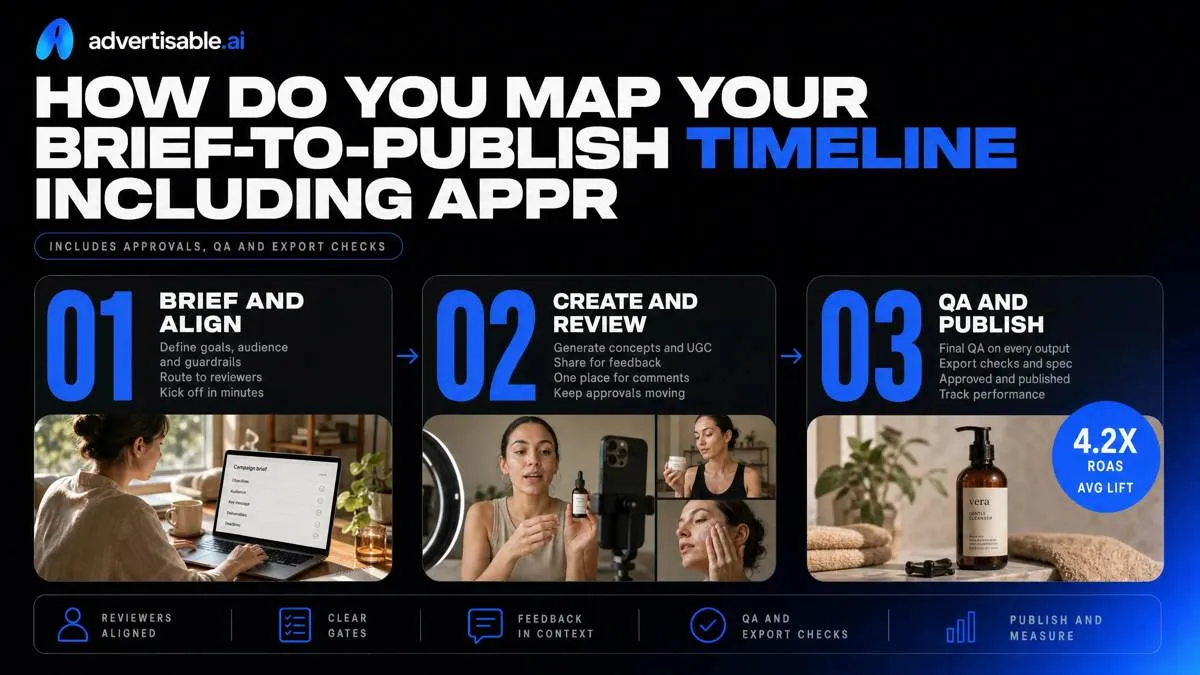
Promised AI speed usually dies in approvals and QA, not in generation time. Map your real brief-to-publish path so your AI vs manual comparison includes the same reviewers, gates, and export checks.
Build a one-page timeline map
A usable timeline map fits on one page and shows who owns each step, where files change hands, and where work waits for a human decision. Include the steps you actually run, not the steps you wish you ran.
- Step owners and handoffs: brief owner, script owner, storyboard owner, editor, QA, publisher
- Named reviewers and approval gates: brand, legal/compliance, product, channel owner, plus what “approved” means
- Channel outputs and ratios: Meta (9:16, 1:1), TikTok (9:16), YouTube (16:9, 9:16), plus captions and safe-area checks
Count rework, not iterations
Track the moments you have to restart work, because that is where AI time gets erased. An “iteration” is fine; a restart means your prior work is unusable.
- Restart triggers: new reviewer added mid-cycle, claim correction, wrong product detail pulled, or a late channel requirement (like a missing ratio)
- Where drift shows up: product claims, brand voice, and visual system (logos, colors, typography) as variants scale
- Feedback translation loss: time spent converting notes like “make it more premium” into specific scene-level edits and acceptance criteria
Baseline your shippable output rate
Use three numbers: variants shipped per week, first-pass approval percentage, and average time from brief to publish. This is your baseline before you change anything.
For time-to-publish, separate render time from queue time in review. You can generate fast and still ship slow if your gates are unclear.
- Variants shipped per week: count only assets that are platform-ready and posted or scheduled
- First-pass approval percentage: approved with zero rework beyond minor typos
- Average time to publish: measure in hours or days, from brief timestamp to live timestamp
Which AI failure modes make outputs unusable, and what causes them?
Brand drift that triggers approvals
Your output becomes unusable when it no longer passes “looks like us” and “is factually safe” in the first review. IAB's advertising AI survey found over 70% of marketers have encountered an AI-related incident including hallucinations, bias, or off-brand content.
Causes are usually weak or missing brand guardrails, plus the model “helping” by improvising. Drift shows up fast when you scale variants, because each new render is a new chance to diverge.
- Fonts, colors, tone: typography swaps, off-palette gradients, or a voice that reads sarcastic when you are normally clinical
- Product facts and claims: incorrect pricing, ingredients, compatibility, or performance claims that cannot be substantiated
- Variant-to-variant identity wobble: logo placement and product naming change across a batch, so approvals restart per variant
Edit traps that inflate cycle time
Cycle time spikes when “one small fix” forces a full rebuild. That is the point where manual production can be safer, because editors can patch without changing everything else.
The root cause is low editability: your workflow does not separate storyboard decisions from final renders, and it cannot regenerate a single failing beat.
- Small fixes requiring full rerender: a single word, CTA, or price change triggers re-rendering the whole video
- Scene continuity breaks after edits: swapping one scene changes pacing, captions, or visual logic in adjacent scenes
- Multi-ratio rebuild overhead: a vertical change does not reliably map to square and landscape, so you rebuild 3 formats
Compliance and IP risk points
AI outputs are unusable when legal or policy review cannot sign off in the same approval pass. In regulated categories, one missing disclaimer or unverified claim is enough to block publishing.
The cause is treating generation as “creative” instead of a controlled production system with claim sources, rights checks, and platform-specific disclosures baked in.
- Claims substantiation and disclaimers: the ad asserts outcomes without required qualifiers, footnotes, or offer terms
- Likeness, copyright, model releases: you cannot document rights to faces, voices, or referenced creative elements
- Platform policy disclosure requirements: missing or incorrect “AI-generated” or synthetic media disclosures where required
How do you compare AI vs manual using cost per shippable variation?
The cost-per-shippable formula
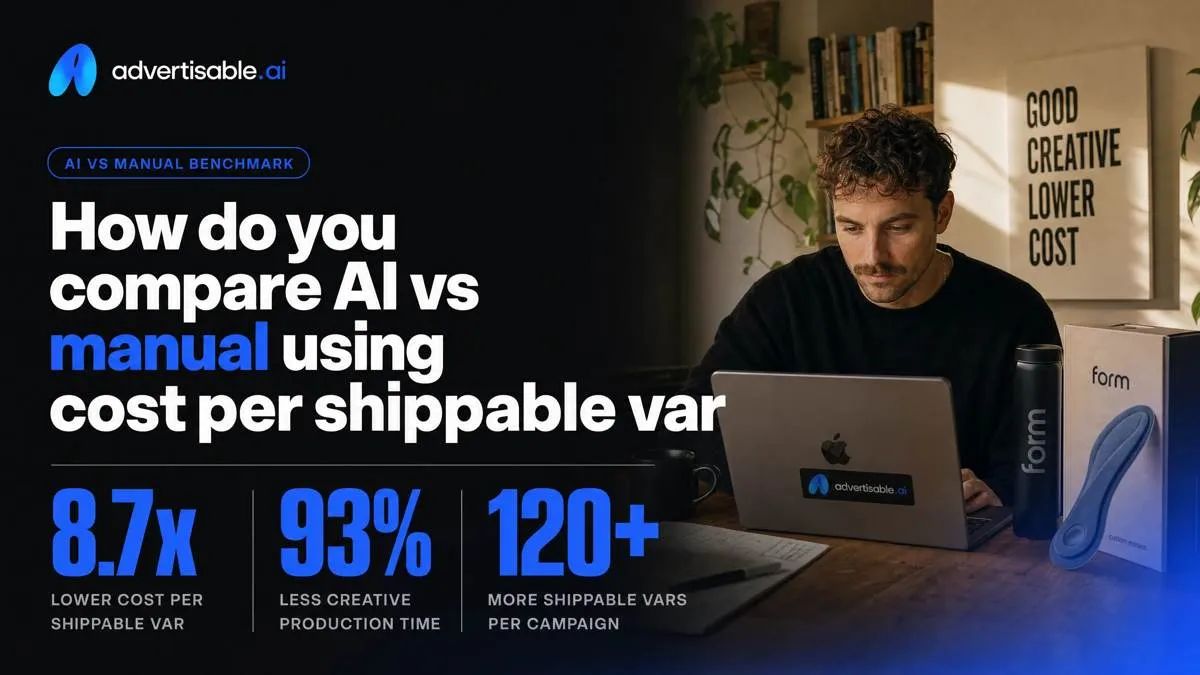
Cost per shippable variation is total production cost divided by approved exports. It is the only comparison that survives approvals, QA, and rework when you scale volume.
- Numerator: (labor hours x fully loaded hourly cost) + tool costs
- Denominator: approved exports, not drafts, not renders
- Track separately per channel deliverable (Meta 9:16, TikTok 9:16, YouTube 16:9), because “one ad” becomes multiple exports
Inputs that change the outcome
The same AI workflow can be cheaper or more expensive than manual depending on three operational inputs: who reviews, how fast fixes happen, and how often the output drifts.
- Reviewer count and SLA: every added approver increases cycle time; slow SLAs turn “fast generation” into waiting
- Scene fix time vs rebuild time: if you can repair one failing scene, you avoid full rebuild cost; if you must rebuild, AI loses its edge
- Brand drift rate per batch: higher drift means more rejection and more edit cycles, so the denominator (approved exports) collapses
Acceptance criteria before you scale
Set pass-fail thresholds before you ramp output, or you will scale rework. Use simple gates you can audit weekly.
- Target first-pass approval rate: 70% or higher
- Minimum shippable percentage per batch: 80% or higher approved exports
- Max minutes per scene fix: 15 minutes; above that, you are functionally rebuilding
What does a fair AI tool comparison look like in 2026?
Advertisable AI Platform
Pick this category when your bottleneck is approval rework and brand drift across high-volume variants, not raw render minutes. Advertisable AI Platform starts from a product URL, extracts and locks Brand DNA, and uses those guardrails to keep outputs consistent as you scale.
You route reviews through storyboard approval before rendering, so feedback lands on beats, not finished videos. When one scene fails QA, you regenerate that scene and export platform-ready formats without rebuilding the full cut.
- URL to Brand DNA extraction (colors, fonts, logos, specs, claims) as locked guardrails
- Storyboard editor gate before rendering to reduce approvals churn
- Scene-level regeneration plus multi-aspect exports for Meta, TikTok, YouTube
Canva
Canva is strongest when you need fast collaboration loops and template-first execution across a team. The handoff is simple: comments, quick iterations, and Brand Kit rules that keep basic design consistent.
It is best when motion is light and the core job is shipping clean social assets, not building a production-control video pipeline.
- Canva Pro is $18/month; Business is $25/user/month
- Brand Kit plus templates support consistent, repeatable layouts
- Great for quick edits and approvals on lighter motion deliverables
Adobe Premiere Pro
Adobe Premiere Pro wins when you need deep manual control over the timeline and reliable finishing. You get predictable edits, audio, and color work, especially when stakeholders expect craft-level polish.
It is the right fit when footage already exists and your risk is quality, not variation throughput. Pricing starts at $22.99/month on an annual plan.
- Frame-accurate manual edit control for complex sequences
- Reliable audio and finishing workflows for publish-ready masters
- Best used after capture, when assets are real and editing is the main work
How do you run a 48 to 72 hour batch test that proves the winner?
Lock constants, pick one variable
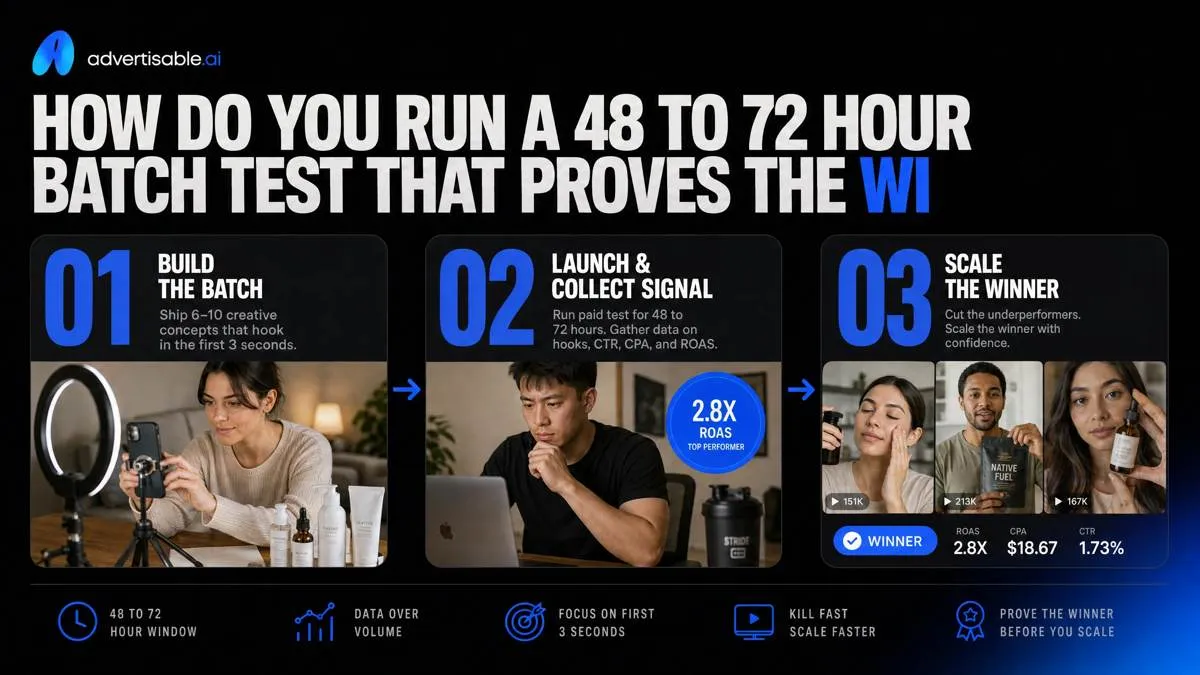
A 48 to 72 hour batch test works only when you remove attribution fog: hold the offer and product facts constant, then change one thing. Your goal is to identify a winner you can reproduce, not a lucky outlier.
Lock the same landing page, same price/promo, same CTA, and the same “product moment” and claims across every variant. Then rotate a single variable: either the hook (first 1 to 2 seconds) or one proof element (demo, stat, testimonial line), not both.
Define success before launch: the winner is the variant with the best cost per result or CPA at a minimum spend threshold you actually trust in 48 to 72 hours.
- Constants: offer, product facts/claims, CTA, length, aspect ratio
- Variable: hook OR proof (one only)
- Success metric: CPA or cost per result, plus a minimum spend floor per variant
Run it inside Advertisable AI Platform
Use Advertisable AI Platform to keep production controls tight while you generate enough volume to test. You start by pasting the product URL so Brand DNA pulls in the brand rules and product facts you are holding constant.
Get approval at the storyboard stage before you render anything. Feedback lands on beats and claims, not on finished videos that trigger full rework.
When a variant fails QA or looks off, regenerate only the weak scene instead of rebuilding the whole ad.
- Paste product URL to extract and lock Brand DNA guardrails
- Approve the storyboard before rendering
- Regenerate single scenes to fix drift, claims, or pacing
Export, QA, and decide next
Export in the formats you will actually run: Meta, TikTok, and YouTube, in the aspect ratios your account uses (vertical, square, landscape). Treat “export-ready” as part of the test, because manual fixes erase the speed advantage.
QA with a checklist that blocks drift before it hits spend, then decide the next batch with simple rules.
- Export packs: Meta placements, TikTok, YouTube variants per required ratio
- QA checklist: claims match the product page, Brand DNA elements present, no prohibited statements, CTA matches offer, captions and supers readable on mobile
- Decision rules: scale the top performer, kill clear losers, and rerun the winner against a new hook OR new proof in the next 48 to 72 hour window
Run the only test that settles AI vs manual for your team
If you want a clean decision, stop comparing render speed. Compare cost per shippable variation after approvals and QA. That is where most AI rollouts fail, either from brand drift that triggers rework or from edit traps that force full rebuilds.
We built Advertisable AI Platform for this exact constraint. Start the $5 3 day trial, paste a product URL, and let the Brand DNA extraction module lock your guardrails. Get signoff in the storyboard editor before you render. Generate a single-variable batch, then use the scene regenerator to fix only the weak beat.
Export platform-ready formats for Meta, TikTok, and YouTube, and read results in a fixed 48 to 72 hour window. Your acceptance criteria is simple: higher publishable output rate with fewer review loops.
Frequently Asked Questions
What is the best AI tool for creating ads?
The best tool is the one that maximizes publishable output rate, meaning how many variants you can ship without manual fixes. Prioritize Brand DNA guardrails, storyboard-first approvals, scene-level regeneration, and platform-ready exports so speed does not get erased by rework.
What's the difference between AI ad generators with production control vs simple avatar tools?
Production-control platforms lock Brand DNA, route you through storyboard approvals, and let you regenerate a single scene when something fails QA. Simple avatar tools usually give you a clip and leave you to handle brand consistency, edits, and export formatting elsewhere.
How do I test multiple ad angles without muddying performance results?
Run single-variable batches: hold the structure, product moment, and CTA constant, and rotate only one element like the hook or proof. Read performance in a fixed 48 to 72 hour window, then carry the winner into the next batch.
What's included in Brand DNA extraction?
It captures the brand’s core guardrails like colors, fonts, logos, and the product’s key specs and allowable claims. The point is to lock those rules so variants scale without drifting and triggering extra approval cycles.