How to Control AI-Generated Product Video Ads
“This looks so AI.” If you have ever seen that comment on your own ads, you know the sting. It is not the technology that kills trust - it is the moment your brand feels replaceable, the ad looks like a template, and your product could be swapped for any other.
Here is what matters most:
- The ads that scale paid social are specific, not generic
- scene-level control beats realism every time.
- Locking Brand DNA from your product URL prevents off-brand drift and keeps packaging and claims accurate.
- Approving a storyboard before rendering saves time, credits, and protects your creative from template sameness.
- QA at every step catches claim errors and brand voice slips before you export for Meta or TikTok.
- Cost per shippable variation - not subscription price
- reveals the true efficiency of your workflow.
- Using Advertisable AI, you get a collaborative process that gives you creative control and ships ready-to-launch variations in UGC, Product, or B-Roll style.
We built Advertisable AI after years of watching brands burn budget on generic, template-driven AI ads that tanked performance and eroded trust. Our four-step workflow is designed to give you scene-level control, lock your Brand DNA, and deliver conversion-ready ads that match your standards - every single week.
If you want AI-generated product video ads that actually drive performance, it starts with controlling every decision point - not chasing realism. Let’s dig into why control always beats realism for paid social results.
Control beats realism for performance
The comment that stings most
- 'This looks so AI'
- is not really about technology. It is about trust. When your product video ad feels generic, it is because the creative choices are interchangeable, not because AI made them.
The real risk is letting your brand become just another template, where the product and message could be swapped for any competitor. Winning with AI is not about fooling the viewer; it is about locking in your brand’s specifics and building guardrails that keep every ad variation true to your voice and claims.
Why generic gets called AI
Ads get labeled 'AI' when they feel like they could sell anything to anyone. The most common signs are hooks and proof points that are so interchangeable, they could slot into any product category. If your opening line is 'Tired of X?' and your proof is just a five-star badge, you are not building trust - you are blending into the noise.
What we see most often is default lighting and pacing that never matches your brand’s real style. AI video generators, left unchecked, will use sterile, even lighting and a neutral pace because those are the safe defaults. The result is a look and feel that is instantly forgettable.
Vague claims and benefits are the final giveaway. If your ad promises 'works fast' or 'feel better' without any specific mechanism, use case, or product detail, viewers tune out. In our experience, this is where most AI ads lose credibility - audiences sense the lack of substance and move on.
What control looks like in practice
Control starts by locking in product truth before any creative work begins. We use the product URL to extract exact packaging, specs, and brand cues - so the AI cannot invent or drift from what is real.
Next, we approve a full storyboard before rendering a single frame. This step forces specificity and lets you catch generic scenes early. You see the hook, problem, proof, and offer as a visual outline, and can regenerate just the scenes that miss the mark.
Scene-level fixes are the game changer. If the opening hook feels flat or a proof scene lacks detail, you fix only that beat, not the whole video. This keeps iteration fast and cost-effective, with no wasted credits on full re-renders.
Finally, every variation goes through QA for claims and packaging. We check that benefits are concrete, visuals match the real product, and brand voice is consistent. This is how you prevent drift and make every exported ad shippable for Meta or TikTok.
Start from your product URL to lock Brand DNA
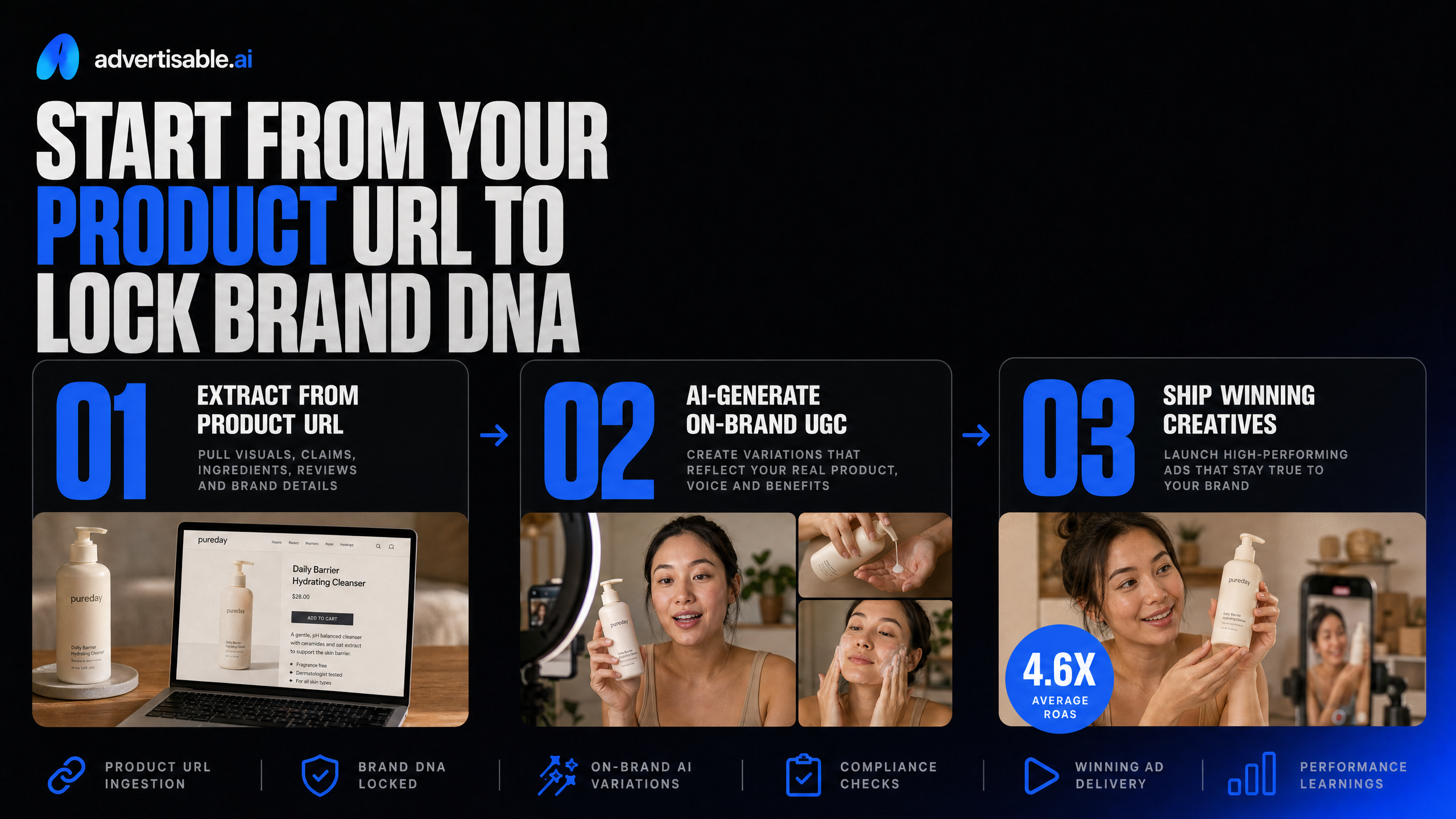
Most teams worry their AI-generated ads will look generic and erode trust. What actually breaks the illusion isn’t the tech - it’s when your product visuals, claims, or voice drift from what’s real. The fix starts with locking down the non-negotiables pulled directly from your product URL.
Extract what must stay true
The first step to banishing that 'template' look is to extract every detail that defines your product and brand - before any creative work begins. This means pulling packaging shots, label text, and color palettes straight from your product URL so every frame matches what your customer expects to see.
We also capture all key specs and variants right at the start. If your product comes in three sizes or two scents, those differences need to be locked in so no scene gets it wrong. Missing a variant or showing the wrong label is the fastest way to lose credibility.
Finally, we set brand voice guardrails and a do-not-say list. If your brand avoids words like 'miracle' or never jokes about side effects, those rules are coded in. This makes sure your AI-generated ads never slip into off-brand territory, no matter how many variations you produce.
- Accurate packaging and color pulled from your live product page
- Full label text and product claims verified against your own copy
- All SKUs, sizes, or variants mapped before creative starts
- Brand voice guidelines and do-not-say rules enforced at the storyboard level
Pick one winning angle to scale
Once your product truth is locked, the next move is to choose one clear angle that ties your hook to a real use case. This isn’t about chasing every possible benefit - it’s about picking the angle with the strongest proof and sticking to it across all variations.
We anchor the opening scene to a specific scenario your audience faces, not a generic promise. Then, every proof point in the storyboard must be checkable - think customer testimonial with a real result, not vague '5-star' claims. The offer is framed using your actual product data and never drifts into unsupported territory as scenes are regenerated.
This approach keeps your ads specific, testable, and compliant, so you can scale creative output without risking claims or brand drift.
Approve the storyboard before you burn renders
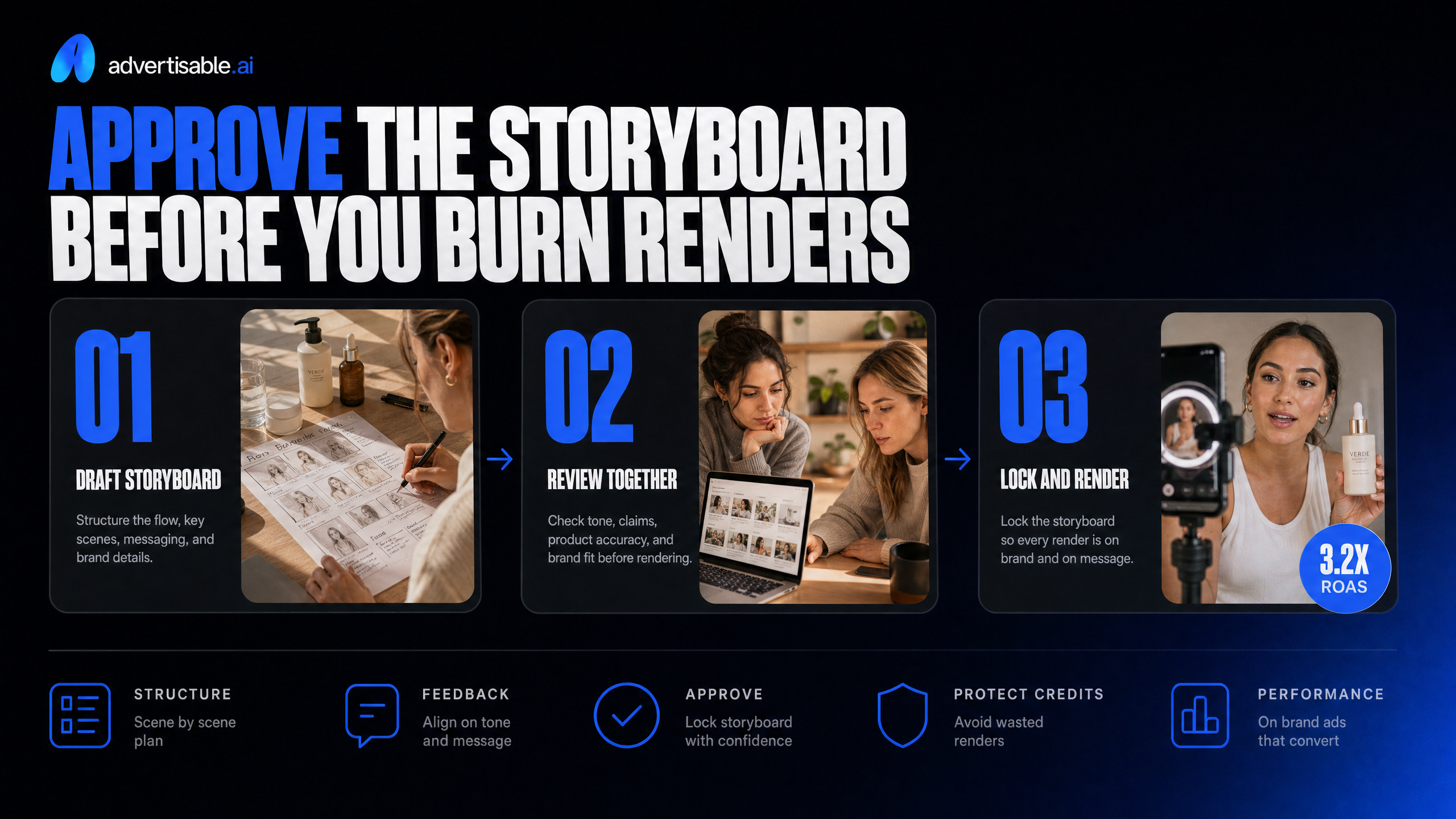
Most wasted time in AI video ad production comes from skipping the approval step and rendering full videos before locking structure and brand details. By approving the storyboard first, you catch off-brand tone, generic claims, and product inaccuracies before any credits are spent on final renders. This is the control gate that keeps your workflow efficient and your ads on-message.
Storyboard fields that prevent drift
The storyboard is your blueprint for every ad variation. To prevent generic, off-brand output, you need to lock four fields before rendering: hook, problem, mechanism, and proof beats. Each one must be specific to your product and audience, not just a fill-in-the-blank template.
We require every storyboard to include accurate product shots, overlays of key specs or claims, and visual cues that match your actual packaging. This keeps the AI from swapping in generic bottles or missing critical details that would break trust.
Brand voice and pacing notes are also non-negotiable. You set the tone - whether you want a fast, punchy UGC-style or a slower, more cinematic B-Roll look - and the platform adapts every scene to match. In our workflow, the Storyboard Editor lets you preview these elements in sequence, so you can spot any drift before it costs you time or credits.
Advertisable AI’s storyboard-first workflow is built around these fields. By extracting Brand DNA from your product URL, we lock packaging, specs, and voice into every storyboard, making it nearly impossible for off-brand or inaccurate scenes to slip through.
- Hook: The opening attention-grabber, tailored to your product's real use case.
- Problem: Clearly stated pain point, specific to your audience.
- Mechanism: How your product solves the problem, with concrete details.
- Proof: Testimonial, demo, or offer beat that backs up the claim.
- Required product shots: Actual packaging, label, and brand colors.
- Overlays: Key specs, claims, or benefits shown visually.
- Brand voice notes: Tone, pacing, and language guidelines for each scene.
Locking these storyboard fields up front means every variation you render is already on-brand, accurate, and ready for platform export.
Scene-level regeneration loop
With scene-level regeneration, you never have to redo a full ad because of one weak moment. If a scene fails
- maybe the hook is off or a product claim feels generic
- you regenerate just that scene, keeping all approved scenes untouched.
This approach is a major time and budget saver compared to full re-renders. You iterate only where needed, so your cost per shippable variation drops and you avoid creative fatigue from endless full video cycles.
Each scene goes through a simple approval checklist: is the product shot accurate, are claims specific and compliant, does the voice match your guidelines, and is the pacing right for the intended platform? Only scenes that meet every requirement move forward.
Advertisable AI’s Scene-Level Regenerator is designed for this exact workflow. You can swap out a single proof beat or adjust a hook without risking drift in scenes that already work, giving you granular control over the final output.
- Regenerate only the scene that fails QA.
- Keep all approved scenes locked and unchanged.
- Approval checklist per scene:
- - Product shot accuracy
- - Specific, compliant claims
- - Brand voice and pacing match
- - Visual consistency with packaging and overlays
This loop ensures every ad you export is platform-ready, brand-safe, and optimized for performance - without wasted cycles or budget.
Ship variations with QA and platform exports
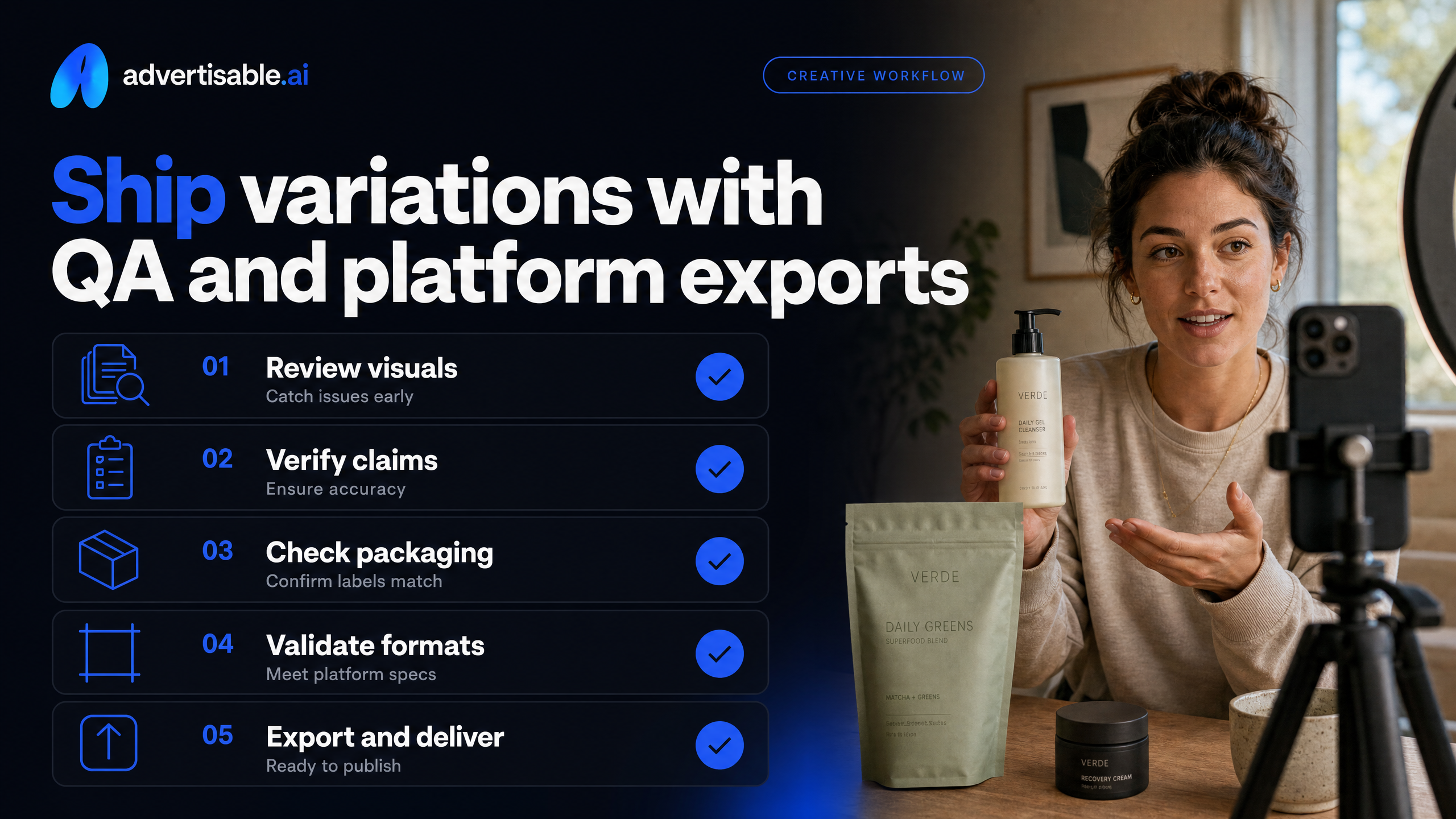
Shipping AI-generated product video ads at scale requires more than just fast rendering. Without a repeatable QA and export process, you risk launching ads that damage brand trust or fail to meet platform specs. Our workflow ensures every variation is ready to test, with no surprises on claims, packaging, or formatting.
QA checklist before launch
The fastest way to lose trust is to ship an ad with a claim you can’t prove, off-brand packaging, or unreadable text. We use a structured QA checklist to catch these issues before any variation leaves the storyboard editor.
First, we verify every claim in the script matches the actual product specs and is backed by substantiation - no vague promises or uncheckable benefits. Next, we confirm the product shots display the correct packaging, colors, and variant for the SKU being advertised. This prevents the classic error of showing a different flavor or outdated label.
Brand voice is locked by running every script and on-screen text through our forbidden phrases filter and voice guidelines. This stops generic, off-brand language from slipping in, especially when regenerating scenes. Finally, we check all on-screen text for readability: proper contrast, font size, and placement so nothing is lost or clipped on mobile.
- Claims are accurate, specific, and substantiated by product data.
- Packaging visuals and variant details match the product URL and current inventory.
- Scripts and overlays use approved brand voice and avoid forbidden phrases.
- On-screen text is legible on all devices and within platform safe zones.
A disciplined QA pass is what separates shippable variations from costly creative waste.
Meta and TikTok export plan
To keep up with creative fatigue cycles on Meta and TikTok, you need ready-to-launch exports in every required format. We export each approved variation in 9:16 (vertical), 1:1 (square), and 4:5 (feed) sizes, covering all major placements and maximizing test velocity.
The hook
- the first two seconds
- gets priority placement and review, since it drives over 70% of scroll-stop behavior on both platforms. We make sure every variation’s opening scene is designed to grab attention, not just fill time.
Safe zones are non-negotiable. We confirm that all overlays, CTAs, and text stay within platform-specific boundaries, so nothing gets cropped or hidden by UI elements. This is especially critical for TikTok and Reels, where overlays often conflict with in-app controls.
Our export plan is built to match platform-specific requirements and keep your testing cadence on track, supporting the volume needed for weekly optimization.
- Export every shippable variation in 9:16, 1:1, and 4:5 aspect ratios.
- Review and optimize the first two seconds of each ad for hook strength.
- Validate all overlays and text for safe zone compliance on Meta and TikTok.
Choose your AI video setup by cost per shippable variation
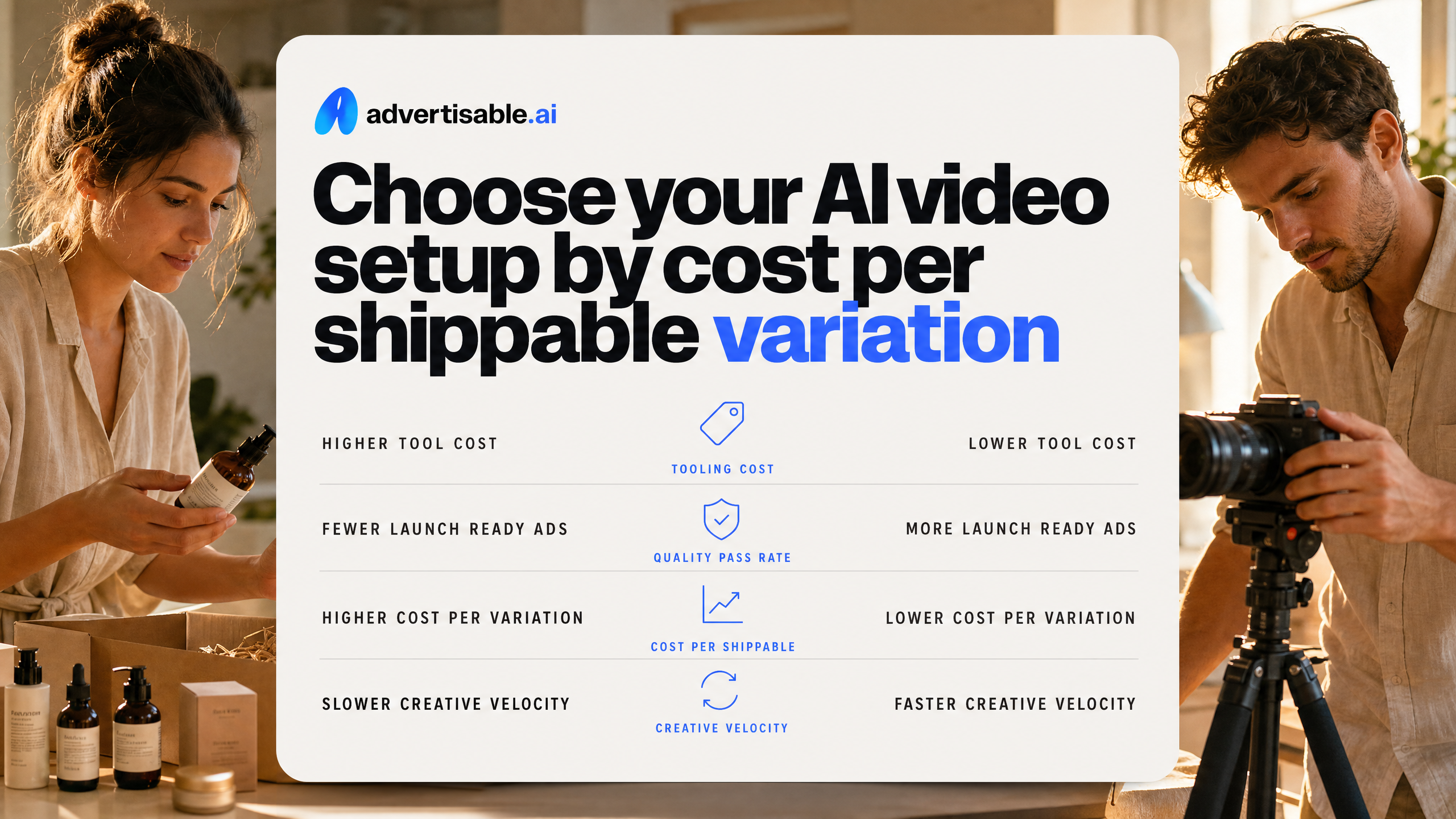
Most teams fixate on subscription price, but the real lever is cost per shippable variation - how much you actually spend to get a launch-ready ad that clears QA. Optimizing for this metric, not just tool cost, is what separates scalable workflows from wasted spend.
The cost-per-variation calculator
Cost per shippable variation is your all-in metric: credits or renders used, plus the labor minutes spent on QA and revisions, divided by the number of ads that actually ship. A low subscription price means nothing if you’re burning hours and credits on unusable output.
In our experience, the biggest hidden costs come from high QA reject rates and redo loops. If your tool forces you to re-render entire videos for minor fixes, you’ll quickly eat through your monthly allowance and stall your launch cadence. Scene-level regeneration, like we use in Advertisable AI, lets you fix only what fails QA - keeping both costs and timelines tight.
Time to first shippable cut is just as critical. The faster you can go from product URL to approved storyboard to export, the more variations you can test before creative fatigue sets in. Teams using AI creative tools report saving 20+ hours per week on production, according to 2026 AI ad benchmarks.
- Add up all credits or renders consumed per exported variation
- Estimate labor minutes spent on QA, approvals, and revisions
- Track how many variations clear QA versus get rejected or need redo
- Measure average time from product URL to shippable export
When you compare tools, always ask: what is my real cost per launch-ready, platform-ready variation - not just the sticker price?
Four non-negotiables to compare
Not all AI video ad generators offer the same level of control or quality guardrails. To avoid generic output and wasted spend, compare every option on these four non-negotiables.
First, insist on a storyboard-first approval workflow. This lets you lock structure and messaging before burning credits on full renders, preventing expensive rework.
Second, require scene-level control capabilities. If you can’t regenerate a single scene (like swapping a hook or fixing a proof beat), you’ll be forced to redo whole videos for minor changes - driving up both costs and frustration.
Third, look for Brand DNA locking and guardrails. Your tool should extract and enforce your brand’s packaging, colors, fonts, and claims from the product URL, so you never risk off-brand or inaccurate ads at scale.
Finally, demand platform-ready exports and batching. You need to export in all required aspect ratios (9:16, 1:1, 16:9) and batch variations for clean A/B testing on Meta and TikTok without manual resizing or reformatting.
- Storyboard-first approval: Lock the ad’s structure before rendering, so you only generate what’s already approved.
- Scene-level control: Regenerate individual scenes instead of redoing the entire video for a single fix.
- Brand DNA locking: Enforce accurate packaging, claims, and brand cues directly from your product URL.
- Platform-ready exports and batching: Output all required sizes and batch variations for efficient testing.
If a tool fails on any of these, your cost per shippable variation will spike and your brand risk increases. These are the must-haves for controlled, scalable AI video ad production.
Use Advertisable AI to run the controlled workflow
Generic AI ads damage brand trust because they drift from your product truth and brand voice. The fix is a controlled workflow that locks your DNA and lets you ship more shippable variations every week, without losing accuracy or control. Advertisable AI is built for this cadence.
Match the ad format to the test
Your ad format should match the hypothesis you want to test. With Advertisable AI, you can generate three distinct types of video ads from the same Brand DNA inputs - each serves a different purpose in your creative testing cycle.
Product Ads are your go-to for packaging accuracy. They pull real product specs, labels, and colors directly from your product URL, so what you see is what you ship. This is critical when testing new SKUs or offers where accuracy is non-negotiable.
UGC Style unlocks creator variety without hiring talent. Hundreds of AI avatars let you test different faces, tones, and hooks - all while keeping your brand voice and claims consistent. Use this format to explore which creator look or testimonial style drives the highest engagement.
B-Roll Style delivers premium, cinematic visuals when you need elevated product shots. It’s ideal for brands that want their ads to stand out in-feed with professional movement and color grading - again, all based on your locked Brand DNA.
No matter which format you choose, the same Brand DNA extraction ensures your colors, fonts, claims, and packaging stay consistent across every variation.
- Product Ads: Locks packaging, specs, and offer details from your URL
- UGC Style: Tests avatar variety and testimonial formats with scene-level control
- B-Roll Style: Provides cinematic, premium visuals for high-impact placements
- All formats use the same Brand DNA inputs for consistency
Bring these to the consult
Arriving prepared sets you up for a productive consult and a faster first export. Here’s what you need to bring to get the most out of Advertisable AI’s workflow.
Start with the product URL and a prioritized list of SKUs. This lets us extract your brand assets and lock packaging accuracy from the start. Next, choose one proven angle and audience - the more specific, the better.
This focus helps generate variation packs with clean, testable differences.
Outline your claims and compliance boundaries up front. If certain words, benefits, or proof points are off-limits, flag them early so the storyboard and scene-level QA never cross the line.
Finally, clarify your Meta and TikTok placement plan. Knowing your platform mix and export specs means your videos are delivered in the right aspect ratios, ready to launch without extra edits.
- Product URL and prioritized SKUs for asset extraction
- One winning angle and core audience for focused variation packs
- Claims and compliance guardrails to prevent off-brand or unapproved messaging
- Meta and TikTok placement plan for platform-ready exports
With these inputs, you leave the consult with a QA checklist and a variation pack ready for immediate testing.
Ready to Take Control of Your AI Product Video Ads?
If you want your ads to stop feeling generic and start driving measurable results, the next step is practical. We help you lock your product’s truth and brand voice before a single frame is rendered, then guide you through our collaborative, four-step workflow for scene-level control and rapid QA. You choose the format - Product Ads, UGC Style, or B-Roll Style - based on your test plan and platform needs.
Book a consult with us and bring your product URL plus one proven angle. We will generate a variation pack for Meta and TikTok, ensuring every export passes a clear QA checklist for claims, packaging accuracy, and brand voice. Our approach puts you in control, so you can scale creative output without sacrificing brand standards or wasting time on full re-renders.
Let’s make your next batch of ads shippable, specific, and ready to perform.
Frequently Asked Questions
### What's the difference between cost per shippable variation and subscription pricing?
Cost per shippable variation is your true all-in cost, including tool credits, time for QA, and scene-level revisions. Focus on how many ready-to-launch ads you produce, not just the monthly fee.
### Why do some AI ads look generic even if technically well-made?
Generic AI ads rely on default visuals and vague claims. The solution is to anchor every ad in specific product facts, concrete proof, and your brand’s unique point of view.
### How many ad variations do I need to test weekly to stay ahead of creative fatigue?
To avoid creative fatigue, most brands need 50-100 production-ready variations per week. Fast iteration and scene-level control help you rotate new angles efficiently and keep performance strong.