How Done-for-You AI Ad Creative Works via URL
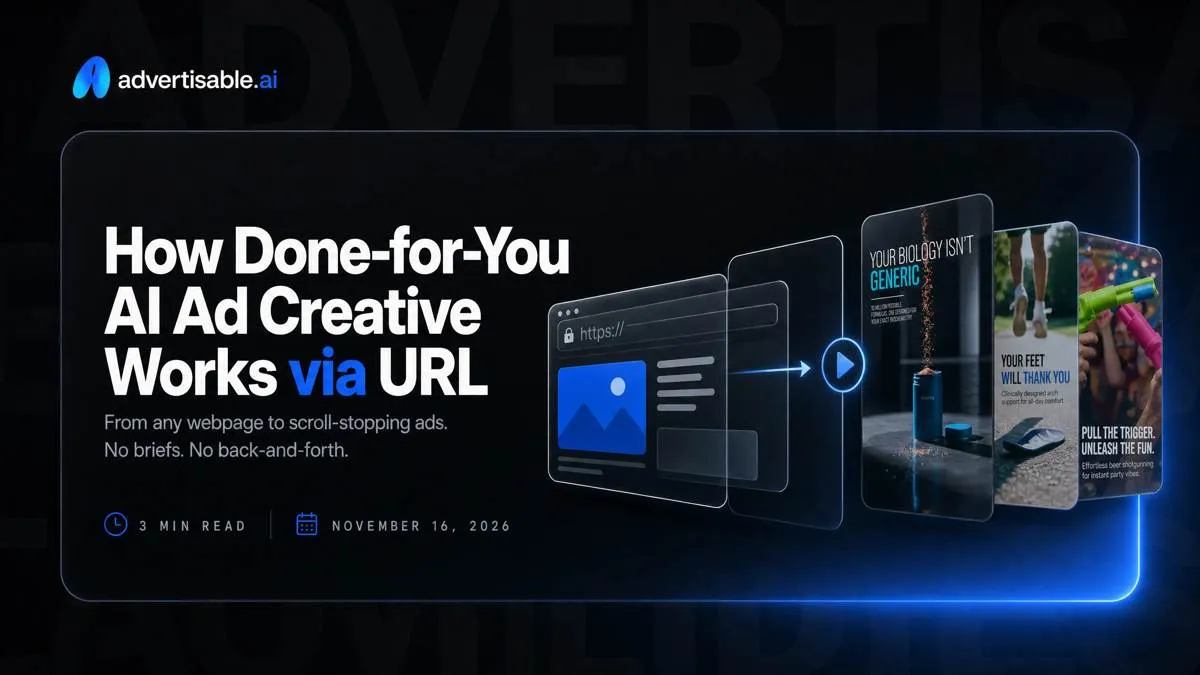
You can get AI ad creatives delivered end-to-end by choosing a provider that starts from your product URL, extracts Brand DNA as guardrails, and ships platform-ready exports you can approve in storyboard form.
We built Advertisable AI for this exact operator constraint: you need weekly variation packs, but you need control more. Our workflow starts from a product link, extracts Brand DNA from the page, generates a script and storyboard you can approve, then lets you regenerate at the scene or frame level before exporting platform-ready assets for fast test cycles. If you want to validate the workflow quickly, we offer a $5 trial from your product link.
The key shift is not “AI makes ads faster.” It is what changes when creative production starts from a product URL, because the URL becomes the source of truth for claims, brand rules, and the raw ingredients your storyboard pulls from.
What changes when ad creative starts from a product URL?
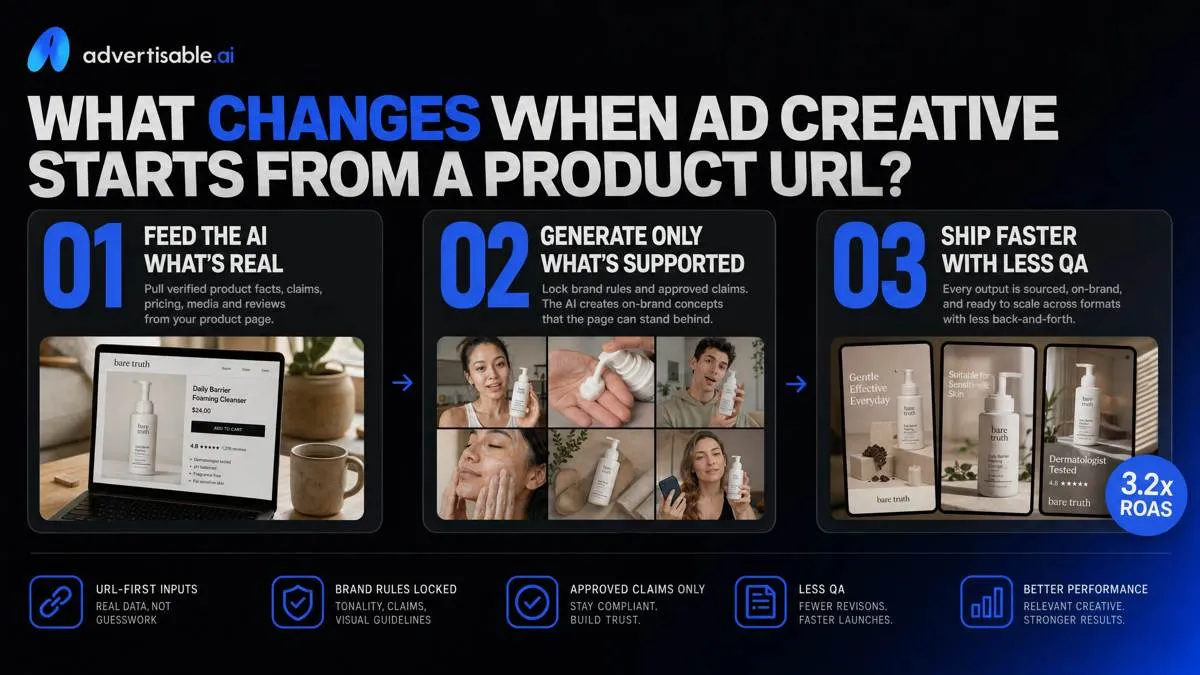
When ad creative starts from a product URL, the AI is constrained by your real offer instead of improvising from a prompt. That is the core reason URL-first done-for-you services ship faster with less QA: the system can pull verified inputs, lock brand rules, and only generate what the page can support.
A done-for-you AI ad creative service should feel like production capacity you can direct, not a black box. With URL-first inputs, you are feeding the model product facts, approved claims, pricing, and on-page assets (images, headlines, spec blocks) so outputs start closer to correct.
Brand DNA guardrails then pin your voice, visual style, and claims compliance so you are not re-editing tone or deleting invented benefits. Finally, you get storyboard-first outputs: ads broken into editable scenes, so you can fix one weak beat by regenerating a single scene or frame instead of rebuilding the whole video.
Which done-for-you model fits your testing cadence?
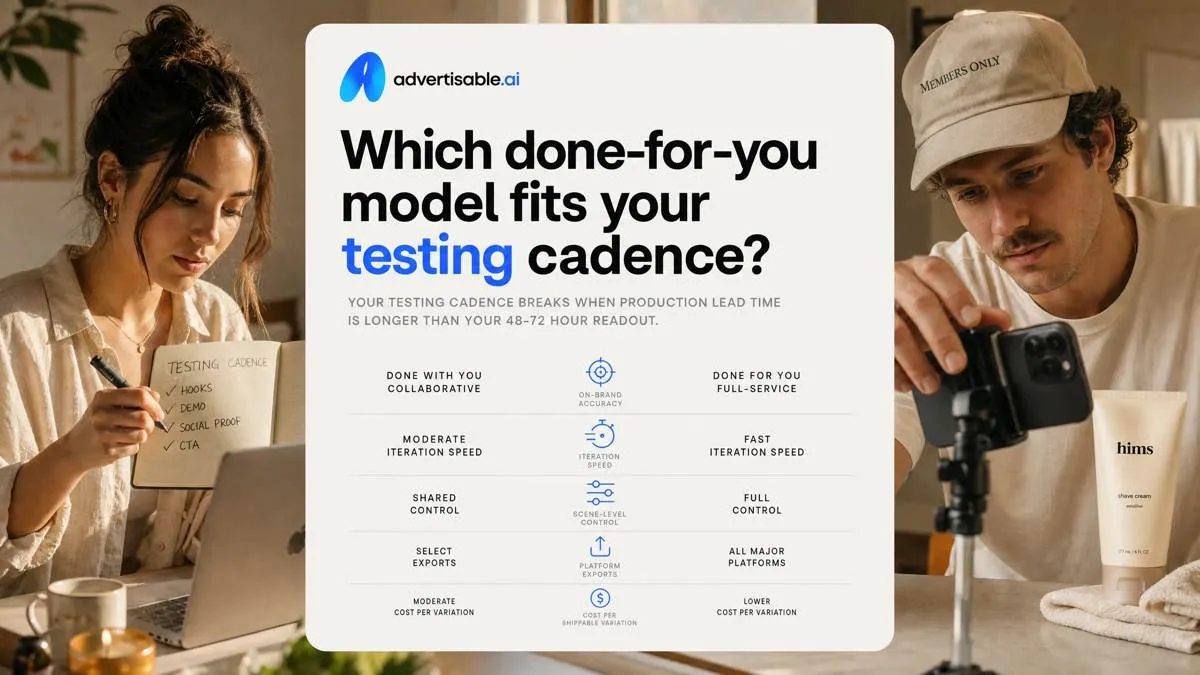
Your testing cadence breaks when production lead time is longer than your 48-72 hour readout. The decision comes down to five operator metrics: on-brand accuracy, iteration speed, scene-level control, platform exports, and cost per shippable variation.
Agency production
Agency timelines are usually the least compatible with weekly testing because briefing and revisions run in large, serialized cycles, not tight iteration loops.
Your cadence is gated by when the next revision window opens. When you need 50-100 new variations in a week, agencies often cap batch size to protect their pipeline, then prioritize “new concepts” over surgical fixes.
QA on claims also shifts onto you. You still have to reconcile scripts and on-screen text against the product page, and each compliance correction tends to trigger another revision round.
- Briefing and revisions cadence: structured rounds with wait time between feedback and edits
- Batch size limits weekly: throughput often constrained by staffing and queue priority
- QA overhead on claims: you validate what is said and shown against the approved page, then re-brief corrections
Freelancer or studio batching
Freelancers and small studios can ship faster than agencies, but the speed usually comes from template-driven creative constraints.
Each change is a hand edit. Swap a hook, update an offer line, or change a CTA, and you are paying for manual rework across files and timelines.
Consistency becomes the hidden tax. In a 20-creative batch, small differences in typography, claim phrasing, or product framing make it harder to keep single-variable tests clean.
- Template-driven constraints: you trade differentiation for throughput
- Hand edits for each change: iteration cost rises with every “small” tweak
- Variable consistency problems: drift across scenes makes results harder to attribute
Software-led done-for-you
Software-led done-for-you fits a weekly cadence when the system starts from your product URL and uses it as guardrails for brand and product accuracy.
Variants come from controlled scene swaps: keep the structure constant, regenerate only the hook scene, offer scene, or CTA scene, and ship a pack that is actually comparable in a 48-72 hour readout.
You retain operator controls. In Advertisable AI, you can approve in storyboard view, correct the one weak scene without rebuilding the full ad, and export platform-ready formats for Meta, TikTok, and YouTube.
- URL ingestion for guardrails: pull product facts and brand rules directly from the canonical page
- Scene swaps for variants: regenerate one scene while holding the rest constant for attribution
- Operator controls retained: you review, edit, and export without waiting on a revision queue
How we judge if output is truly done-for-you
Cost per shippable variation
“Done-for-you” only counts when you can forecast unit economics: cost per shippable variation, not cost per render or per hour. We score it on three inputs: time-to-ship, credits consumed, and human labor minutes for QA and edits.
Define QA pass rate as: variants that clear your checklist on first review and can be launched without edits. If a provider ships 20 concepts but only 8 pass, your real unit cost is 2.5x higher than the headline.
- Tracking sheet columns: Date, Campaign, Platform, Batch ID, Variants generated, Variants shipped, QA pass rate (%), Credits used, Human minutes, Unit cost per shipped variant
- Log rework separately (scene swaps, caption fixes, audio fixes) so you can see what keeps inflating unit cost
Scene-level change without rerender
The acceptance test for iteration speed is simple: can you replace one scene and keep the rest of the video identical. If the answer is no, “done-for-you” becomes a rerender tax every time a hook misses.
We require single-variable edits per batch so results stay attributable. Hold offer, CTA, and pacing constant, then swap only the hook scene across the batch.
In Advertisable AI, that means storyboard-first approval, then regenerating only the hook scene or even a weak frame, not rebuilding the full timeline.
- Pass criteria: swap hook scene only (visuals + VO + on-screen text) while scenes 2-n remain unchanged
- Fail criteria: changing hooks forces full-video rerender, or changes timing across the whole ad so comparisons are invalid
Exports that require zero rework
A shippable variation is one you can upload the same day, with no resizing, caption rebuilding, or audio triage. We judge providers on platform-ready exports across formats and basic compliance checks.
Ask for aspect ratios per platform (9:16, 1:1, 16:9) from the same approved storyboard, plus captions that sit inside safe zones and do not clip.
Audio and duration are the usual silent killers: exports should land at consistent levels and respect channel length caps so you are not trimming every file by hand.
- Deliverables per variant: 9:16, 1:1, 16:9 exports; burned-in captions; safe-zone spacing for UI overlays
- QA checks: caption readability on mobile, no text in the bottom UI zone, no peaking audio, duration within your target cap
How do you ship a weekly variation pack in Advertisable AI?
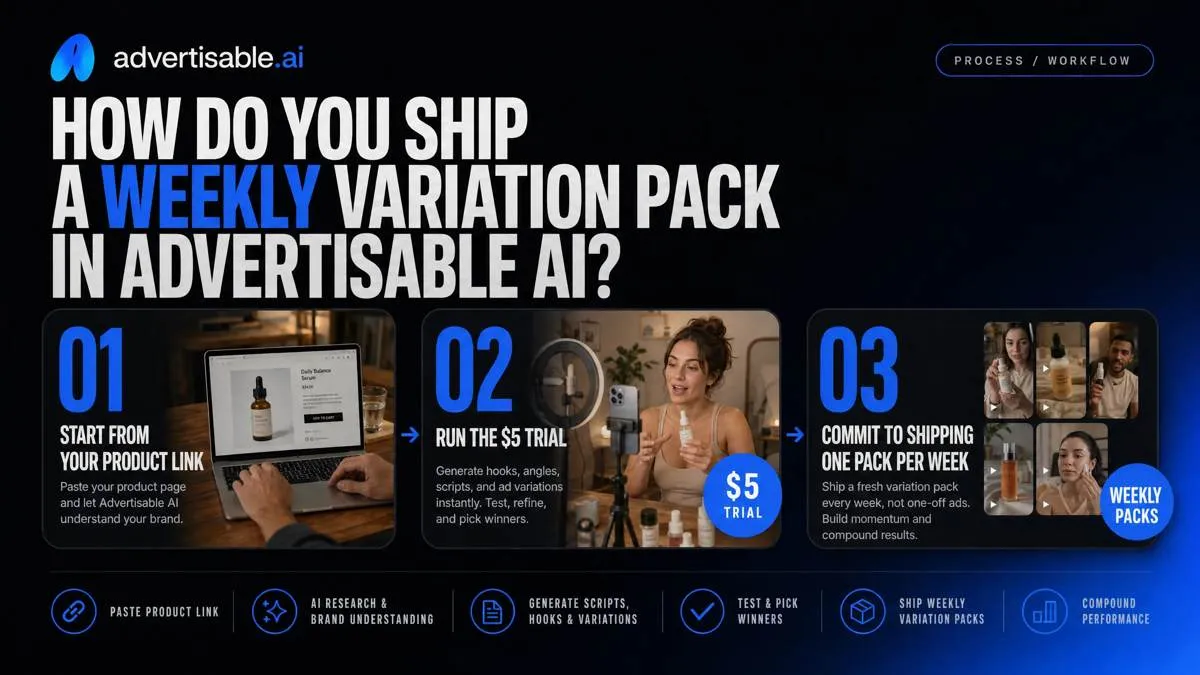
Start from your product link, run the $5 trial in Advertisable AI, and commit to shipping one pack per week, not one-off ads.
Build inside the studio, then export platform-ready files for Meta, TikTok, and YouTube so uploading never becomes the bottleneck.
Paste URL and set guardrails
Your weekly pack succeeds or fails on day one: the URL must contain the exact offer and product facts you are willing to advertise, and your guardrails must prevent drift. Treat the URL as the source of truth and reject anything the page cannot support.
In our workflow, you do a fast Brand DNA QA before generating volume so you do not spend the week fixing the same errors across 20 variants.
- Brand DNA extraction checks: correct product name, price/discount, key benefits that are explicitly stated on-page, and brand tone cues (what the page sounds like)
- Claims and compliance notes: list disallowed claims (medical, earnings, exaggerated outcomes) and required qualifiers you need on-screen or in VO
- Visual do-not-use rules: competitor logos, restricted imagery, before/after frames, unsafe UGC tropes, or any brand elements that must never appear
Generate storyboard, then lock constants
Generate a storyboard first, pick one baseline structure, then lock your constants so every variant stays comparable over a 48-72 hour readout. This is where you prevent “new concept every time” noise.
Select the ad structure that matches your funnel job (direct-response, demo, testimonial-style). Then lock the offer and the non-negotiable product facts pulled from the page.
Decide your execution lane once per pack: avatar-led (UGC-style delivery) or product-led (hands, UI, b-roll). Do not mix both inside the same test pack.
- Lock list: offer terms, pricing, guarantee language (if any), core product specs, and what you will measure first (usually CTR or CVR)
Build hook, offer, CTA packs
Ship weekly by regenerating at the scene level, not remaking full videos. Build three packs: hooks, offers, and CTAs, and change one variable per pack so you can attribute performance movement.
Use scene-by-scene regeneration to swap only the weak beat (hook line, proof moment, CTA card) while keeping the rest of the storyboard fixed. That is the fastest way to produce 10 to 20 clean variants from one approved structure.
- One variable per pack: Hook Pack changes hook only; Offer Pack changes offer framing only; CTA Pack changes CTA copy and end-card only
- Naming/versioning: [Channel]_[Concept]_[PackType]_[v01-vNN]; increment only when the changed scene changes (v02 = new hook scene), not when you re-export
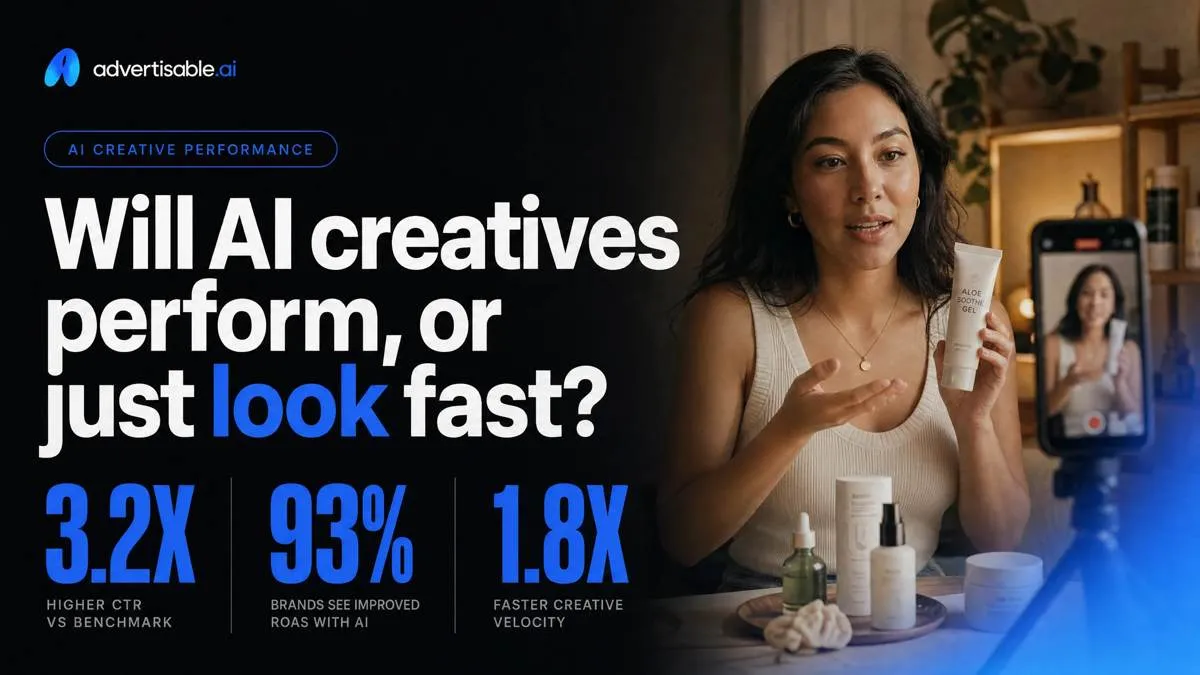
Will AI creatives perform, or just look fast?
48 to 72 hour test design
You can validate AI creative performance fast if you stop treating it like “infinite iterations” and run a clean 48 to 72 hour cut. The goal is not a winner for the quarter, it is to identify obvious losers and a direction for the next batch.
Set a spend floor per variant before you launch, or you will overfit on noise. In most accounts, $50 to $100 per creative is enough to make the first keep-kill call, assuming stable conversion tracking.
Hold targeting and placements constant during the window. Then isolate variables: run hook-only batches (same offer), then offer-only batches (same hook), so you know what actually moved results.
Readouts that trigger next batch
Use three readouts, in order, so “pretty” ads do not slip through. You are filtering for attention, then retention, then economics.
Thumbstop is your 3-second view rate. If it is not competitive versus your control, do not waste cycles polishing scenes.
Hold-rate is your 25 percent view. It tells you whether the story structure works beyond the first line.
Efficiency is CPA or CAC. Only promote a variant to “control” when it holds acceptable CPA at meaningful spend, not when it spikes on cheap clicks.
QA checks before launch
AI outputs fail in predictable ways. Catch them pre-flight and you avoid the “AI is off-brand” spiral.
Run a tight QA checklist before you export from Advertisable AI:
- Product claims and disclaimers: every claim must be supported by the product page or your approved claim library, with required footnotes on-screen when needed
- AI likeness and usage rights: confirm the avatar, voice, and any imported assets are licensed for paid ads in your regions
- Platform policy flags: scan for prohibited wording, before-and-after framing, sensitive attribute targeting language, or medical/financial implication triggers
Start your first URL to variation pack test cycle
If you are serious about done-for-you volume, the decision is simple: keep control of Brand DNA and structure, then scale production and iteration without slowing your test cadence. That is exactly how we built Advertisable AI.
Start a $5 trial. Paste your canonical product URL, let Brand DNA extract the on-page facts and brand rules, then generate a storyboard you can approve before you render anything. From that locked structure, produce three single-variable batches: a hook pack, an offer pack, and a CTA pack. Hold everything else constant so results stay attributable.
Export platform-ready creatives for Meta, TikTok, and YouTube, then run a clean 48 to 72 hour readout. Keep the winners, regenerate only the weak scene, and ship the next pack on schedule.