Use AI to Generate Video Ads From a URL Safely
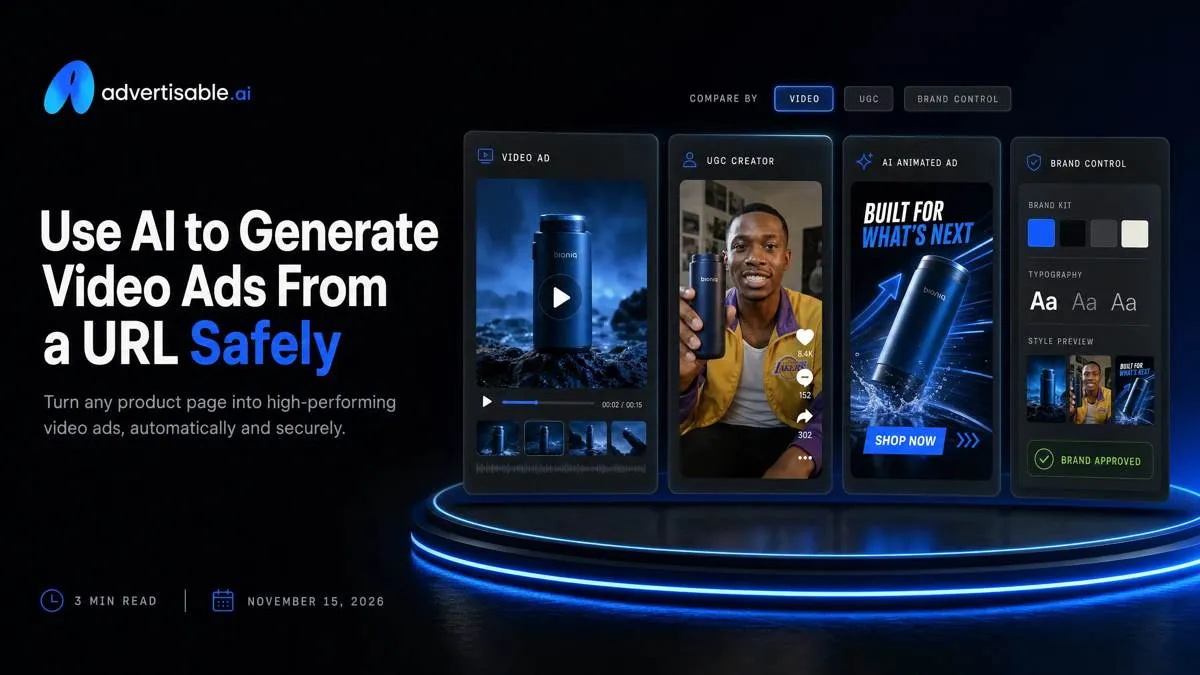
AI can turn a product URL into shippable video ads when it extracts the right product facts and brand rules from the page, then gives you storyboard-first and scene-level control to fix errors without rebuilding the whole video.
We built Advertisable AI for this exact operator constraint: you need output volume under deadline, but you need control more. Our URL-to-ad workflow extracts Brand DNA from your product page, generates scripts and storyboards you can edit, lets you regenerate at the scene or frame level, and exports platform-ready assets for Meta, TikTok, and YouTube.
The real question is why URL-to-video breaks in paid social in the first place, because once you can name the failure mode, you can add one control point and keep the rest of your workflow fast.
Why do URL-to-video ads fail in paid social?
URL-to-video ad generation is when a tool ingests a product page URL, extracts product facts and brand assets, then auto-builds a short-form video ad (script, scenes, and exports) from that page.
The claim hallucination failure
Most URL-to-video ads fail because the model confidently invents claims that are not on the page, and you do not catch them until review or disapproval. The highest-risk errors are specific and checkable: price, guarantee language, and “ingredients” that were never listed.
You also see offer mismatch: the video advertises a bundle, discount, or free gift that the landing page does not support, so the ad converts clicks into distrust. In paid social, that gap shows up fast in comments, refund requests, and degraded performance signals.
Compliance is the expensive part. A single hallucinated “clinically proven” line or a fabricated guarantee can trigger policy flags, and then every variant built on that structure inherits the same risk.
- QA acceptance criteria before you ship: every price, promo, guarantee, and ingredient is verbatim on-page, with the same terms and conditions
- Landing page alignment check: the exact offer and CTA in the ad exist above the fold on the destination
- Policy exposure check: remove unverifiable superlatives and prohibited claims, especially in on-screen text
The full rework failure
The second failure is production math: one weak or wrong scene can make the whole export unusable, even if the other 80% is fine. In practice, the hook, the offer card, and the final CTA scene are the usual offenders.
Without scene-level control, you get forced into full regeneration loops. That contaminates your test because the tool changes multiple variables at once: wording, pacing, visuals, and even the product framing.
Testing velocity drops week over week because you spend more time re-rendering than learning. This is why we built Advertisable AI around storyboard-first QA and scene and frame regeneration so you fix one bad beat without rebuilding the ad.
- Failure mode: one non-compliant line in a single scene forces you to scrap the entire asset
- Loop cost: full regen changes more than the one thing you meant to fix, so results are not attributable
- Operational outcome: fewer shippable variants per week, slower iteration, and noisier readouts
How do you turn a product URL into shippable video ads?
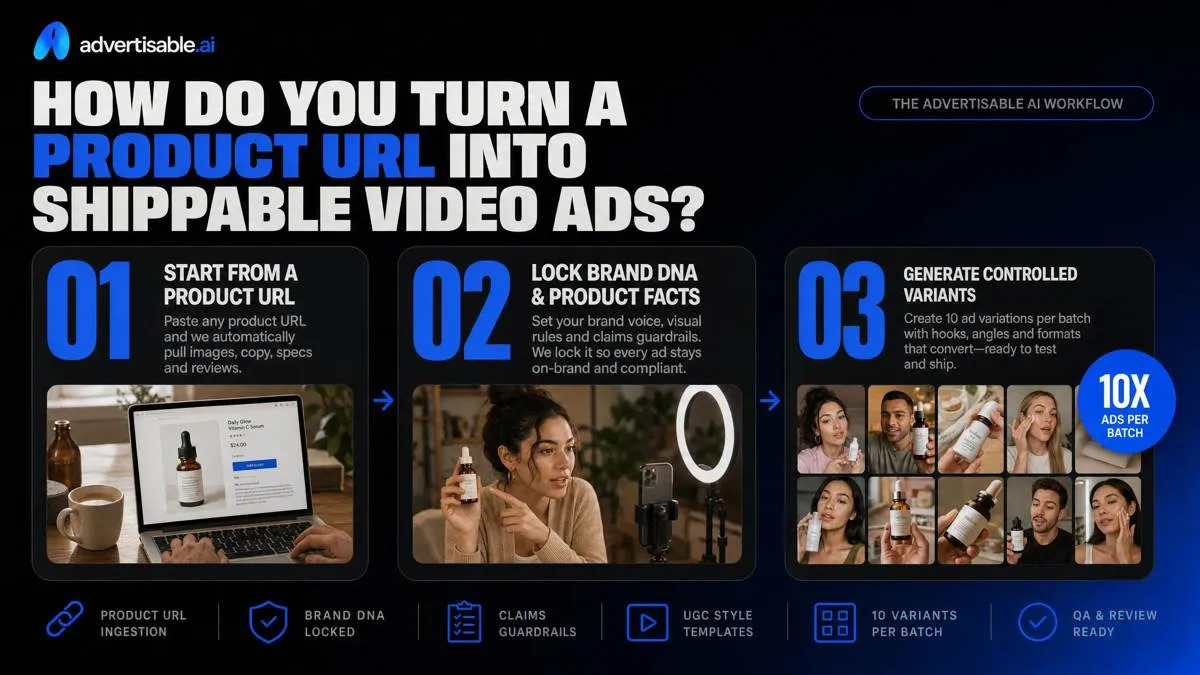
The workflow is simple: start from a product URL, lock Brand DNA and product facts, then generate controlled variants you can QA fast. In Advertisable AI, one good URL should reliably produce 10 ad variations per batch without claim drift or off-brand visuals.
Pick the right product page URL
Use a best-seller SKU page with stable pricing and an offer you are confident will still be live in 7 to 14 days. URL-to-ad systems copy what they see, so a page that changes daily creates mismatched price and promo callouts in your exports.
Choose a page that is content-complete so the model has enough ground truth to write accurately. Avoid category pages, bundles with rotating contents, or pages where the primary action is ambiguous.
- Best-seller, single SKU page with stable price and availability
- Clear product images plus visible specs and an FAQ section (or equivalent structured details)
- One offer and one primary CTA (for example, Buy Now or Subscribe), not competing buttons
Extract Brand DNA and facts
Before you generate volume, lock the inputs: what the product is, what you can claim, and how the brand looks and sounds. This is where most URL-to-video attempts fail, because the model fills gaps with plausible language.
In Advertisable AI, paste the URL to extract Brand DNA, then QA it like an operator: every claim must be traceable to the page, and every visual cue must match your actual brand system.
- Facts to confirm: claims, ingredients, and specs that appear on-page (do not add new benefits)
- Voice to confirm: reading level, permitted adjectives, and any words you avoid using in ads
- Assets to pull: logos and the highest-resolution product images you want reused across variants
Prompt for hook, offer, channel
Your prompt should specify three things only: the first two seconds hook, the exact offer language that matches the page, and the target channel. Then you can generate 10 variants where you change one variable at a time and read results in 48 to 72 hours.
For hooks, write to an observable outcome or problem and keep it shootable. For offers, copy the page wording exactly so you do not invent discounts, shipping promises, or trial terms.
Add channel callouts so pacing and on-screen text fit the placement: TikTok can tolerate more native, fast-cut language; Meta typically needs clearer benefit and CTA framing earlier.
- Hook constraint: first two seconds must include the problem or outcome in plain language
- Offer constraint: use the page headline, price, and promo terms verbatim
- Channel constraint: specify TikTok or Meta so the script and overlays fit the expected style
What control points keep your AI video ads on-brand?
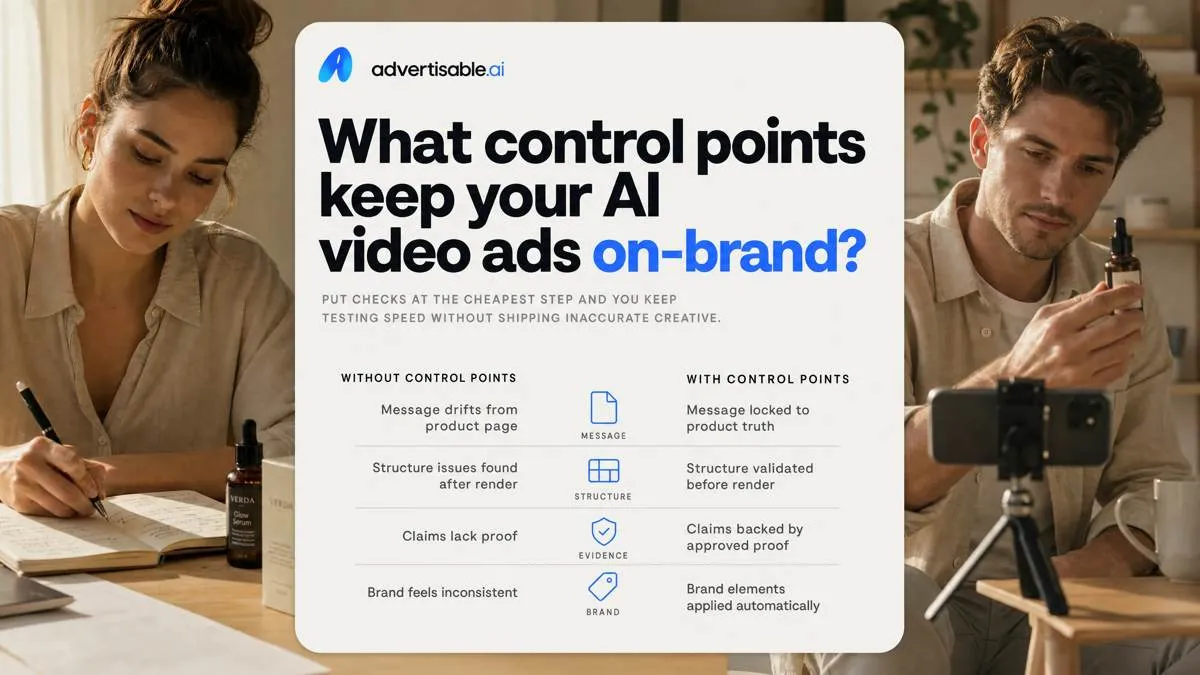
Most rework spirals come from two misses: the ad says something the product page does not, or you only catch structure problems after you hit render. Put the checks at the cheapest step and you keep testing speed without shipping inaccurate creative.
Brand DNA QA checklist
Your fastest on-brand control point is a literal text match: every claim in the script must map to the product page wording. If you cannot point to the exact sentence, you treat it as unapproved and rewrite it.
Lock the commercial terms next. Pricing, shipping constraints, and guarantees change more often than creative does, and one stale line forces a full round of edits across variants.
Flag risk language before it spreads. Before-after implications and absolute superlatives are where AI tends to overreach, so you mark them for downgrade into concrete, page-supported specifics.
- Acceptance criteria: claims are copy-pasteable from the product page (or removed)
- Acceptance criteria: price, shipping window, and guarantee text match the current page at time of export
- Acceptance criteria: before-after, best, fastest, and similar absolutes are removed or rewritten to verifiable phrasing
Storyboard edits before render
Do your coherence work in the storyboard, not on the final video. You are checking scene-by-scene that each beat says one thing and supports the same message, instead of drifting into extra angles that create compliance and brand tone issues.
Force a three-beat spine: hook, proof, CTA. Then hold two things constant across variants: the product and the offer. That keeps performance movement attributable when you read results after 48-72 hours.
- Scene check: each scene has one job (hook, proof, or CTA) and no new claims appear mid-ad
- Flow check: hook sets the promise, proof supports it, CTA matches the exact offer terms
- Constants: same product, same offer language; only change one variable like the hook
Regenerate only weak scenes
When one part is weak, you do not remake the ad. Swap the hook scene while keeping your proof scenes intact so you do not contaminate what was already accurate and working.
Use scene-level edits to fix a single line without rerendering the full timeline. In Advertisable AI, that means regenerating just the scene (or adjusting the exact frame that contains the wrong price, label, or on-screen text) until it matches the approved terms.
- Replace: hook visuals or first 2-3 seconds; keep proof and CTA constant
- Edit: one script line or on-screen caption, then regenerate that scene only
- Tweak: frame-level corrections for product shots, labels, and offer text
How do you export URL-generated ads for Meta, TikTok, and YouTube?
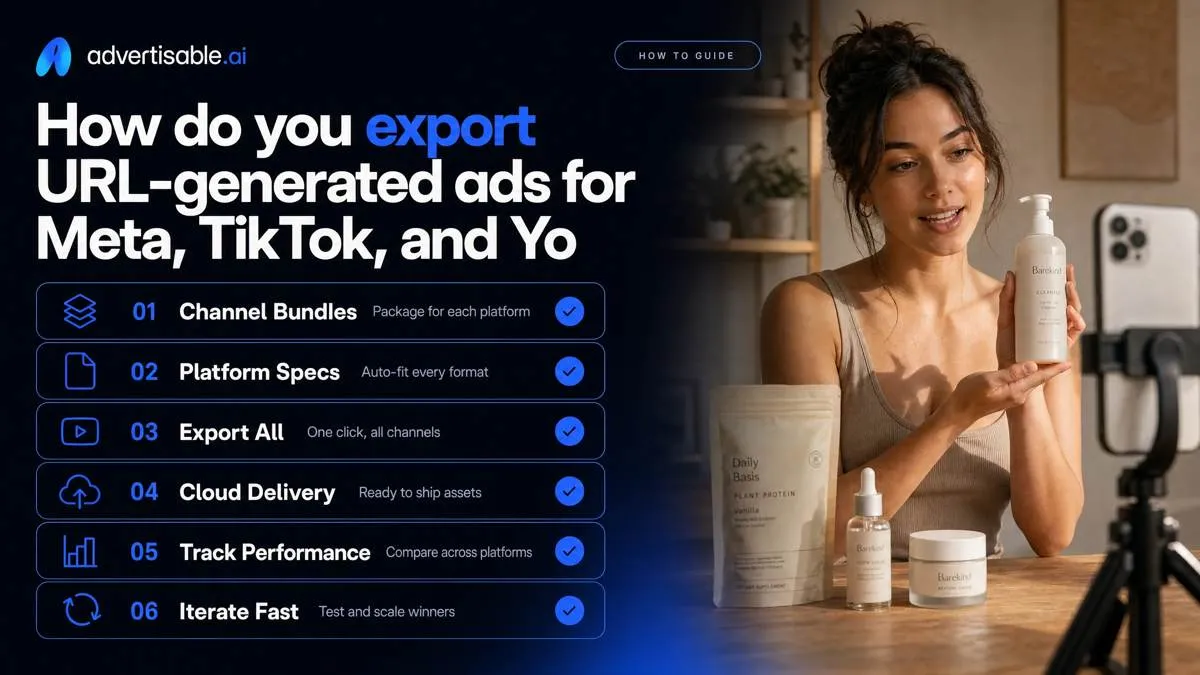
Export as channel bundles so you ship in one pass: TikTok, Meta, and YouTube deliverables.
Format specs that avoid rebuilds
Build and export 9:16 first, then derive 1:1 and 16:9. That order keeps your primary mobile placement clean and prevents a last-minute layout redo when text gets cropped.
Use platform video specifications as your hard acceptance criteria: 1080x1920 for vertical, and keep Meta audio at stereo AAC 128kbps or higher.
QA with safe zones: keep critical text and product shots out of the bottom caption area and the right-side UI stack. Ship subtitles on by default so sound-off placements do not fail the first second.
Channel-ready naming and versions
Name files so your readout is attributable in 48-72 hours: hook family plus offer family, then the single variable you changed. One variable per batch is the rule, or your results are not interpretable.
- TikTok: HK3-OfferA-CTAonly_v01_9x16
- Meta: HK3-OfferA-CTAonly_v01_1x1
- YouTube: HK3-OfferA-CTAonly_v01_16x9
- UTMs: keep the same base, change only the creative identifier per version
Can you use AI-generated video ads commercially in 2026?
Yes, if you can show where every on-screen claim came from. Treat each scene like a mini-brief: screenshot the exact URL section used, record the timestamp, and keep a claim log (scene ID, source link, and whether it is literal, inferred, or prohibited).
Rights, releases, and assets
Commercial use is usually blocked by rights issues, not the AI. Your “ship” bar is: every image, logo, song, avatar, and voice has a clear license that matches paid advertising.
We also assume you will do human curation and iterative editing, because the Thaler v. Perlmutter decision reinforced that pure AI output is not copyrightable in the US.
- Page images and brand usage rights: confirm you own the product photography, or you have explicit paid-ad rights (especially for retailer pages and influencer images)
- Music licensing and stock rules: use ad-safe tracks with a documented license; avoid “personal use” libraries and ambiguous AI music terms
- Avatar and voice permissions: verify the avatar/voice provider grants commercial ad usage and that you are not mimicking a real person without consent
Platform policies you must follow
Platforms care about deception more than production method. Meta routinely enforces misrepresentation and misleading creative, so align every promise with your claim log and remove implied outcomes you cannot substantiate.
TikTok’s ad policy also targets deceptive claims; avoid before-after certainty, fake endorsements, and “too good to be true” language that implies guaranteed results.
For simulated content, follow platform AI disclosure policies: label or clearly disclose realistic AI video or audio when it could be mistaken for real.
- Acceptance criteria before export: claims match sources, no fabricated testimonials, and disclosures are present where required
Run your first clean URL-to-ad test this week
If you want URL-to-video that you can actually ship, treat it like a controlled production system, not a one click render. We built Advertisable AI Studio for that constraint: Brand DNA guardrails, storyboard-first approvals, and scene-level regeneration so you fix the one weak beat without contaminating the rest of the test.
Start a $5 trial with your best-selling product page URL. Generate 10 variations where you change only the hook and CTA, then hold offer, structure, and Brand DNA constant. QA the extracted facts and claims, approve the storyboard before you render, and regenerate only the specific scene that fails your checks.
Export platform-ready versions for TikTok and Meta, run a fixed 48 to 72 hour readout on one metric, then decide what to iterate next.
Frequently Asked Questions
How do I get free ads?
You usually get “free” ads by trading cash cost for time: organic posts, creator outreach, and in-house production. If you need paid-social volume under deadline, your real objective is lowering cost per shippable variation by standardizing structure, locking Brand DNA, and only changing one variable per batch.
How can I create AI-generated videos?
Start from a product page URL so the tool can extract product facts and brand rules, then generate a storyboard you can QA before rendering. In Advertisable AI Studio, you can regenerate a single scene when the hook or claim is wrong instead of rebuilding the full video.
How to make an advert video?
Define one objective metric first, then build a fixed creative anatomy so tests stay comparable. Keep offer and structure constant, vary only one element like the hook or CTA, and run a 48 to 72 hour readout before you decide what to change next.
Can you use AI-generated videos commercially?
Yes, if you have rights to the inputs you used and your output complies with platform policies and required disclosures. Operationally, you should document your asset sources, confirm releases where needed, and QA claims against the product page before you launch.