MCP-Native Advertising: Making On-Brand Ads Inside Claude
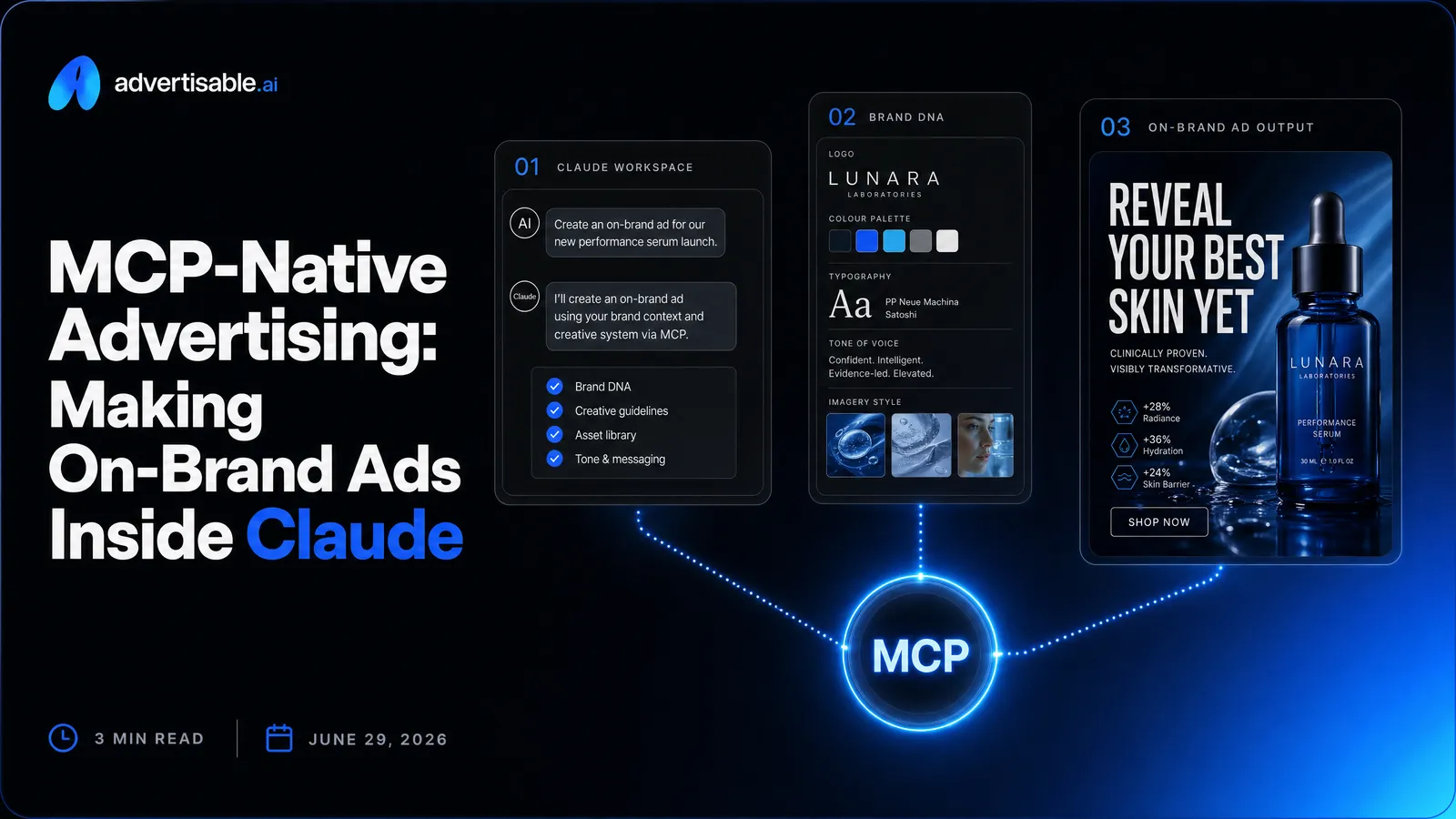
MCP-native advertising is when your AI assistant, like Claude, can operate an ad studio through MCP-native tool access, so you generate and refine production-ready, brand-locked ads inside the chat.
Here’s what matters most:
- MCP-native means Claude can actually operate your ad studio - generate, lock Brand DNA, regenerate scenes - not just write ad copy.
- The win is fewer handoffs: one chat becomes your storyboard and production pipeline.
- Brand DNA matters because it keeps outputs consistent across high-volume batch variations.
- Scene-level control lets you regenerate only the hook for clean Hook A/B testing.
- Brand DNA keeps every variation on-brand, so volume doesn't mean drift.
- Nothing publishes from the chat - you review and approve every ad before it goes live.
We built Advertisable AI for performance teams who need speed without losing control: connect our MCP server integration in Claude, lock Brand DNA from your URL and assets, generate UGC Style videos or Create Statics, then export platform-ready files in 9:16 and 1:1. You stay in charge with storyboard and scene-level editor workflows that reduce brand drift and prevent full re-dos.
Next, we will translate what MCP-native advertising actually means in marketer terms, so you can tell the difference between a real controlled workflow and another integration layer.
What MCP-native advertising means for marketers
MCP connectors, in plain English
MCP connectors are the “plug” that lets Claude use a real marketing tool on your behalf, instead of you copy-pasting prompts and assets between tabs. You ask for something in natural language, and the connector passes that request to the right system with the permissions you approved.
For marketers, the important shift is this: MCP is not “just an add-on” bolted onto a product. It turns your chat into a working interface for the studio you already rely on, so you direct the work in plain language instead of copy-pasting between tabs.
A clean mental model is: Claude is the operator, the MCP connector is the secure handoff, and the ad studio is where the work actually happens.
- You stay in one conversation while the connector routes actions to the right place
- Access can be limited to only what you intend (for example, creative generation vs. account changes)
- Outputs come back structured, so you can iterate without re-explaining the full context each time
What it means to make ads inside Claude
Creating ads inside a Claude chat means the chat becomes your production command center, not a brainstorming window. You describe the product and angle, and the studio returns a storyboarded ad you can refine with plain-English instructions.
In practice with our Advertisable AI studio connected via MCP, you are not “prompting a video.” You are directing a production pipeline that can lock Brand DNA, generate multiple scenes (hook, problem, proof, offer), and then regenerate just the one scene that is underperforming without restarting the whole creative.
This matters because performance creative is iterative. The faster you can swap a hook, test a new proof point, or export a new aspect ratio, the more shots on goal you get before your audience fatigues.
- Ask for a storyboard in a proven structure (hook, problem, proof, offer)
- Lock Brand DNA so every variation stays on-brand without manual policing
- Batch-generate variations for testing, then revise at the scene level when you learn what wins
A definition you can share internally
Definition snippet (shareable): MCP-native advertising is a workflow where you create and refine production-ready ad creative directly inside an AI assistant chat (like Claude), because the assistant is connected to your ad studio through MCP connectors that provide governed, tool-level access instead of manual copy-paste.
Use that definition to align stakeholders on what MCP is doing: it is not a new channel or a magic creative button. It is the interface shift that makes your assistant capable of operating the studio with clearer control than ad hoc prompting.
Why a separate ad dashboard slows you down
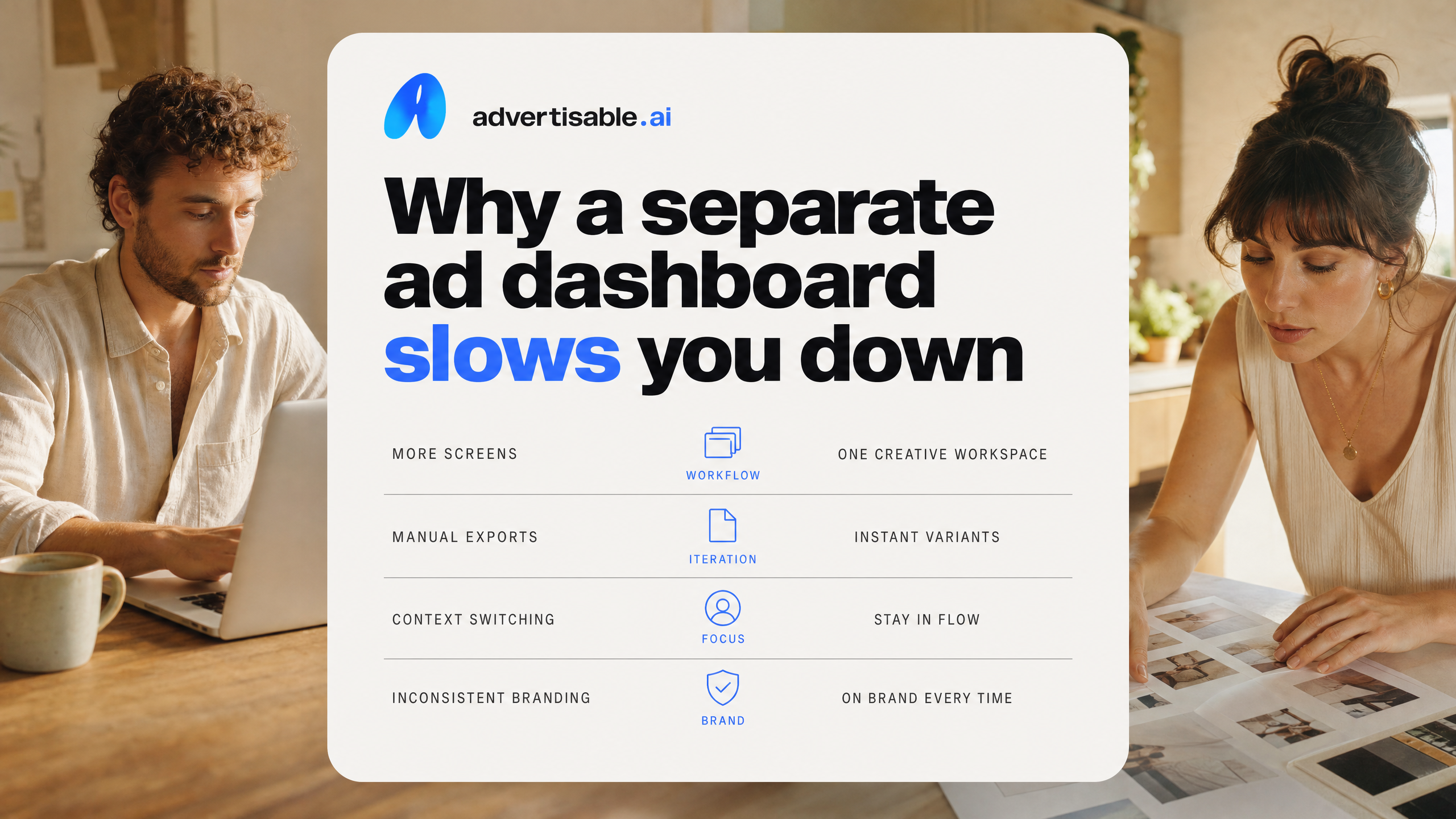
A standalone ad dashboard sounds organized, but it usually adds friction right where you need speed: ideation, iteration, and brand consistency. When you are trying to ship dozens of variants, every extra screen becomes a delay and every manual step becomes a new failure point.
Context switching kills creative velocity
Every time you leave your AI workspace to “go do the ad part,” you pay a tax in attention, memory, and momentum. That is exactly when your best creative decisions get slower and more conservative.
This is not theoretical. Gloria Mark's UC Irvine research on workplace interruptions found interrupted work is resumed on average in about 23 minutes, and people often handle two intervening tasks before returning. In practice, a “quick dashboard check” turns into Slack, a doc, a tab hunt, and you are back designing from partial context.
When creative is a volume game (hooks, angles, scenes), those resets add up fast. You end up shipping fewer iterations per day, and you learn what works later than your competitors.
Re-entering brand details creates drift
Re-entering brand details is not just annoying, it is how your ads slowly wander off-brand. The more times you restate your voice, claims, offers, and visual rules, the more chances you introduce conflicting instructions.
We see this constantly: one variant uses a different product name, another softens a core claim, a third swaps the tone, and now your tests are measuring inconsistency instead of the hook. Even worse, teams “fix” it in the dashboard, but the next batch still starts from the wrong inputs.
This is why brand-locked generation matters. In Advertisable AI, the Brand DNA module is designed to store and apply fonts, colors, logo, product specs, and voice across outputs automatically, so variations stay comparable instead of drifting into separate creative interpretations.
Dashboards slow hook and scene tests
Dashboards are built for managing assets and launches, not for rapid hook and scene experimentation. When the interface is optimized for campaigns, your iteration loop turns into full rebuilds and repeated exports.
Fast testing needs tight control over what changes and what stays fixed. If your system forces you to regenerate whole videos to try a new opener, you stop doing clean hook A/B tests and you settle for fewer, larger swings.
- You cannot isolate performance variables (hook vs offer vs proof) because multiple pieces change at once
- You spend time recreating “already-good” scenes instead of regenerating only the weakest one
- You delay learning because each test requires more clicks, more exports, and more manual QA
How MCP-native ad creation works with Advertisable
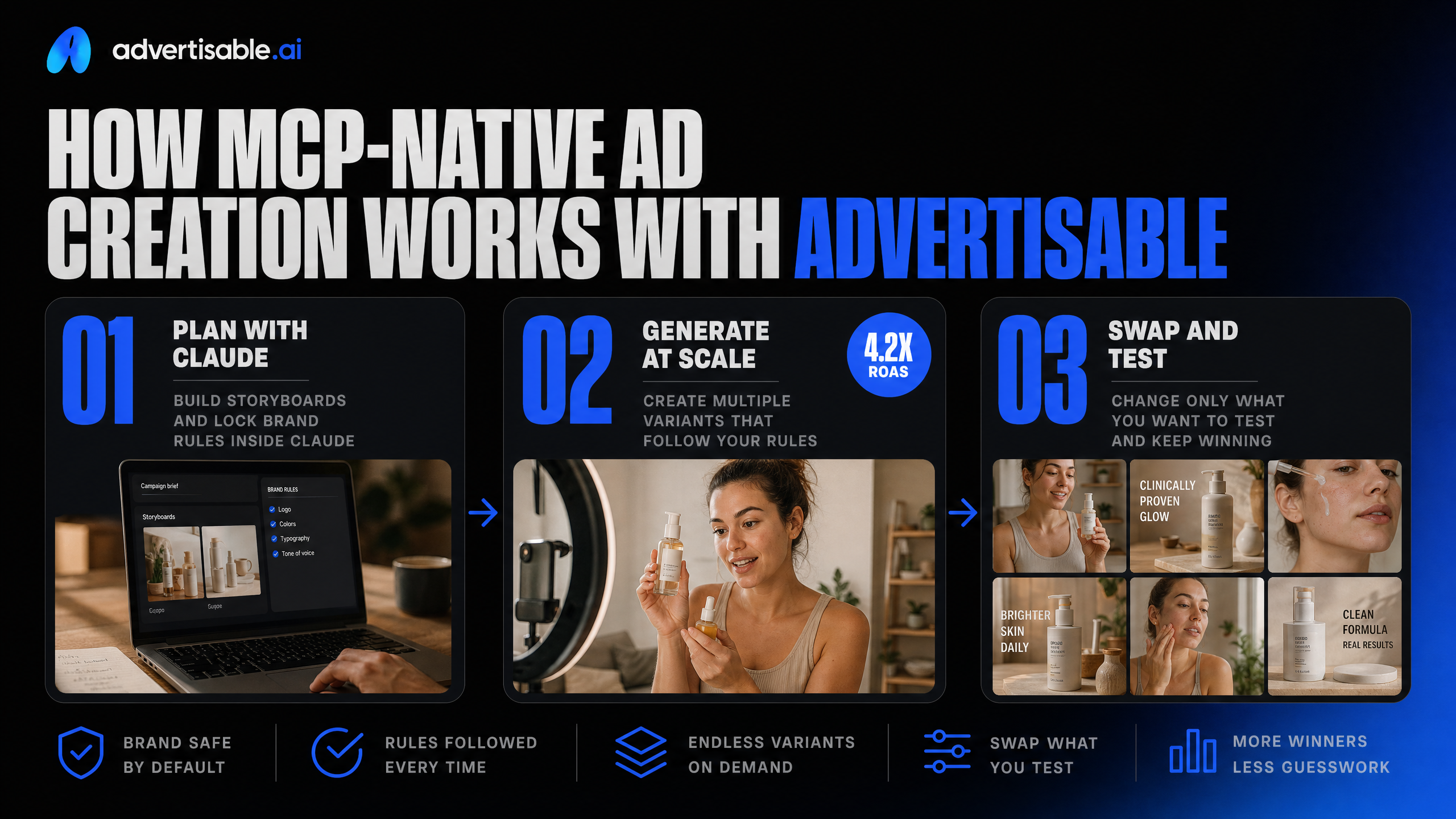
The practical win of MCP-native creation is that you stay inside Claude while your ad studio executes: building storyboards, locking brand rules, generating batches, and swapping only what you want to test.
Connect Advertisable to Claude once
You connect Advertisable to Claude a single time via MCP, then create ads from the same chat where you write your brief. After authorization, Claude can call the studio tools directly instead of you copy-pasting prompts across tabs.
In practice, you do three things: add the Advertisable MCP server in Claude, sign in, and approve access for your workspace. From there, the connection persists so you can iterate across campaigns without redoing setup every session.
- In Claude: add the Advertisable MCP server endpoint (as provided in your Advertisable account)
- Authorize your Advertisable account and select the workspace you want Claude to access
- Confirm the tool access scope, then run a quick “create from product link” test to verify the connection is live
Generate with Brand DNA locked
The biggest difference between ad results that look on-brand and everything else is whether your brand rules are enforced before you scale output. In Advertisable, that enforcement is your Brand DNA: fonts, colors, logo, product specs, and voice applied automatically to every variation.
We recommend you build Brand DNA from your product URL or assets, then lock it before you generate batches. Locking is what prevents drift when you ask Claude for 20 hooks, 10 angles, or multiple creator castings for the same offer.
Once Brand DNA is locked, prompt Claude to generate a storyboard using a performance structure (hook, problem, proof, offer). Then batch out variations with controlled changes, for example: new hooks with the same body, different proof scenes, or alternate CTAs, while keeping styling and voice consistent.
- Brand DNA inputs to lock: logo, fonts, colors, product claims/specs, and voice examples
- Storyboard blocks to control: hook (first 2-3 seconds), problem, proof, offer
- Batching you should request in Claude: “10 hooks, 1 body” for clean hook A/B reads, plus aspect ratios you plan to run
Regenerate one scene, export formats
When an ad is almost right, the fastest path to a better performer is not a full redo. Use the Scene-level editor to regenerate only the scene that is underperforming, most often the hook, while keeping the rest of the storyboard locked so you do not accidentally change what is already working.
You can also do this surgically at scale: keep the same avatar and proof sequence, then regenerate only the first scene across a batch to create a tight A/B test set. That is how you get more learnings per creative cycle without re-producing the entire asset.
For distribution, export in the formats your platforms expect so your team can launch immediately. Typical exports are 9:16 for vertical placements and 1:1 square, with other ratios available when you need them.
- Regenerate targets: hook, problem, proof, or offer scenes individually
- Keep constant while testing: Brand DNA, avatar casting, and the rest of the storyboard sequence
- Export options: 9:16 vertical, 1:1 square, and 16:9 horizontal where needed
The skeptic question: is making ads through Claude safe and controlled
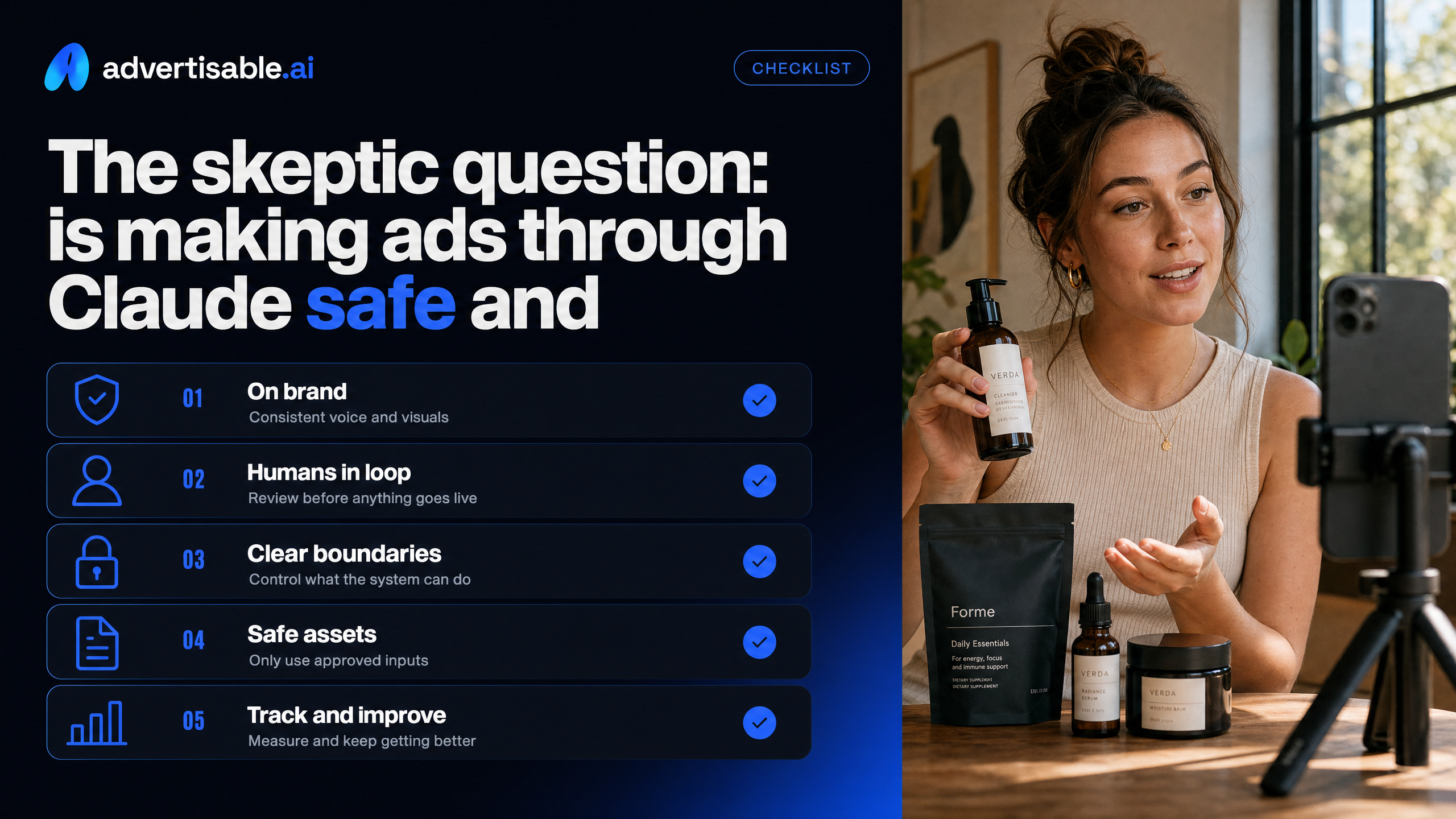
You should be skeptical. “AI made my ad” is only useful if you can keep it on-brand, keep humans in the loop, and keep clear boundaries on what the system can and cannot do.
Brand DNA guardrails reduce brand drift
Brand drift happens when you scale variations faster than you can police voice, visuals, and claims. Brand DNA is the control layer that keeps outputs anchored to what you define as “correct” for your brand.
In Advertisable, Brand DNA stores your fonts, colors, logo, product specs, and voice examples, then applies those constraints across every storyboard and batch variation. Instead of “prompting harder” each time, you lock the rules once and generate with consistency baked in.
This is the same principle described in MarTech on AI guardrails: guardrails are the practical rules that keep marketing materials consistent across different creators and workflows.
- Lock the Brand DNA module before you batch-generate variations
- Include “what not to say” alongside voice examples so the model avoids off-brand phrasing
- Audit a small batch first, then scale output once the boundaries are behaving
You review before anything goes live
Nothing should publish straight from a chat. The safe operating model is: Claude can create and iterate assets, but you approve the final creative before it ships to a platform.
Practically, that means you review the storyboard, verify each scene (hook, problem, proof, offer), and only then export the platform-ready files for Meta or TikTok. When you want changes, you regenerate a specific scene instead of touching the whole ad, which reduces unintended edits.
- Check brand elements: logo placement, colors, typography
- Check performance structure: hook clarity, proof accuracy, offer match to landing page
- Check policy risk: claims, disclaimers, and anything that could be interpreted as misleading
What control you do not get
MCP-native creation is not “hands-off media buying.” You are not delegating budget decisions, live campaign changes, or compliance accountability to Claude.
You do not get automatic protection from platform policy enforcement, and you should assume the model can still produce outputs that need correction. You also should not expect a magic rollback of spend if you choose to launch something without your own approval gate.
Treat it like a governed creative studio inside the chat: fast creation, tight constraints, and human sign-off before any real-world consequences.
What the Advertisable connector lets you do in practice
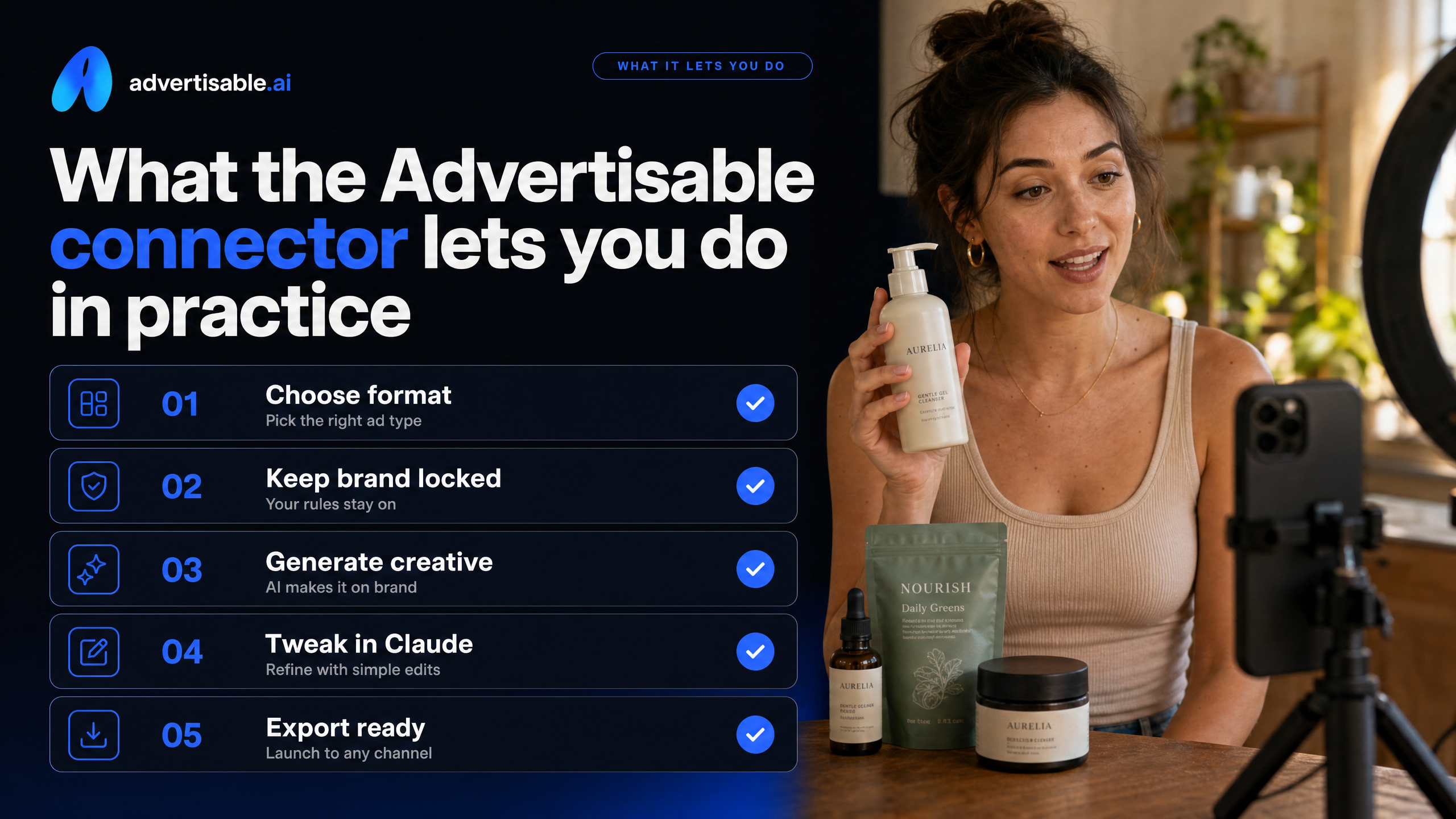
The practical win is simple: you stay in Claude, choose the creative format you need, keep the brand locked, and ship exports that are ready to launch.
Create UGC Style and statics in chat
You can generate ad creatives by describing what you want in Claude, then having the Advertisable connector produce the actual assets inside the same workflow.
In practice, you pick the format that matches your test plan, not what a general generator happens to output. For creator-style performance ads, you use UGC Style with a storyboard structure you can control scene by scene. For image ads, you use Create Statics to produce scroll-stopping layouts from proven formats without rebuilding the design every time.
- UGC Style: cast an AI creator avatar, generate a storyboard (hook, problem, proof, offer), then regenerate only the scene you want to test
- Create Statics: generate single-image ads from a template library (comparison, reviews, before/after, featured-in) with brand styling applied automatically
- Other formats you can request as needed: B-Roll Style for script-to-footage, Recreate Video to spin variations off a winning ad, Animate to turn product images into motion
Brand DNA and personas carry over
Once you set Brand DNA, it carries across formats so your outputs stay consistent even when you are generating in volume.
Brand DNA is where you store fonts, colors, logos, product specs, and voice examples. When it is locked, you are not re-explaining brand rules in every prompt, and you reduce brand drift between one batch and the next.
Personas also stay reusable. In our experience, reusing the same AI creator avatar across campaigns is one of the fastest ways to keep a coherent “face” for your ads while you A/B test hooks and angles.
Export ready files for Meta TikTok
When you are done, you export platform-native deliverables so you can upload directly to Meta ads manager or TikTok ads manager without reformatting.
That includes choosing the aspect ratios you actually run in production, then exporting the finished files in those sizes.
- 9:16 vertical for most TikTok placements and Reels-first testing
- 1:1 square for common Meta feeds and fast cross-placement coverage
- Generate multiple aspect ratios at the same time when you want cleaner creative testing without redesign work
Make MCP-native ad creation real in the next 10 minutes
If you are still copy-pasting prompts across tools, you are paying for context switching with slower testing and more brand drift. MCP-native workflows fix that by giving your AI assistant governed access to a real production pipeline, with Brand DNA and scene-level control built in.
Connect the Advertisable MCP server to Claude and start the $5 trial. Then generate one storyboarded ad with Brand DNA locked so every frame stays on-brand. Export two platform-ready aspect ratios, 9:16 and 1:1, without rebuilding anything.
Finish by doing what performance teams actually need: regenerate only the weakest hook for a clean A/B test, while the rest of the storyboard stays fixed. You ship faster, learn faster, and keep control the entire time.
Frequently Asked Questions
Q: What makes this different from just using a general AI video generator?
A: You are not asking for open-ended outputs and hoping they fit. With Advertisable, you generate within an ad studio that enforces Brand DNA and supports storyboard and scene-level control, so your variations stay consistent and testable.
Q: Can I control individual scenes without regenerating the entire ad?
A: Yes. You can regenerate a single scene, like the hook, while keeping the problem, proof, and offer locked, which is ideal for fast hook A/B testing without resetting the whole creative.
Q: How do I integrate this with Claude or ChatGPT?
A: You connect via MCP by adding the Advertisable MCP server inside your AI client, authorize once, and then generate storyboarded, production-ready creatives directly in chat using the same Brand DNA across batches.