The AI Creative Tools That Actually Help DTC Brands Scale Ads Profitably
The AI creative tools that actually help DTC brands scale ads profitably are platforms that combine three things: brand-consistency guardrails, granular control over what gets generated, and proven-angle intelligence from what is already working in your niche.
Here is the practical filter you will use in this guide:
- Consistency: how the platform locks your fonts, colors, messaging, and product details so outputs stay brand-native.
- Control: whether you can regenerate and adjust at the scene level so you do not restart from scratch.
- UGC workflow fit: how it supports creative briefs, storyboarding, and rapid ad creative variations.
- Intelligence and QA: how it reduces guesswork and keeps claims and product details accurate.
- Channel readiness: whether exports are designed for Meta, TikTok, YouTube, and your team workflow.
We built Advertisable for this exact DTC problem: scaling UGC (User-Generated Content) production without sacrificing accuracy or control. Our workflow starts with Brand DNA analysis from your URL, moves into a storyboard-first process, then lets you generate and approve creatives with frame-by-frame control before exporting channel-ready ads.
Next, you will see who this approach is for and the specific places DTC AI creative breaks, including the bottlenecks that quietly waste credits and the moments where AI replaces UGC creators well, and where it does not.
Who this is for and where DTC AI creative breaks
Volume fails without brand guardrails
More output does not equal more learnings. In DTC, higher generation volume without brand guardrails usually increases inconsistency, compliance risk, and review time, so your testing velocity slows instead of accelerating.
This section is for you if you are already running paid social seriously and feel the gap between "we can generate 100 variations" and "we can confidently ship 20 that are on-brief and accurate." The non-negotiables are straightforward: lock product facts (claims, ingredients/specs, price, offer), lock brand presentation (fonts, colors, tone), and lock creative structure (hook types you allow, scenes you need, CTAs you can approve). Without those constraints, AI expands the problem: it produces more permutations of the wrong message.
The five bottlenecks that waste credits
Credits get burned when your workflow forces full reruns. The common failure mode is generating whole ads to fix one weak scene, then repeating that loop until the team gives up or the budget does.
The fastest way to diagnose tool fit is to check where you lose time after generation, not during it.
- Brief ambiguity: unclear target persona, benefit priority, and proof points lead to variations that are "different" but not testable.
- Brand drift: inconsistent tone, visual identity, or product rendering creates internal rejection before you ever reach ad testing.
- No scene-level control: you cannot regenerate or swap a single frame or segment, so every fix costs a full credit cycle.
- Missing angle inputs: you are inventing hooks from scratch instead of starting from proven patterns in your niche and competitors.
- Export and collaboration friction: approvals, versioning, and channel formatting happen outside the system, creating rework and delays.
When AI replaces creators and when not
AI replaces creators when your goal is structured variation generation: rapid hook testing, alternate benefit stacks, new scene orders, and channel-specific edits. It is also strong when you need throughput for creative fatigue management and a consistent seven-day refresh cycle.
AI does not replace creators when performance depends on real founder presence, customer nuance, or culturally timely delivery that requires lived context and high-trust authenticity. In those cases, AI is best used to support creators: turning a creator-led concept into more testable variants, tightening storyboards, and generating cutdowns without re-shooting.
In practice, the scalable model is hybrid: humans own insight discovery and constraints, AI owns disciplined iteration inside those boundaries.
The 5-part evaluation framework for DTC AI creative platforms
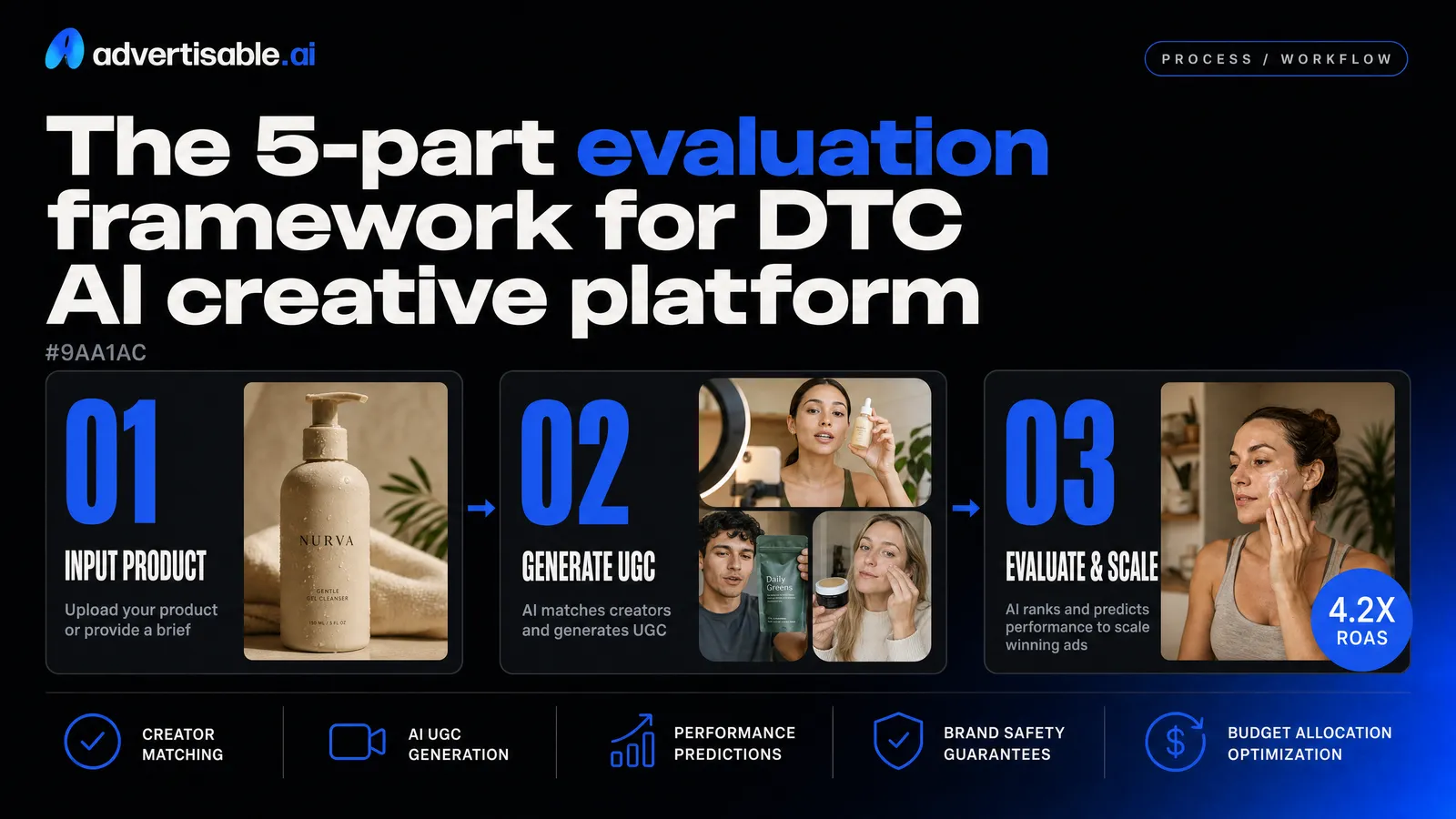
Score every platform the same way before you commit your workflow to it. You are buying consistency and speed under real ad-account pressure, not a one-off demo output.
1) Brand DNA and hallucination prevention
Your first scoring category is whether the tool can lock to your Brand DNA so it stops inventing product details, colors, claims, or visual cues. In DTC, one "creative win" that is off-brand or inaccurate is not a win, it is rework and risk.
You want ingestion that starts from what is real (your URL, product specs, messaging, and visual assets) and then enforces those constraints during generation. Prompts alone do not scale because every new prompt is a new chance to drift.
- Brand capture: Can it extract and store fonts, colors, messaging, and product specs from your site or inputs (not just a prompt)?
- Guardrails: Can you hard-block disallowed claims, incorrect ingredients/specs, or wrong colorways from appearing in outputs?
- Asset grounding: Can you force usage of approved logos, pack shots, and on-brand backgrounds so outputs stay brand-native?
- Review workflow: Can you approve once, then reuse the same Brand DNA across campaigns and teammates without re-briefing?
2) Frame-level editability and regeneration
The second category is control: can you fix one bad moment without rerunning the entire ad. For high-volume testing, scene-level mistakes are normal; wasted full regenerations are optional.
Look for a workflow where each video segment is generated and approved individually, then swapped, reordered, or regenerated in isolation. That is the difference between iteration speed and burning credits.
In our experience, frame-by-frame control is the fastest path to keeping outputs usable while you scale variation volume in paid social.
- Granularity: Edit and regenerate at frame or scene level, not only "generate again."
- Continuity: Preserve what is working (hook, product shot, CTA) while replacing only the weak segment.
- Assembly: Approve frames first, then assemble into a final cut so nothing finalizes until you sign off.
- Precision controls: Swap overlays, captions, and ordering without rebuilding the storyboard from scratch.
3) UGC storyboards, angles, and hooks
The third category is whether the platform is built around UGC workflows: storyboards that map angles and hooks before you generate. Without this, you get lots of variations of the same idea, and your testing learns slowly.
A strong tool helps you plan 3 to 5 story angles, define scene-by-scene intent (hook, problem, proof, offer), and then generate variations per angle. Systematic testing framework research ties structured creative testing to 34% higher ROAS, so your tooling should make structure the default.
- Storyboard clarity: Can you define scenes, on-screen actions, and messaging per scene before generation?
- Angle library: Can you store and reuse proven angles across products and launches (not just save videos)?
- Hook generation: Can you generate multiple hook options per angle, then test them as controlled variants?
- Briefing support: Are there content brief templates so teammates can brief consistently without reinventing the format?
Best AI-powered creative tools by category and how to stack them
The cleanest DTC stack is three layers: language models to produce controllable inputs, generators to turn those inputs into channel-ready ads, and an intel and QA layer that blocks bad claims and off-brand drift before you spend budget. This avoids tool bloat because each layer has a job and clear handoffs.
LLMs for briefs, scripts, and variations
Use LLMs to manufacture structured briefs and high-volume copy variations, not to "be creative" in a vacuum. Your goal is reusable inputs: hooks, scene beats, objection handling, and offer frames that your team can approve once and re-run across products.
ChatGPT is the most flexible all-purpose drafting room for ad scripts, hook lists, and angle exploration. Gemini is strong when your process lives inside Google Workspace and you need fast iteration across docs and tables. Claude tends to be the most reliable for long, constraint-heavy documents like UGC scripts with strict brand voice rules and compliance requirements.
The pitfall is letting the model invent product specifics or write "pretty" scripts that cannot be shot or generated. You prevent that by forcing structure and constraints up front, then producing variations only on the fields you actually want to test.
- What to generate: creative brief (audience, problem, promise, proof, offer, CTA), 10-30 hook variations, scene-by-scene UGC script, cutdown scripts (6s, 15s, 30s).
- What to lock: product facts, allowed claims, brand terms, pricing/offer language, required disclaimers.
- What to vary: hook, first 3 seconds pattern, one objection, one proof point, one CTA line.
Generators for video and image ads
Generators win when they turn approved scripts and storyboards into ads you can actually ship, with control over scenes. For DTC performance, "one-click output" is rarely enough because you need iterative editing without redoing the whole asset.
Video tools split into two camps: avatar-led (useful for spokesperson formats) and UGC-style assembly where you generate and revise scenes. Image generators are best used for rapid concepting and iteration on packaging shots, backgrounds, and variant imagery that matches paid placements.
The most expensive mistake is burning credits on full re-renders because one scene is wrong. Prioritize platforms that let you edit at the scene or frame level, keep brand visuals consistent, and export in the right formats for Meta, TikTok, and YouTube.
- Use cases that usually perform: hook-first UGC ads, product demo sequences, benefit-proof stacks, simple b-roll driven problem-solution arcs.
- Selection criteria: storyboard workflow, scene-level control, brand consistency guardrails, channel-ready exports, team collaboration.
- Common pitfalls: over-polished outputs that do not read as UGC, inconsistent product colors/packaging, and no granular controls to fix a single bad scene.
Intel and QA to keep claims accurate
Your intel and QA layer is what prevents confident-looking errors from reaching paid spend. It is also where you stop siloed tools from creating contradictory claims across landing pages, ads, and product detail pages.
Start with a single source of truth for: product specs, allowed claims, prohibited claims, pricing, guarantees, and required compliance language. Then use an LLM as a checker against that source, plus human review for anything regulated or ambiguous.
We built Advertisable to combine Brand DNA guardrails, competitor and industry intelligence, and storyboard-first generation so creative is informed by what is working while staying accurate to your product inputs. The pitfall to avoid is treating competitive patterns as copy-paste permission; QA still has to validate every claim your brand is accountable for.
- Intel inputs: competitor ad angles, recurring hooks, common objections, offer structures, and visual patterns you can adapt.
- QA checks: claim-to-source verification, before/after language review, pricing and promo validity, brand term consistency, required disclaimers present.
- Operational guardrail: reject or regenerate any scene that introduces new "facts" not present in your approved product spec sheet.
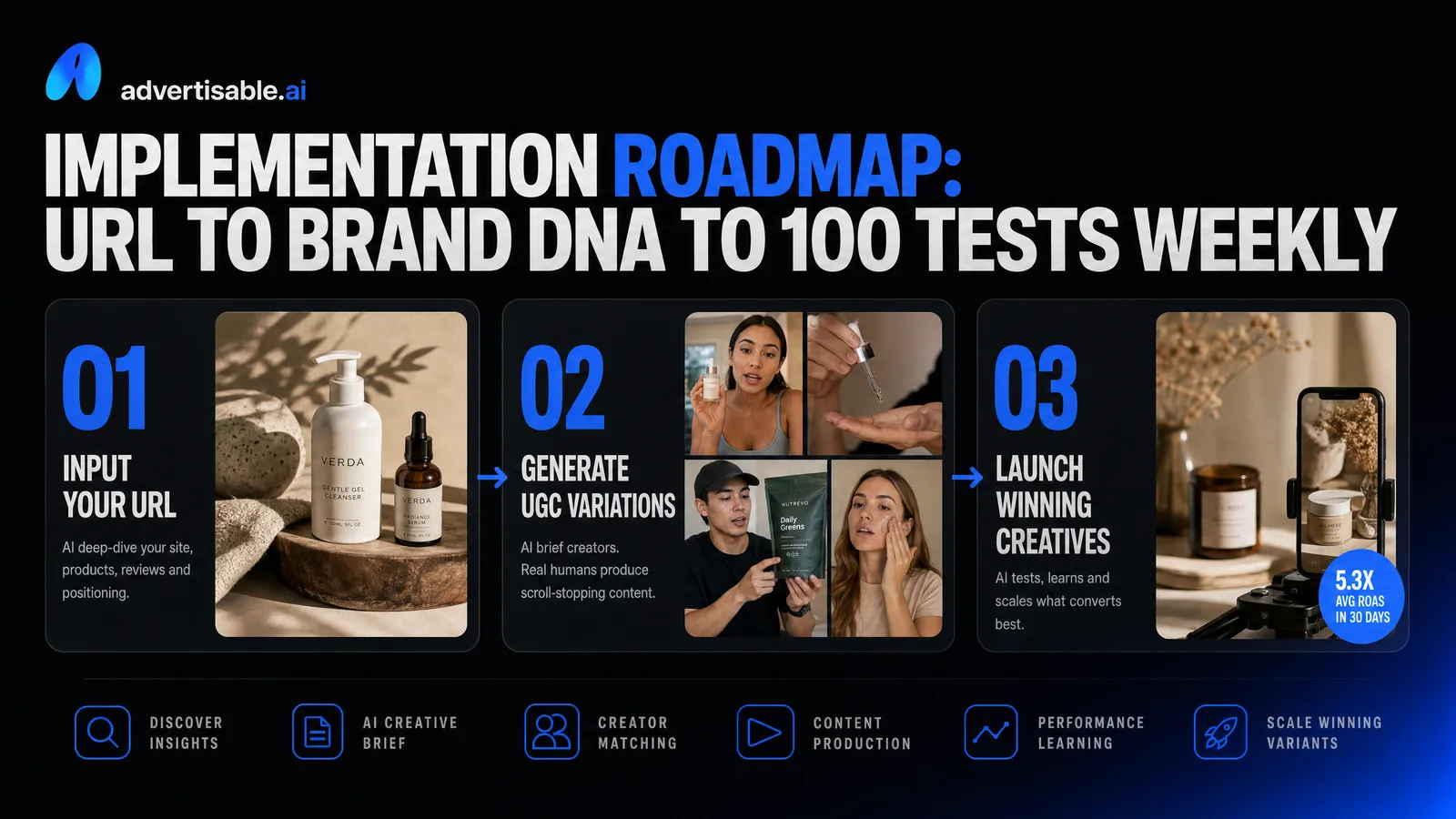
Implementation roadmap: URL to Brand DNA to 100 tests weekly
Import Brand DNA before your first prompt
You do not start with prompting. You start with Brand DNA, because every generation you run before brand guardrails is a throwaway you will later "fix" manually.
Pull Brand DNA from your URL, then confirm the essentials before you generate anything at scale: product naming, key claims you can and cannot say, visual constraints, and the tone you want in UGC-style delivery. This reduces switching friction across Meta, TikTok, and YouTube because your team is not reinventing the brief per channel or per creator concept.
This is also how you prevent wasted generations. Motion's 2026 creative benchmark analysis found that brands testing 20+ new ads per month achieved 65% higher ROAS than those testing fewer than 10. Hitting that cadence only works if the first output is already brand-native, so iteration time goes into performance improvements, not brand clean-up.
- Import from URL, then verify fonts, colors, and core messaging before you touch hooks or scenes.
- Lock product specs and "do not say" constraints to avoid incorrect renders or compliance rework.
- Align on one voice reference (educational, entertaining, direct-response) so every storyboard starts from the same baseline.
When Brand DNA is set upfront, your creative throughput becomes predictable instead of dependent on who wrote the prompt.
Storyboard 3 to 5 UGC angles first
Storyboard 3 to 5 angles before you generate variations. Angles are the unit of strategy, and variants are the unit of testing.
In practice, you want a tight set of angles that map to distinct buyer objections or usage moments, then build scenes around them in a storyboard so your team can review logic before you spend credits on production. This keeps Meta, TikTok, and YouTube aligned because each channel gets the same underlying narrative, just cut to different pacing and aspect ratios at export.
A common mistake we see is generating a pile of hooks without a scene plan, then wondering why performance stalls. The storyboard forces you to answer: what is the claim, what is the proof, what is the payoff, and what is the CTA.
- Problem-first (pain, agitation, relief).
- Proof-first (demo, numbers you can defend, social validation without over-claiming).
- Routine-first (day-in-the-life, unboxing, "how I use it" flow).
- Comparison-first (old way vs new way, framed as a trade-off not a takedown).
- Objection-first (price, skepticism, ingredient/material concern, shipping/returns confidence).
Iterate with scene-level fixes, then export
To reach 100 tests weekly, you iterate at the scene level, not by regenerating whole ads. Your fastest wins come from fixing one underperforming moment: the first two seconds, the proof scene, or the transition into the offer.
Run a tight loop: generate initial variants per angle, review scene-by-scene, regenerate only the weak scenes, then reassemble. This is where tools with granular control outperform "one-click output" generators, because they force you to accept a fully locked edit even when only one segment is wrong.
Export only after you have scene integrity. Then ship channel-ready cuts in batches, with naming that makes testing analysis painless. In Advertisable, that means using the storyboard module to manage scenes, the AI Creative Generator for controlled regenerations, and the export workflow to produce formats for Meta, TikTok, and YouTube without rebuilding the project.
- Fix hooks independently: swap hook A/B while keeping the same body for clean attribution.
- Fix proof independently: tighten demo visuals or on-screen text without touching pacing elsewhere.
- Fix CTA independently: change offer framing and end card while keeping the narrative intact.
- Export in a single batch per angle so your media buyer receives a consistent test set.
Scene-level iteration turns "more output" into "more learning," which is the only reason high-volume testing improves results.
Put your AI-powered creative tools to work this week
If you are serious about scaling a DTC ad account, you do not need more tools. You need a workflow that protects your brand, lets you edit at the scene level, and ships variations fast enough to keep Meta and TikTok learning.
That is exactly what we built in Advertisable. In one place, you import your Brand DNA, build one storyboard, and generate UGC-style variations you can actually approve frame-by-frame before anything goes live.
Start the $5 trial. Import your Brand DNA from your URL, generate one storyboard, produce 10 UGC-style variations, then export to Meta and TikTok for immediate testing. You will see quickly whether your current stack is helping you scale, or just burning time and credits.
Frequently Asked Questions
Q: How is AI UGC different from hiring freelance creators?
A: AI-generated UGC is built for speed, volume, and iteration. Instead of sourcing creators, shipping product, and waiting on delivery, you generate multiple UGC-style variations from a storyboard and iterate immediately based on performance signals. Freelance creators can still be valuable for highly specific human nuance or creator-led credibility, but AI UGC is often the better option when your priority is testing velocity and scaling volume without operational drag.
Q: What should I include in my UGC creative brief?
A: Include the product details and the exact benefits you can stand behind, plus your target audience and the outcome you want the viewer to believe after watching. Specify 3 to 5 clear scenes or angles in your storyboard, including hooks, objections to address, and any required visual or voice guidelines. The goal is to make each scene unambiguous so you can generate strong variations, then refine only the weak segments instead of regenerating the entire ad.
Q: Can I export UGC creative directly to my ad accounts?
A: Yes. Your workflow should end with channel-ready exports so you can test without extra formatting work. In Advertisable, you generate UGC-style variations and export them for immediate launch on Meta and TikTok, keeping your testing cadence tight. This matters because speed to market is a performance lever, not an operational nice-to-have.