AI B-Roll Ads: A Brand-Accurate Playbook 2026
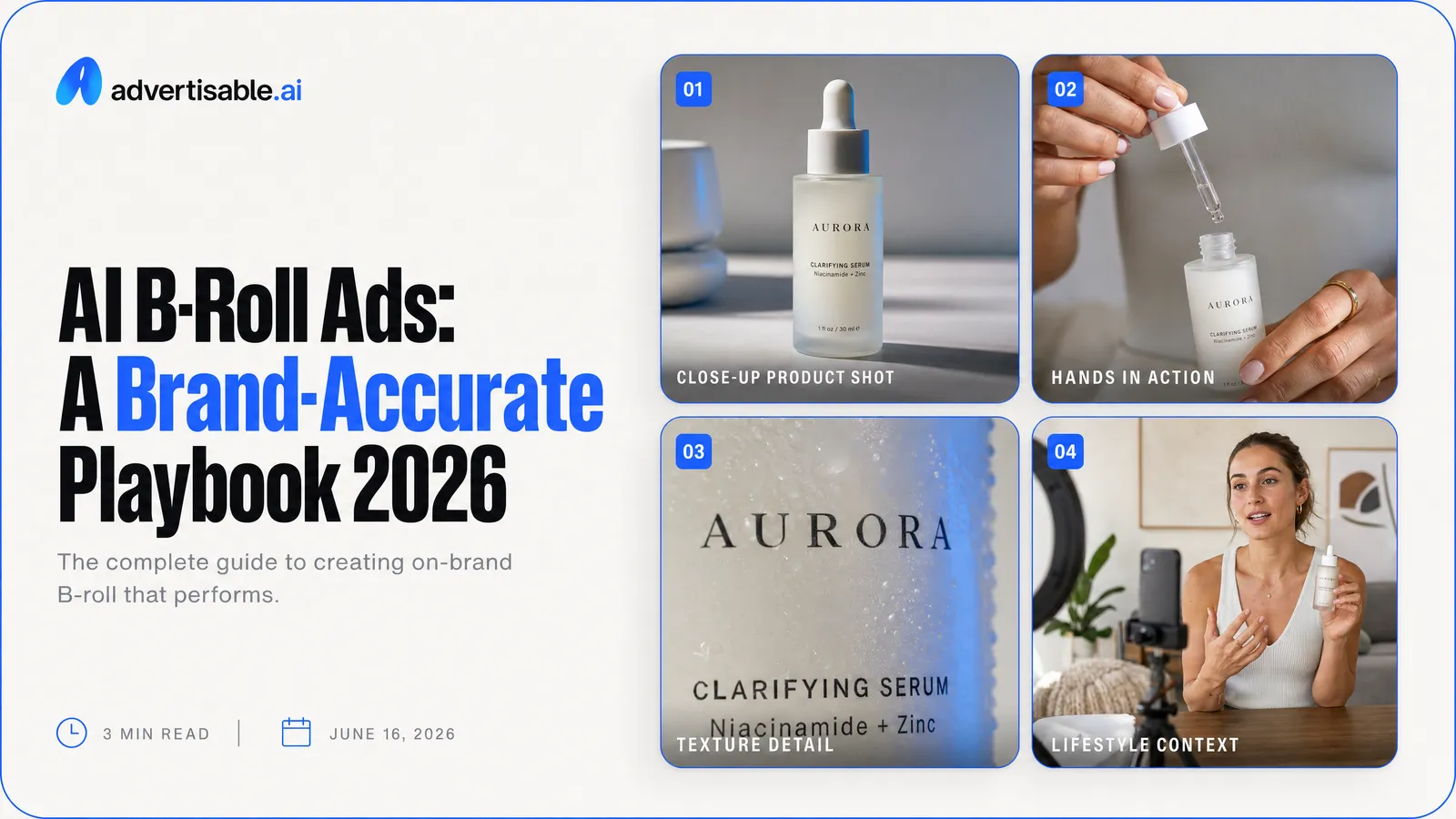
AI B-Roll ads work by turning your product inputs into AI-generated video scenes that look like cinematic product footage, then stitching those scenes into a production-ready ad.
In this playbook, you will learn how to:
- Define brand-accurate B-Roll as visual proof that increases trust, not just motion on screen
- Spot the failure modes that kill performance, like geometry drift, color shift, and logo warping
- Demand a control stack that prevents credit waste: storyboard-first review, Brand DNA guardrails, and scene-level regen with versioning
- Run a fast workflow from product URL to exportable variants, including swapping the first two seconds without rebuilding the whole ad
- Score any tool on control granularity, guardrails, review checkpoints, and export readiness for Meta, TikTok, and YouTube
We built Advertisable AI for performance teams that need studio-grade B-Roll Ads at volume without losing brand accuracy. Our platform generates B-Roll ads from a product link, applies Brand DNA plus ICP analysis from that URL, and gives you a storyboard editor with full scene control so you approve what gets generated and regenerate only what misses.
Before you worry about prompts or visual styles, you need a clear definition of what “brand-accurate” B-Roll actually is, and why it converts when creator footage and recycled stock cannot. That starts with B-Roll as a visual proof layer and a repeatable truth you can scale across 50 to 100 variations without your product changing from scene to scene.
What is brand-accurate B-roll and why does it convert?
B-roll is your visual proof layer
Brand-accurate B-roll is cinematic product footage that shows, clearly and repeatedly, what your product is and what it does. In performance terms, it acts like a proof layer that reduces uncertainty in the first seconds of the ad.
You are not asking the viewer to trust copy alone. You are showing the product moment early, then reinforcing it with consistent angles, lighting, and usage context that match the real item. That “proof” effect is one reason video tends to lift results: 2026 B2B video marketing data notes that landing pages with video increase conversion rates by up to 86%.
In our experience, the B-roll that converts fastest is the B-roll that answers silent objections visually: size, texture, finish, and how it fits into a routine.
Where B-roll beats creator footage
B-roll beats creator-led footage when your goal is product clarity, fast iteration, and reliable brand presentation. You get cleaner signal: the viewer sees the product, not the presenter.
It tends to outperform creator footage in these situations:
- Catalog-heavy brands where you need dozens of SKUs shown accurately, not a handful of creator shoots
- Products where small visual details drive purchase (color, materials, finish, UI screens)
- Accounts that need weekly refresh without waiting on talent, shipping, or reshoots
- Offers that require consistency across variants (same framing, different hooks or angles)
- Compliance-sensitive categories where uncontrolled creator phrasing creates review risk
Brand-accurate means repeatable truth
“Brand-accurate” is not a style preference. It means the visuals are consistently true to your real product and identity, so you can rerun the process and get the same kind of output across days, campaigns, and teams.
Practically, you are looking for repeatability in three places:
- Product fidelity: the shape, colors, labels, and key features stay stable from scene to scene
- Brand consistency: lighting, palettes, backgrounds, and composition match your established look
- Operational consistency: you can fix one weak scene without rebuilding the whole ad
When those stay stable, you stop “hoping the next export looks right” and start building a library of product footage you can deploy and iterate with confidence.
Why do AI B-roll ads go off-brand in real campaigns?
Geometry Drift Breaks Product Trust
Geometry drift happens when your product changes shape, scale, or structure from shot to shot. In real campaigns, that reads as “this isn’t the actual product,” and trust drops fast.
We see it most when the camera moves or the product is re-shown later in the sequence: edges soften, proportions creep, or key details jump positions. That is a model consistency issue, not a creative preference. ViewRope geometry research describes how common video models struggle with spatial persistence over longer trajectories, which is why revisiting the same object can trigger fresh hallucinated structure.
For B-Roll ads, the practical impact is simple: the more “cinematic” the motion, the more chances you have to break the product moment and lose believability.
- Packaging corners that stop being square or become rounded
- Buttons, ports, or labels that shift location between angles
- A silhouette that subtly “breathes” as the camera pushes in
Color Shift Erodes Brand Consistency
Color shift is when your brand palette moves across scenes, even if each individual shot looks good. In performance creative, inconsistency is the problem: the ad stops feeling like it came from the same brand.
AI-generated video often reinterprets lighting and white balance per scene, so your “signature” tone becomes a moving target. The result is a feed-level mismatch: the product looks one way on your site, another way in the ad, and a third way in the next variant.
- Backgrounds that slide from warm cream to cool gray
- Product surfaces that change finish (matte to glossy) because highlights move
- Skin-tone-adjacent neutrals that drift, making the whole frame feel unfamiliar
Logo Warping Triggers Instant Rejection
Logo warping is the fastest way to get an AI B-Roll ad flagged by internal stakeholders. Even minor distortions signal “synthetic” immediately, and reviewers stop evaluating the concept.
Logos are high-precision assets: curves, kerning, and negative space are non-negotiable. When generation treats a logo like texture instead of a locked design element, you get melted edges, letter swaps, or perspective bends that your audience notices in a single glance.
- Text that becomes unreadable at an angle
- Slight letterform changes across frames
- Misplaced logo placement that breaks your layout rules
What control stack should you demand before you spend credits?
Storyboard approval before generation
Do not spend credits until you can approve a storyboard. You want a system where the tool proposes the full visual sequence first, then you choose what gets generated.
This single gate prevents the most common failure mode we see: you pay to discover the concept was wrong. A workable storyboard lets you catch missing product moments, mismatched scenes, and the wrong hook before any rendering happens.
Demand a storyboard editor that allows real edits, not just a preview. If you cannot reorder scenes, rewrite on-screen text, or adjust the shot list before generation, you are buying outcomes blind.
- A complete scene list with a clear hook and early product appearance
- Per-scene notes or prompts you can edit before rendering
- A preview that reflects your edits, not a static template
Brand DNA guardrails that stick
Brand consistency cannot be a “try again” strategy. You should require brand-consistency guardrails that enforce your visual identity every time the model generates frames.
In practice, that means the system anchors to your inputs, not just your prompt: colors, typography, tone, and approved product imagery should constrain what can appear. This is where tools without retrieval and validation tend to drift into made-up assets or off-brand styling.
The credibility check here is whether the tool treats brand rules as constraints, not suggestions. a 2026 compound AI architecture study found monolithic video generation struggles to enforce rigid brand constraints and can hallucinate unapproved visual assets.
- Brand DNA built from your URL or reference assets, then reused across videos
- Hard rules for logo use, color palette, and type treatments
- Automatic checks that flag brand mismatches before you export
Scene-level regen with versioning
You should be able to regenerate one scene without rerendering the entire ad. Scene-level control is how you iterate fast while keeping credit spend targeted.
Versioning is the second half of that requirement. Without it, you lose track of what changed, cannot roll back a better-performing variant, and end up duplicating work across exports.
In Advertisable AI, this shows up as scene-level regeneration inside the storyboard, so you can fix a single weak frame or swap the hook while keeping the rest of the visual sequence intact.
- Regenerate a single scene while locking approved scenes
- Save named versions (v1, v2, hook-A, hook-B) tied to the same storyboard
- Side-by-side preview so you choose the better cut before exporting
How do you go from product URL to exportable B-roll fast?
URL to storyboard in one pass
Fast starts with skipping the blank page. You paste a product URL and you should immediately get a draft storyboard that already reflects what is on the page: the product, key visuals, and a sensible b-roll style sequence.
The goal is not perfection on the first draft. The goal is a reviewable plan before you spend time (and credits) generating video.
Operationally, treat the storyboard like a pre-flight checklist. Approve the product moment early, then confirm the visual sequence supports the claim you want the ad to make. That is the workflow you see echoed in our experience: lock the key frames and references first, then ask the model to move pixels, not invent your product.
- Confirm the product appears in the first few scenes and looks accurate to your listing
- Adjust scene prompts for angle, lighting, and background context (tech, beauty, lifestyle) before generation
- Remove any scenes that introduce props or environments you would never ship with the product
Regenerate only the weak scenes
Do not rerender the full video because one scene is off. Scene-level control is the difference between a workflow that scales and one that burns time and credits.
Be strict about what counts as “weak”: product shape drift, wrong materials, off-brand color, cluttered backgrounds, or a sequence that hides the product too long. Regenerate only those scenes, keep the winners, and maintain a consistent visual sequence.
- Lock any scene where the product is clearly identifiable and on-brand
- Regenerate scenes with visual inaccuracies first, then regenerate scenes that are simply less compelling
- Change one variable at a time per regen (angle or lighting or background) so improvements are attributable
Swap the first two seconds
Most performance lift comes from the opening. Treat the first two seconds as a modular hook you swap without touching the rest of the b-roll.
Keep everything after the hook stable so you can compare outcomes cleanly. You are not testing the whole ad, you are testing attention capture.
In our experience, you get more usable variants by generating 3 to 5 hook options from the same storyboard than by making 3 totally different videos.
- Hook option A: fastest product reveal (tight close-up, instant clarity)
- Hook option B: problem-to-solution visual (mess to clean, dull to glossy, before to after)
- Hook option C: sensory cue (texture, pour, snap, shimmer) that matches the product category
How should you score any AI B-roll tool before committing?
Score tools on the parts that determine speed, brand accuracy, and deployability. Demos can look impressive, but your day-to-day depends on control, guardrails, and exports.
Control granularity vs one-shot output
Prioritize scene-level control over one-shot video generation. One-shot systems can look great on the first render, but they become expensive and slow when one scene is off and you must redo everything.
You want a storyboard-first workflow where you can approve structure, then regenerate only the scenes or even frames that miss. In our experience, this is the difference between iterating hooks and angles in hours versus getting stuck in rerender loops.
- Can you edit a storyboard before generating, or only after?
- Can you regenerate a single scene without touching the rest of the video?
- Can you swap just the Hook/Opening without rebuilding the full ad?
- Do you get version history so you can roll back to a better scene?
The more granular the controls, the less your output quality depends on luck.
Brand guardrails and review checkpoints
Score guardrails by whether they prevent off-brand output before it burns your credits. The best systems treat brand as constraints, not a suggestion buried in a prompt.
Look for checkpoints that force approval at the right moments: brand inputs, storyboard, then scene outputs. Advertisable AI does this with Brand DNA extracted from your product URL plus a storyboard editor, so you can catch mismatches early and only generate what you approve.
- Brand DNA inputs: colors, typography, product references, do-not-use rules
- Approval gates: storyboard approval before full generation
- Review tools: side-by-side versions and clear “regen this scene” actions
- Asset discipline: uses your approved product imagery instead of inventing details
Export readiness for ad platforms
A tool is not production-ready if you still need a second app to format, caption, or resize. Score exports on whether they are immediately deployable into Meta, TikTok, and YouTube workflows.
You are looking for clean aspect ratios, consistent durations, and files that survive platform recompression without looking soft or breaking text placement.
- Exports in the aspect ratios you actually ship: 9:16, 1:1, 16:9
- Multiple durations per concept (short and longer cuts) without redoing the whole build
- Safe zones respected so product and on-screen text are not cropped
- Separate exports for variants so you can test hooks and visual sequences cleanly
How do you handle AI B-roll in a marketing workflow?
Auto-add B-roll vs planned sequences
Auto-add B-roll works when your goal is speed and coverage, not control. Planned B-Roll ads win when performance depends on a specific hook, accurate product moments, and brand-consistent visuals.
In practice, auto-add is fine for internal drafts, quick landing page cutdowns, or filling gaps behind voiceover. But for paid social, we recommend planning at the storyboard level so you can lock the opening 2 seconds, ensure the product appears early, and avoid wasting credits on scenes you would never ship.
- Use auto-add when: you need fast volume, the product is visually straightforward, and you will accept more variation
- Plan B-roll when: you have strict Brand DNA, regulated claims, or you are testing hooks where the first scene must be exact
- Non-negotiable either way: approve the storyboard before you generate full scenes
A weekly refresh cadence that stays sane
Weekly refresh only works if you refresh a small set of controllable pieces, not the whole video every time. Treat your B-Roll ad as modular: hook, product moment, and a tight visual sequence you can swap or extend.
We see teams stay consistent by keeping one baseline storyboard per offer, then producing a small batch of variants each week from that same structure. You avoid tool-hopping and you avoid creative thrash because everyone is editing the same underlying sequence.
- Pick 1 baseline storyboard per offer and keep it versioned
- Refresh 1-2 hooks weekly while keeping the product moment stable
- Regenerate only the weakest scene or two instead of “new video, new everything”
- Export a small set of platform-ready durations, then test
Fix failures without rerender loops
The goal is to correct the one broken scene, not restart the entire render. That is where scene-level control and brand-consistency guardrails matter, because they turn “bad output” into a contained fix.
When something fails, diagnose it like an editor: is it the product being inaccurate, the style drifting off-brand, or the motion being wrong? Then regenerate that scene with tighter constraints, using the same approved storyboard so you do not introduce new problems upstream.
In Advertisable AI, that usually means editing the specific scene prompt or references, regenerating just that scene, and keeping the rest of the timeline intact.
- Product mismatch: reinforce exact product imagery from the URL and require an early, clear product moment
- Off-brand look: reapply Brand DNA guardrails and narrow the visual style for that one scene
- Motion artifacts: shorten the scene, simplify the action, and regenerate the segment instead of the full ad
Build brand-accurate AI B-Roll ads without wasting credits
If you have tested AI-generated video, you already know the failure mode: one scene drifts off-brand, and you are stuck rerendering the whole piece, burning time and credits. The fix is a storyboard-first workflow with real guardrails and scene-level regeneration.
With Advertisable AI, you start by pasting a product link. We help you build Brand DNA once, then you approve the storyboard before you generate. When a scene misses the mark, you regenerate only that scene, keep the rest, and stay in control of the final look.
Then you export multiple B-Roll ad variants built for Meta, TikTok, and YouTube, so you can test hooks fast and scale what performs.
Frequently Asked Questions
Q: How is AI b-roll different from UGC ads?
A: AI B-Roll is cinematic product footage with no human presenters and no dialogue. It works best when you need visual proof, clear product moments, and repeatable scenes you can refresh to fight creative fatigue. UGC ads, by contrast, rely on a creator-style delivery and are typically stronger when the message depends on a human testimonial or personality.
Q: Can I control how my product looks in the b-roll?
A: Yes. You should demand scene-level control so you can regenerate individual scenes instead of rerendering the full video when something looks off-brand. In Advertisable AI, Brand DNA helps keep visuals consistent, and storyboard approval gives you a checkpoint before you spend credits on generation.
The result is tighter control over accuracy, consistency, and iteration speed.
Q: What information do you need to generate b-roll?
A: You can start with a product URL. The platform extracts key product details and imagery to generate a storyboard, which you can review and refine before generating the video. That workflow helps you move from product link to production-ready creative faster, while keeping the output aligned with your brand and the ad platform formats you need.