AI Agents for Advertising: What They Do (and Don't)
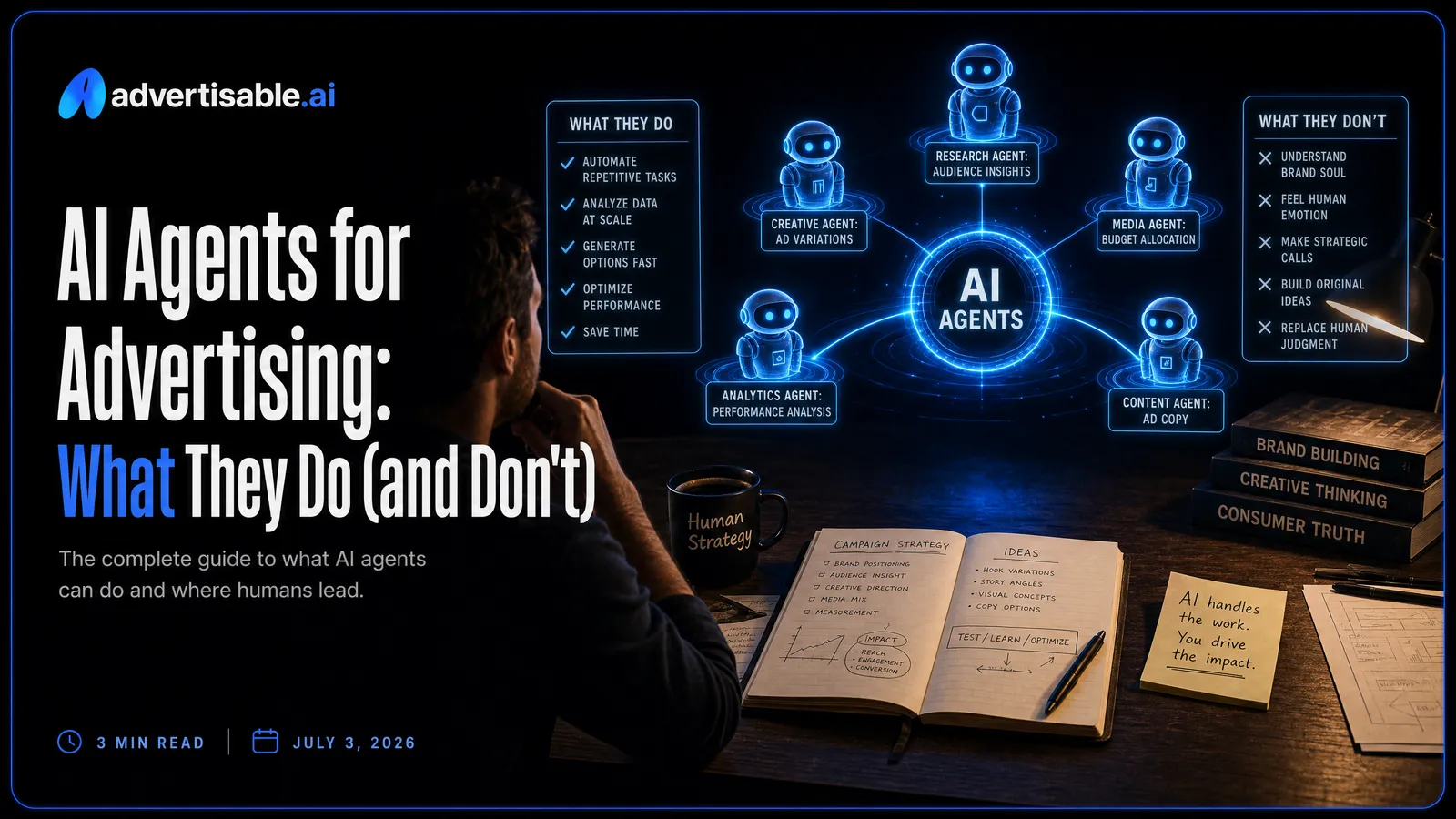
AI agents for advertising are AI assistants that can generate and iterate ad creatives and take real production actions through a connector, with you staying in control.
Here’s what matters most:
- A real advertising agent produces assets and iterations, not budget decisions or spend.
- The practical win is speed: fewer tool switches means more tests per week.
- Brand control is the center: Brand DNA prevents drift when volume ramps.
- Look for scene-level editor workflows so you can change only the hook.
- Integration effort matters: MCP-native setups beat brittle connectors for iteration speed.
We built Advertisable AI for performance teams that need production-ready video and image ads at volume, without losing control. In Advertisable, Brand DNA locking keeps variations consistent, and Frame-by-frame control gives you surgical changes. When you use our MCP Integration (Claude), the work happens in the same conversation where you are already thinking, with approval gates before publishing.
The real reframe is simple: agentic advertising is production in your assistant, not an autonomous system “driving” your campaigns.
Once you see why the ad account bot story fails, it gets much easier to spot which tools are built for controllable output and which ones are built for hype.
The reframe: agentic advertising means production in your assistant
“AI agents for advertising” gets misread as a bot running your ad account end-to-end. The version that works is narrower and more useful: you direct the work in the same place you think, and the agent executes production.
Why the ad account bot story fails
Handing an autonomous bot the keys to your ad account breaks down fast, because the hard part is not clicking buttons. The hard part is judgment under uncertainty: what to say, what to show, what to cut, and what you are willing to risk in public.
In our experience, “run my campaigns for me” fails for three predictable reasons: incentives are unclear (optimize for CTR, trials, or payback), brand tolerance varies (what is acceptable on Monday is not acceptable after one comment thread), and edge cases pile up (policy, claims, cultural context, product nuances). When something goes sideways, you still own the outcome, but now you are debugging a black box.
- You cannot delegate taste: hooks, pacing, proof points, and where the brand draws the line
- You should not delegate spend decisions without an approval gate
- You do want to delegate the busywork of producing and iterating creatives
Agent-native means work where you think
Agent-native advertising means the production work happens inside your AI assistant, not in a separate tool you have to babysit. You describe the intent in plain language, the agent turns it into concrete creative output, and you keep the thread of reasoning in one place.
That matters because tool switching is a performance tax, not a preference issue. Harvard Business Review research found the average digital worker toggles between applications and websites nearly 1,200 times per day, and spends almost four hours per week reorienting after switching apps.
When creative production lives in the same conversation as your strategy notes, customer objections, and prior test learnings, you spend less time translating and more time making decisions.
Production scales, direction stays yours
The practical split is simple: let the agent scale output, but keep direction human. You stay responsible for the brief, the claims you will stand behind, and the final approval.
Where agents shine is high-volume, controlled variation: generating multiple UGC-style scripts, swapping Product B-Roll sequences, or iterating the first 2 to 3 seconds without touching the rest of the ad. That is production throughput, not autonomous marketing.
You get speed without surrendering brand intent, because the agent is executing within constraints you set, then handing work back for review before anything goes live.
What an AI agent is for advertising in plain terms
A connector turns chat into action
In advertising, an AI agent is useful when it can do work, not just talk about work. The key difference is a connector that lets your assistant trigger real production actions in a tool on your behalf.
Without that connector, you are stuck in copy-paste mode: you ask for a script, then you manually move assets, build scenes, export formats, and repeat. With a connector, you can describe the output you want in plain language, and the agent can execute the steps inside the ad-making system.
In practice, that “action” usually looks like turning a product link or brief into production-ready creative, then iterating with controlled edits. You stay in the conversation, but the work happens in the studio.
- You give a goal and constraints in chat (format, angle, brand rules).
- The agent generates an ad draft using your approved brand context (Brand DNA).
- You request a specific edit (for example, regenerate only the first scene) and it applies that change in the storyboard.
- You export ready-to-run assets for channels like Meta, TikTok, or YouTube.
Not just copy, not autonomous control
An advertising agent is not “just a copy tool,” and it is also not a bot that should run your ad account unattended. The sweet spot is production and iteration with clear human direction.
Copy tools help you write headlines or scripts, but they do not enforce Brand DNA, assemble scenes, or give you frame-by-frame control. That is where a real creative agent earns its keep: it turns intent into a finished asset you can actually test.
On the other end, fully autonomous control is where teams get nervous for good reason. Budget decisions, publishing, and campaign changes carry brand and financial risk, so the right model is approval-gated: you decide what goes live, and the agent does the hands-on build work.
- You own: positioning, offer, brand guardrails, and final approval.
- The agent owns: generating variations, assembling ad formats, and applying targeted edits fast.
- You do not outsource: spend, targeting, or launch decisions to an unchecked system.
What agents do and do not do in advertising
They generate and iterate ad assets
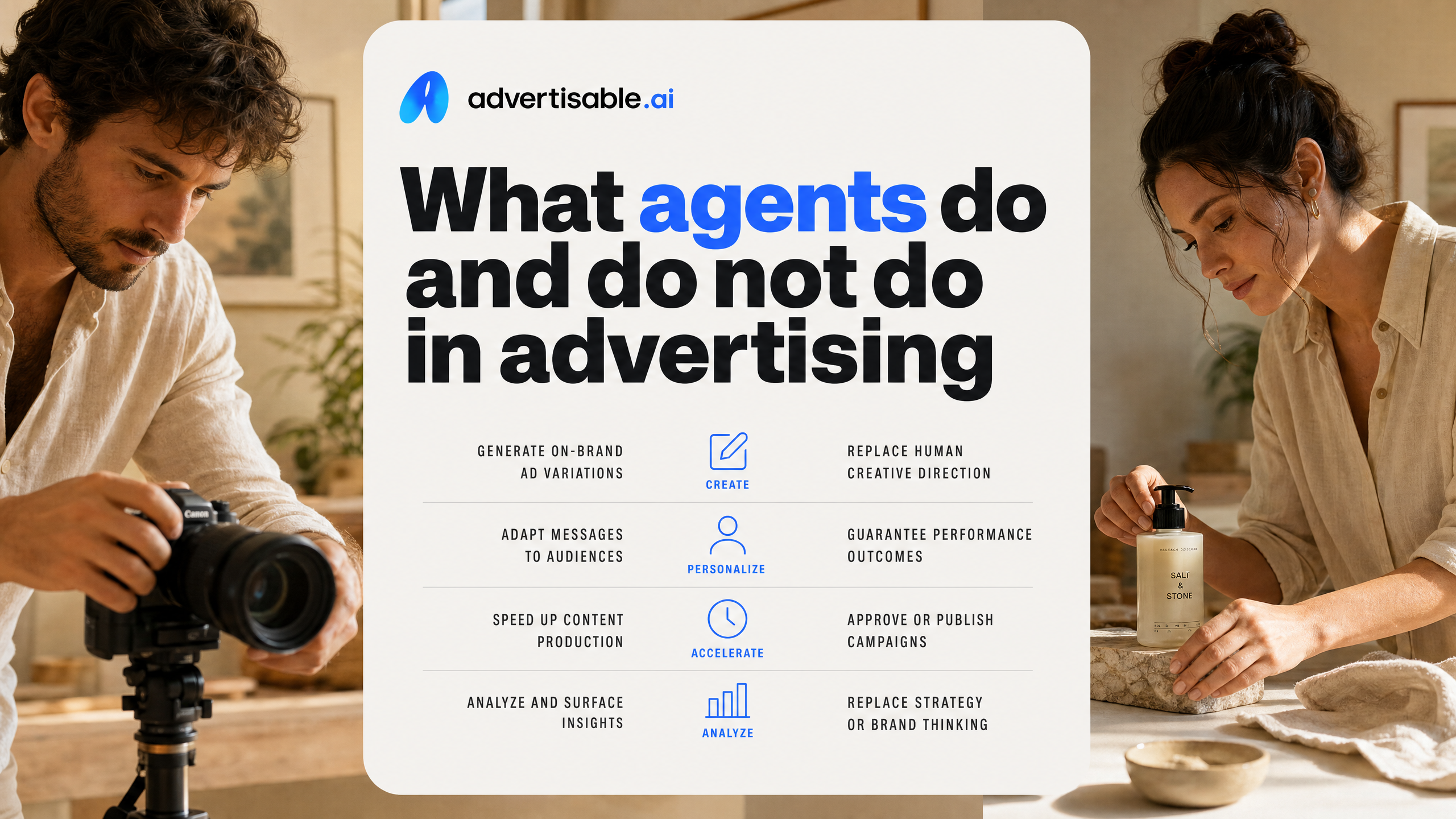
An advertising agent earns its keep in production: turning a brief into real ad assets you can ship, then iterating fast without restarting from scratch.
In practice, that means generating multiple formats (UGC-style, Product B-Roll, statics, simple animations), resizing to platform-native aspect ratios, and producing variations where you change one variable at a time. The difference between “looks fine” and “performs” is usually iteration speed plus control, not a single magic prompt.
What we look for is tight creative iteration loops: you generate a baseline, then regenerate only the hook scene, the CTA frame, or one proof point while keeping everything else constant. That is how you learn what moved results, instead of guessing.
- Outputs: production-ready video and image ads, not just copy
- Iterations: hook variants, offer framing, different spokesperson/UGC angles, and scene-level swaps
- Controls: Brand DNA constraints and Storyboard Editor edits so high volume does not drift
They do not run campaigns or spend
A creative agent is not your media buyer. It should not be logging into ad platforms, launching campaigns, changing budgets, or spending money on your behalf.
That boundary matters because creative work is reversible, while spend is not. Even strong automation in buying tools is still operating inside rules you set, and it belongs in your ad account governance, not in a creative generator’s “autonomous” mode.
This is where industry analysis is clear: human oversight remains critical for brand safety, creative quality, and governance as consumer expectations rise.
- No autonomous publishing to Meta, TikTok, or Google Ads
- No budget changes, bid changes, or audience targeting decisions
- No spend authorization or payment execution
You keep review and final decisions
You keep the steering wheel. The right setup is approval-gated: the agent produces options, you review, and you decide what ships.
Your review is not a formality. It is where you check claim accuracy, brand fit, and whether the creative matches the strategy you are actually running. For teams using Advertisable AI, that usually looks like Brand DNA locked upfront, then frame-by-frame adjustments in the Storyboard Editor, and export only after sign-off.
The practical standard: nothing goes live unless you can point to a human decision owner for the final creative.
- You approve messaging and visual choices before export
- You choose which variants to test (and which never leave draft)
- You set non-negotiables: compliance, brand guardrails, and “do not say” rules
Why doing ad work inside your assistant matters
Tool switching kills iteration speed
Creative iteration lives or dies on momentum. When you have to bounce between your assistant, a creative tool, a shared folder, and a tracker, you lose the thread and your next iteration gets worse, not just slower.
We see this most in performance creative: you spot a weak hook, you want five variants, and suddenly you are copy-pasting briefs, re-uploading assets, re-explaining what changed, and trying to remember which version is “Hook 3-final-final.” That friction quietly limits how many shots you take, which limits how fast you learn.
That friction compounds: every switch is time spent reorienting instead of creating, and it quietly caps how many tests you run.
- More resets: each tool jump forces you to restate the objective, the audience, and what you are testing
- More versioning mistakes: the wrong file, the wrong edit, the wrong export settings
- Fewer iterations per hour: you stop after two variants because the process is tiring
- Slower feedback loops: reviewers see drafts later, so changes stack up instead of resolving quickly
Persistent brand context prevents drift
The second advantage is consistency. When the ad work happens inside your assistant, your brand context can stay “always on” instead of being re-entered from scratch every session.
Drift is not usually one big mistake. It is small deviations that compound: a slightly different tone in the CTA, a new color that is close but off, a product promise that is not how you normally say it. At volume, that becomes a brand liability and a performance problem.
This is why systems like Brand DNA matter. In our experience, locking the messaging and visual constraints up front prevents the assistant from inventing a new voice every time you ask for “10 more variations,” especially across UGC Ads, Product B-Roll, and statics.
You still review and decide, but you are reviewing within guardrails instead of cleaning up brand inconsistencies after the fact.
- Store brand rules once (voice, do-not-say claims, visual constraints) and reuse them across iterations
- Keep ICP and objections in the same working context, so hooks do not wander into irrelevant angles
- Change only what you are testing, so you can isolate performance impact without accidental brand changes
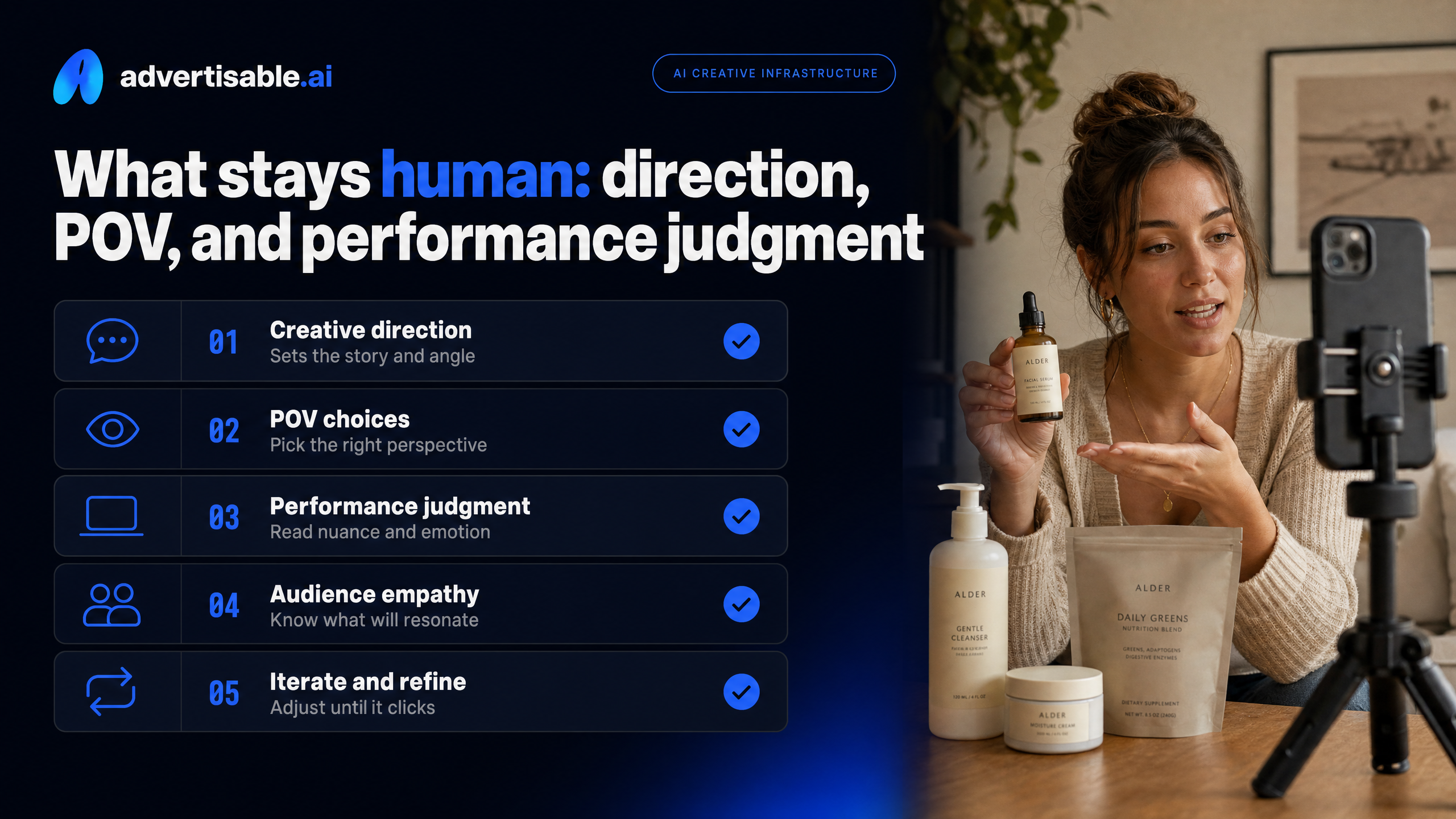
What stays human: direction, POV, and performance judgment
Your POV is the creative ceiling
AI can produce options fast, but it cannot decide what you stand for. Your point of view is the ceiling: the sharper your stance, the more your creative has something to say, not just something to show.
In performance creative, “POV” is not a brand manifesto. It is the opinion that shapes the first 2 seconds, the proof you choose, and the tradeoff you are willing to name. Without that, generation tools will happily give you dozens of variations that feel polished but interchangeable.
Your job is to set constraints that are hard for a model to invent: what you are against, who you are for, and what you will not claim. Then you can let the agent do what it is best at: producing volume inside those guardrails.
- Pick one enemy per campaign: the old way, the hidden cost, the common mistake your buyer makes
- Decide your proof type up front: product walk-through, before-after workflow, founder explanation, comparison to the status quo
- Lock the non-negotiables: offer framing, compliance lines, and the visual signals that make your ads unmistakably yours
Metrics choose winners, not vibes
Creative judgment still needs a scoreboard. Metrics pick winners because your audience and the auction do not care if an ad “feels right” in a review meeting.
You do not need a complex analytics stack to make good calls. You need one primary metric tied to the business outcome, then a simple rule for what happens when an ad earns another iteration versus when it gets cut.
The cleanest approach is one primary metric tied to your business outcome — cost per acquisition, cost per lead, or ROAS — with CTR as a diagnostic, not the decision metric.
This is also where control matters: with a scene-level editor you can change only the hook, keep the demo and claims stable, and learn what actually moved the metric instead of guessing.
- Define the decision metric before you generate: cost per acquisition, cost per lead, or ROAS
- Hold variables steady: test one thing at a time (often the hook) to keep learning attributable
- Promote winners by spend only after they clear the business metric, not after internal approval
Concrete example: make on-brand ads in Claude with Advertisable
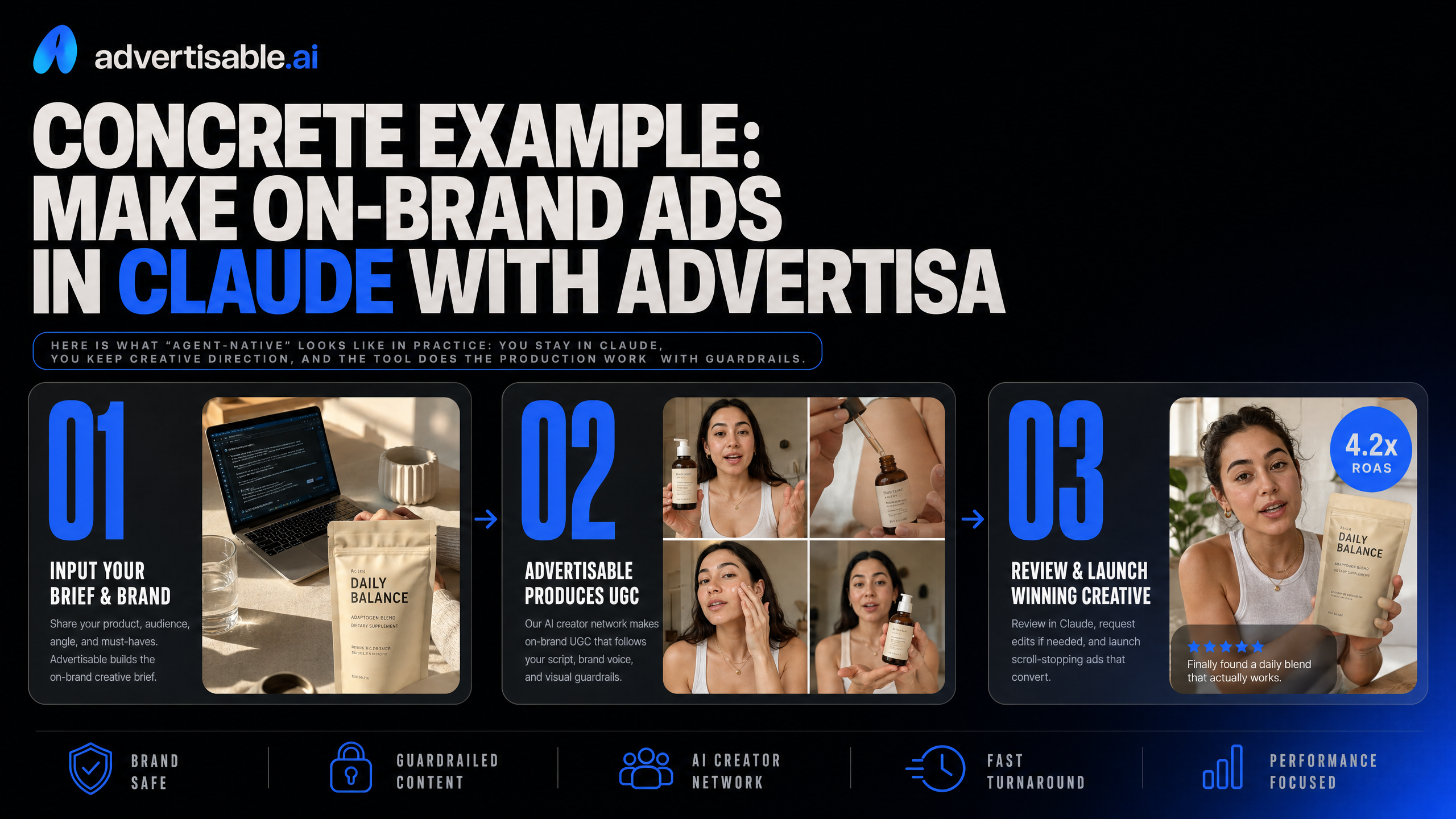
Here is what “agent-native” looks like in practice: you stay in Claude, you keep creative direction, and the tool does the production work with guardrails.
Connect MCP-native to Claude
MCP-native means Claude can operate the ad studio as a tool, not just talk about what you should do. You give instructions in chat, and the tool executes production steps for you.
In our experience, this matters because it removes the copy-paste loop that creates errors and slows iteration. You can go from “make me 10 variations from this product link” to exported, platform-ready creatives without bouncing between tabs.
You typically connect once, then work in a tight loop: brief, generate, review, adjust, export.
- Provide a product URL or a clear prompt for what you are selling
- Specify format needs (9:16, 1:1) and platform context (Meta, TikTok, YouTube)
- Ask for specific outputs: UGC Ads, Product B-Roll, statics, or a mix
Lock Brand DNA before scaling volume
Volume only helps if every variation stays on-brand. Brand DNA locking is the difference between “more ads” and “more ads your team will actually approve.”
Set the constraints before you generate at scale. The stronger your inputs, the tighter the lock and the less brand drift you have to clean up later.
In Advertisable, we recommend treating Brand DNA like a template you harden once, then reuse across batches.
- Connect your product URL to extract initial positioning and industry context
- Upload brand assets (logos, colors, fonts) into your Brand Asset Library
- Add examples of ads that are on-brand and off-brand to sharpen the boundaries
- Lock messaging constraints you do not want violated (terms, tone, claims)
Regenerate hooks with frame control
When performance drops, the fastest learning usually comes from changing the first 2 to 3 seconds, not rebuilding the whole ad. Frame-by-Frame Control lets you regenerate only the hook while keeping the demo, proof, and CTA intact.
Use the Storyboard Editor to select the opening scene and apply “frame control” so each new variant changes just one variable: the hook angle.
That is how you run clean A/B tests on creative, without turning every iteration into a full re-edit.
- Problem-first: call out the pain in one line, then reveal the product
- Outcome-first: lead with the result, then show how it happens
- Objection-first: surface the “this won’t work for me” thought, then answer it
- Mechanism-first: show the workflow or feature that makes it believable
Make agent-native creative real in one workflow
If you are serious about AI agents in advertising, start where the leverage actually is: production speed with brand control, inside the assistant you already use. That is where teams win time back without handing over campaign decisions or risking brand drift.
With Advertisable AI, we let you generate production-ready video and image ads from a product URL or a prompt, then lock in Brand DNA before you scale volume. When you want to learn faster, you use the Storyboard Editor for Frame-by-Frame Control so you can regenerate only the hook and keep everything else constant.
Start the $5 trial, generate 10 variations, then run a hook-only test and judge the winner on cost-per-trial and trial-to-paid, not vibes.
Frequently Asked Questions
Q: How is this different from just using Midjourney or DALL-E to generate ads?
A: Those tools are great for standalone assets, but they do not give you a brand-locked ad production workflow. With Advertisable AI, you generate complete ad creatives with Brand DNA constraints and iterate them in a way that supports performance testing, not just output.
Q: What happens if I generate tons of variations - won't some drift off-brand?
A: They do if you treat generation like an open-ended prompt party. Brand DNA locking is designed to keep your visual and messaging rules consistent across variations, so volume does not automatically mean brand inconsistency.
Q: Why would we use scene-level editing instead of just regenerating the whole ad?
A: Because you learn faster when you isolate variables. Scene-level edits let you change only the hook or a single moment while keeping the rest of the ad stable, which makes A/B results easier to trust and faster to iterate.